General / Service Manuals
Dexter 12V Cordless Vibrating Suction Cup User Guide
A quick guide for the Dexter 12V Cordless Vibrating Suction Cup, covering battery installation, operation, vibration settings, and charging procedures.
Table of contents
Quick guide from the manual
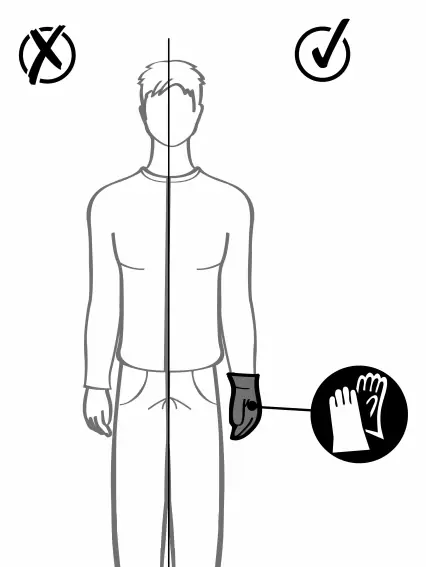
This document provides essential instructions for the safe operation of the Dexter 12V Cordless Vibrating Suction Cup. It is designed for lifting and positioning tiles or similar smooth surfaces. Always wear protective gloves during operation.
Elements of the set
- 1x Cordless Vibrating Suction Cup
- 2x 12V Batteries
- 1x Charging base
- 1x Power adapter
- 1x USB charging cable
Assembly and battery installation
To install the battery, align it with the slot on the handle and slide it in until you hear a click. To remove, press the release button on the battery and pull it out.
Operation
Starting the device: Press and hold the power button for 3 seconds to turn the unit on. Once placed on a surface, press the power button once to activate the suction. The display will show the suction status.
Vibration settings: Use the vibration control button to adjust the intensity. You can cycle through different levels (1-5) to suit the material being handled. Pressing the button for 2 seconds allows you to lock or unlock the vibration settings.
Stopping the device: Press the power button twice to release the suction. Press and hold the power button for 3 seconds to turn the device off completely.
Charging
Place the battery into the charging base. Connect the USB cable to the base and the power adapter, then plug the adapter into a wall outlet. Ensure the battery is fully charged before use.
Manufacturer information
ADEO
Practical help
Common problems
Device does not turn on
Check if the battery is correctly inserted and charged.
Suction not holding
Ensure the surface is clean, smooth, and non-porous. Check the suction cup for debris.
Before use
- Ensure the battery is fully charged.
- Wear protective gloves.
- Verify the surface is clean and smooth.
- Check that the battery is securely clicked into place.
Images and diagrams
- Page 6: Battery installation and removal sequence.
- Page 7: Powering on and activating suction.
- Page 8-9: Adjusting vibration intensity levels.
- Page 11: Battery charging procedure.
Model compatibility
- Designed for smooth, non-porous surfaces.

Manual page author
Emily Carter
User documentation editor
Prepares concise manual descriptions and highlights the most useful setup, operation, and maintenance information for readers.