Alfatron 12X-CAM Camera Technical Specifications
Technical specifications and interface guide for the Alfatron 12X-CAM. Includes video formats, PTZ parameters, connectivity options, and environmental requirements.
Table of contents
Quick guide from the manual
This document provides the technical specifications and interface details for the Alfatron 12X-CAM. It is intended for users and installers to verify compatibility, connectivity, and operational parameters of the camera. Key information includes supported video formats, PTZ control protocols, and environmental operating conditions.
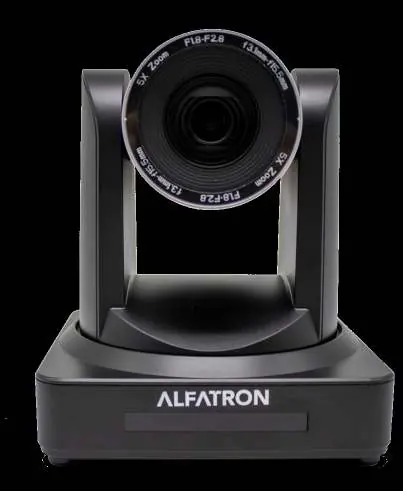
Technical Specifications
The camera features a 1/2.8-inch high-quality HD CMOS sensor with 2.07 megapixels. It supports a wide range of video formats via HDMI and interface outputs, including 1080P and 720P resolutions at various frame rates. The optical zoom is 12X (f= 3.9~46.1mm) with an additional 10X digital zoom. The camera includes 2D and 3D DNR, auto/manual white balance, focus, aperture, and electronic shutter controls.
Input/Output Interface
The device is equipped with multiple connectivity options:
- Video Interfaces: USB2.0, USB3.0, HDMI, LAN, RS232 (input)
- Control Signal Interface: RS-232 (Ring through), RS-485
- Control Protocols: VISCA, Pelco-D, Pelco-P
- Network Protocols: RTSP, RTMP, ONVIF
- Power Interface: HEC3800 outlet (DC12V)
PTZ Parameters
The camera supports precise movement control:
- Pan Rotation: ±170°
- Tilt Rotation: -30° to +90°
- Pan Control Speed: 0.1 - 180°/sec
- Tilt Control Speed: 0.1 - 80°/sec
- Presets: 255 total (10 accessible via remote controller)
Operating Environment and Power
The camera is designed for indoor use. It requires a DC12V power supply (1A max). Operating temperature range is -10°C to +50°C with a humidity range of 20%-80%. The unit dimensions are 150mm x 150mm x 167.5mm, with a weight of 1.4kg.
Manufacturer information
Alfatron Electronics
Practical help
Common problems
Verify the control protocol (VISCA/Pelco-D/Pelco-P) and baud rate (115200/9600/4800/2400bps) match your controller settings.
Ensure AGC is ON and check the minimum illumination requirement of 0.5Lux (F1.8).
Before use
- Verify power supply provides DC12V/2A.
- Ensure the installation environment is indoors and within -10°C to +50°C.
- Check that the chosen video interface (HDMI/USB/LAN) is compatible with your capture device.
- Confirm the mounting surface is suitable for the included wall or ceiling bracket.
Specs in practice
- 12X Optical Zoom
- Physical lens adjustment providing 12x magnification without loss of image quality.
- ONVIF/RTSP/RTMP
- Network protocols allowing the camera to stream video and be controlled over IP networks.
Model compatibility
- Supports 5G WiFi as an optional feature.
- Compatible with standard VISCA, Pelco-D, and Pelco-P control protocols.
- Designed exclusively for indoor environments.

Manual page author
David Miller
Documentation analyst
Organizes user manual content into clear summaries, with attention to model details, product context, and everyday usability.