AOSTIRMOTOR 1500W Electric Bike User Guide
Comprehensive guide for the AOSTIRMOTOR 1500W electric bike, covering assembly, battery maintenance, controller settings, and motor care.
Table of contents
Product Overview
The AOSTIRMOTOR 1500W electric bike is a high-performance e-bike featuring a 6061 aluminum alloy frame, a powerful 1500W rear motor, and a 48V 15Ah Samsung lithium-ion battery. It is equipped with front shock absorption, 26x4.0 tires, and front/rear disc brakes for enhanced control and comfort. The bike includes a color LCD display for monitoring speed, battery level, and other ride metrics.
Safety Notice
Before every ride, perform the following functional checks: ensure the brake system, throttle, and power system are working correctly. Check that tire pressure is maintained at 30 psi and that all wheel lug nuts are securely tightened. Always verify that the battery charge level is sufficient for your trip.
Assembly Instructions
To assemble the bike, carefully remove it from the packaging and place it on a soft surface to prevent scratches. Install the front wheel into the front fork and secure it with the disc brake caliper. Attach the handlebar to the center position and tighten the bolts. Install the LCD display and connect the green cable. Finally, attach the pedals, ensuring the right pedal rotates clockwise and the left pedal rotates counterclockwise. Ensure all components are aligned and securely tightened before use.
Battery Installation and Maintenance
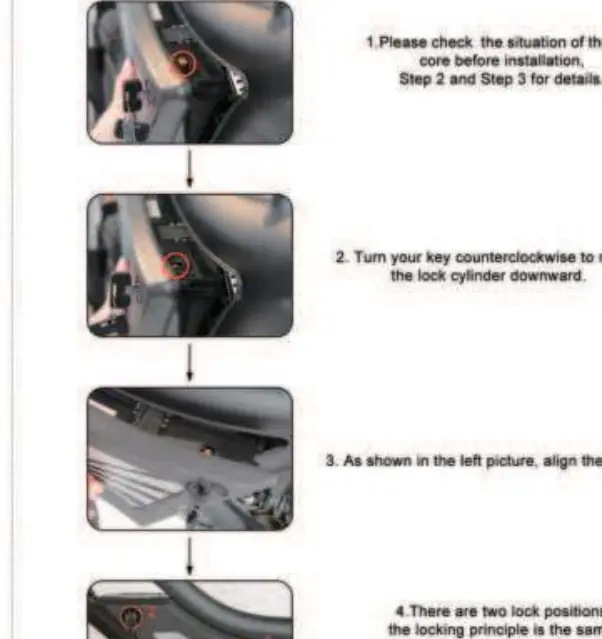
The battery is secured with a lock core. To install, align the slider and turn the key to lock it in place. When not in use for an extended period, charge the battery 1-2 times every month. Keep the battery environment dry and avoid riding in heavy rain. Use a universal meter to periodically test battery attenuation.
LCD Display and Controller Settings
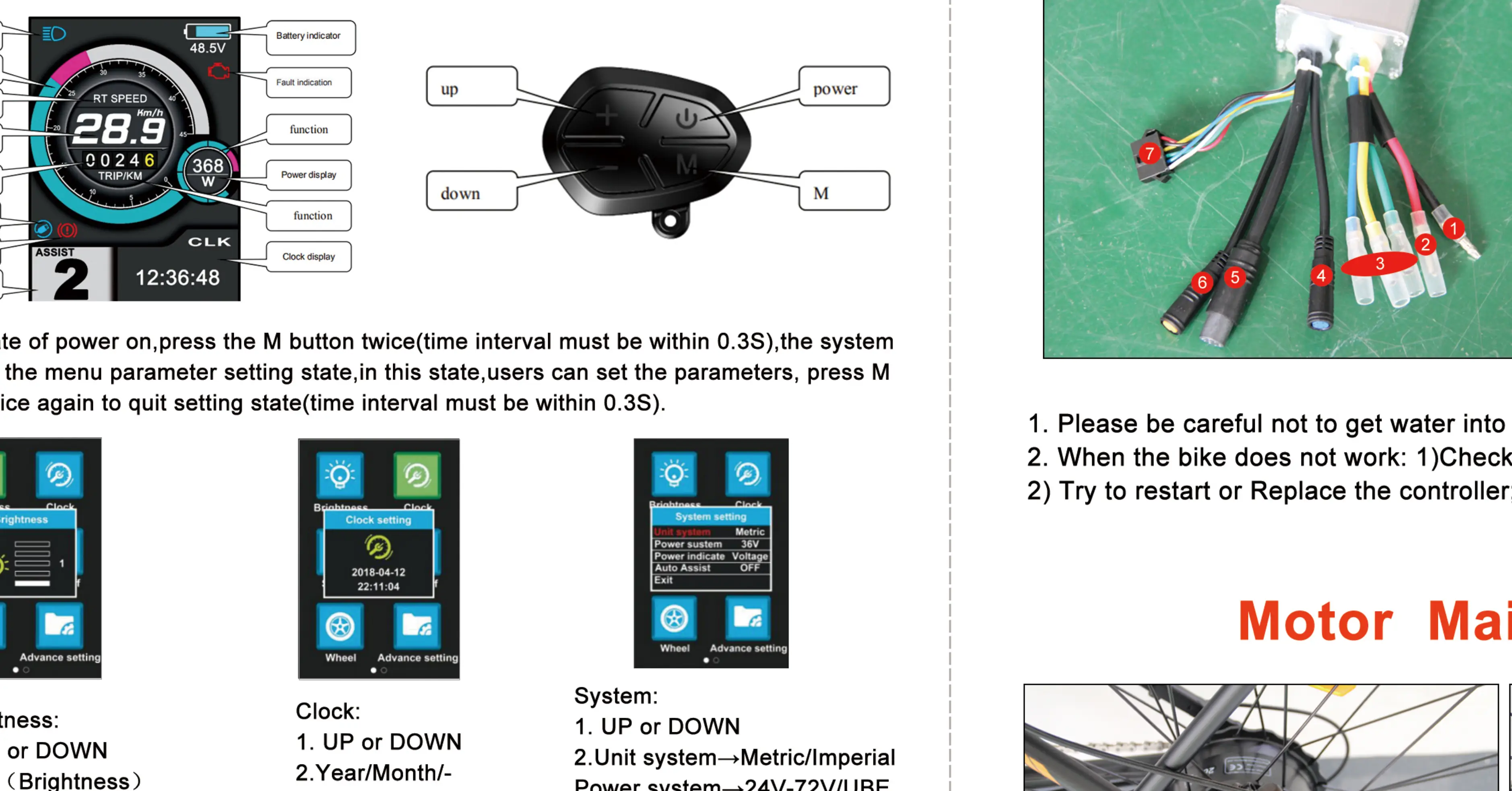
The color LCD display allows for customization of various settings, including brightness, clock, system units (metric/imperial), and wheel size. Access the menu by holding the M button. Default passwords for advanced settings are typically '0000' or '1801'. Ensure the controller box remains dry and free from water ingress to prevent electrical issues.
Motor Maintenance
Regularly inspect the motor for any signs of damage or loose components. Check the integrity of cables before and after every ride. Avoid operating the motor in extreme environments. If you notice a significant loss of power, stop using the bike and contact support for assistance.