SIM Card Modification Guide for iPhone 16E
A technical guide for modifying the iPhone 16E to support a physical SIM card. This document covers the installation of the GM 16e flex cable, disconnecting the eSIM component, and removing specific resistors on the logic board.
Table of contents
Manual images
Click an image to enlargeImportant Safety Warning
This guide describes a hardware modification for the iPhone 16E. Performing this procedure involves disassembling the device and performing micro-soldering on the logic board. This process will void your warranty and carries a high risk of permanent damage to your device. Proceed only if you are an experienced technician.
Required Components
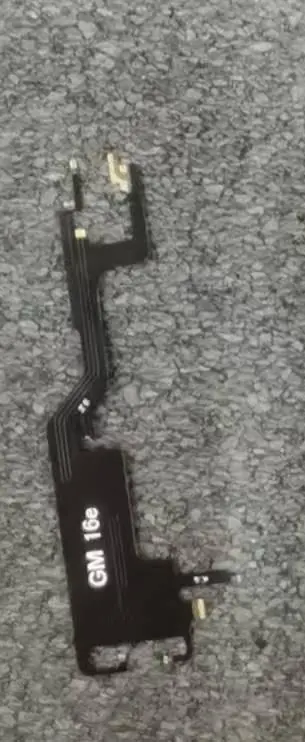
- GM 16e flex cable
- SIM card slot assembly
Modification Procedure
1. Flex Cable Installation
Install the GM 16e flex cable onto the logic board. Ensure the connection is secure and aligned with the board's contact points.
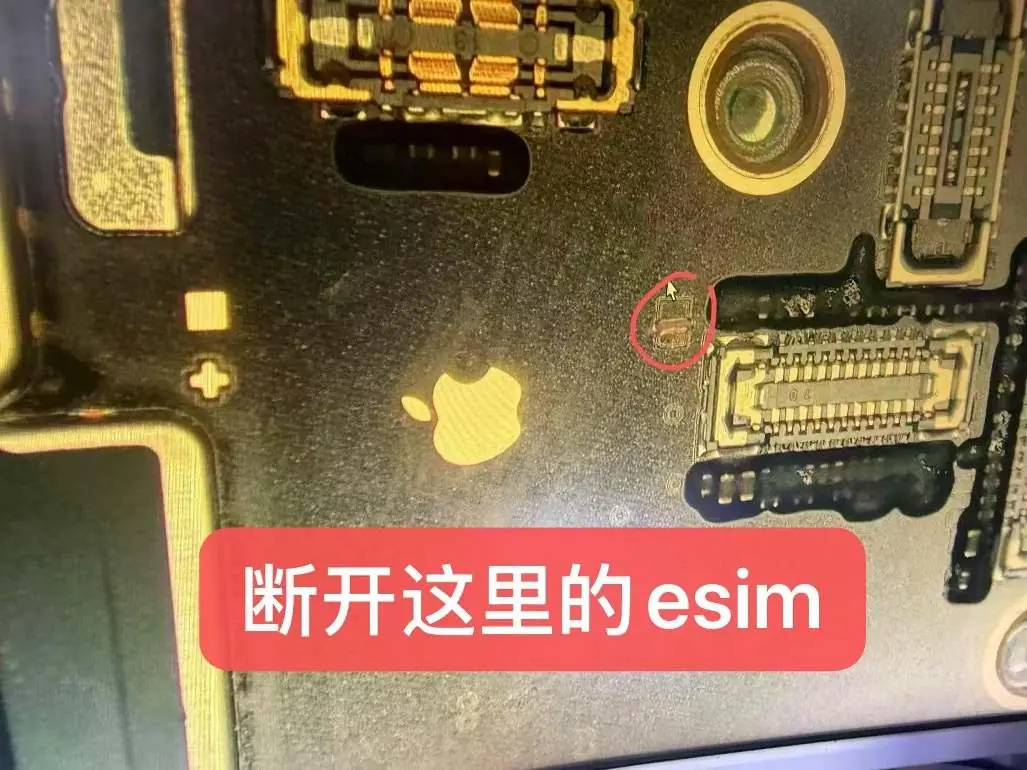
2. Disconnecting eSIM
Locate the eSIM component on the logic board. Carefully disconnect or remove the component as indicated in the technical diagrams to disable the internal eSIM functionality.
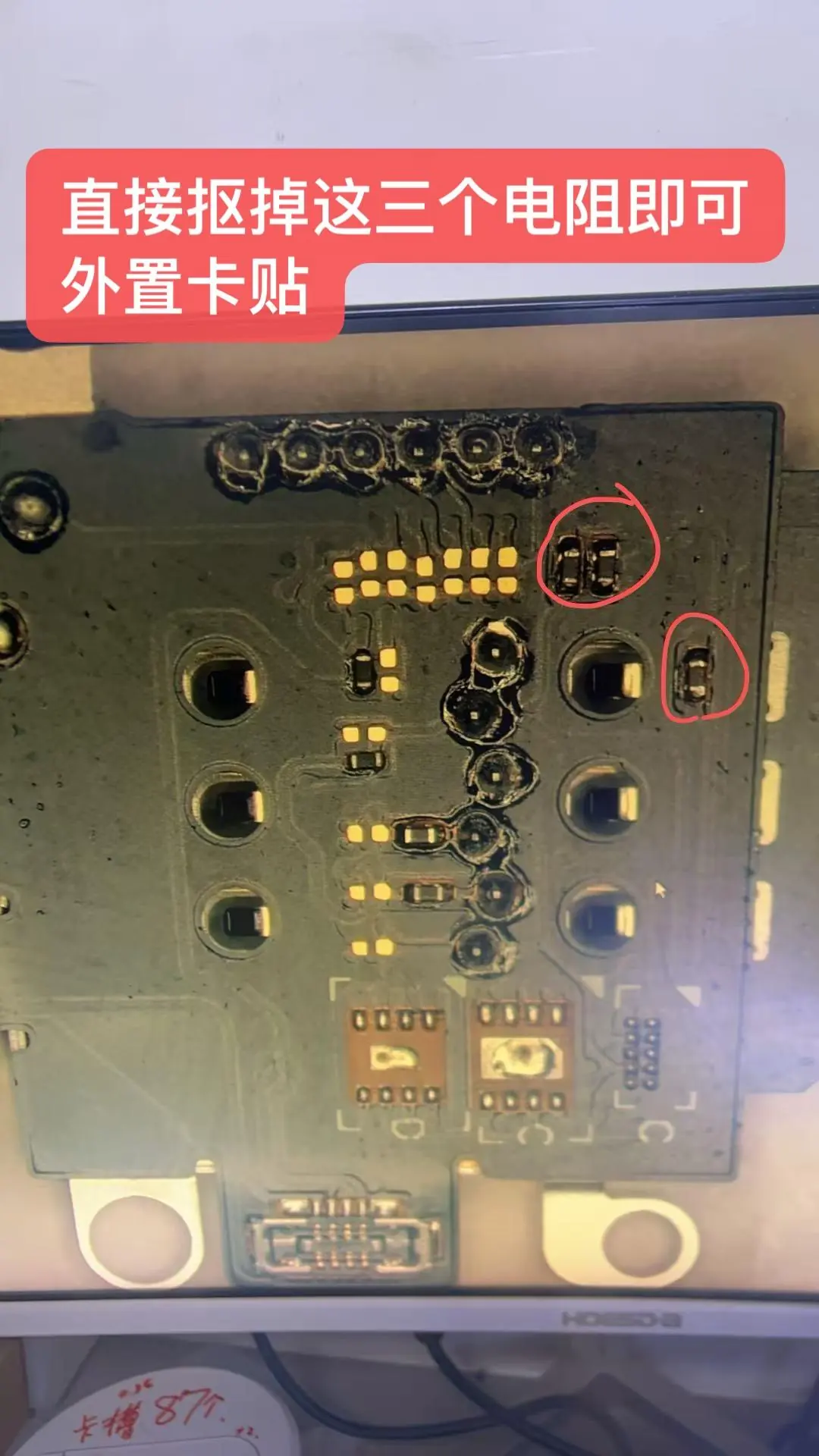
3. Resistor Removal
Locate the three resistors on the logic board. Remove these three resistors to enable the external SIM card tray functionality.
Manufacturer information
Apple Inc.
Practical help
Common problems
Verify that the flex cable is properly seated and that the three resistors were completely removed from the logic board.
Ensure the eSIM component on the logic board has been fully disconnected as shown in the guide.
Before use
- Ensure you have the correct GM 16e flex cable and SIM slot assembly.
- Prepare precision soldering and disassembly tools.
- Back up all device data before starting.
- Work in a clean, static-free environment.

Manual page author
Emily Carter
User documentation editor
Prepares concise manual descriptions and highlights the most useful setup, operation, and maintenance information for readers.