User Manual for AUKEY Omnia II Mini 20W USB-C Charger
Quick guide for the AUKEY Omnia II Mini 20W USB-C Charger (Model PA-B1T). Learn how to use your charger, view technical specifications, and follow safety precautions for optimal performance.
Quick answers from the manual
Quick answer
- The AUKEY Omnia II Mini 20W USB-C Charger is designed for fast charging via USB-C Power Delivery. Simply plug the charger into a wall outlet and connect your device using a compatible USB-C cable. p. 1
Key actions
- Plug the charger into a wall outlet and connect your device using a certified USB-C cable. p. 1
Problems and fixes
Stop using the charger immediately.
p. 1Show 2 more answers Show less
Technical specifications
| Parameter | Value | Meaning | Pages |
|---|---|---|---|
| Input | 100-240V 50/60Hz 0.5A | Standard AC input | p. 1 |
| Output | 5V/3A, 9V/2.22A, 12V/1.67A | Power Delivery output | p. 1 |
| Total Output | 20W Max | Maximum power delivery | p. 1 |
Where to find it in the PDF
- Product Manual p. 1
Table of contents
Quick guide from the manual
The AUKEY Omnia II Mini 20W USB-C Charger is a compact power adapter designed for fast charging. To use it, simply plug the charger into a compatible wall outlet and connect your device using a certified USB-C cable. Ensure the charger is kept away from liquids and extreme heat.
Using your product
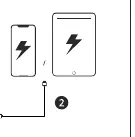
The charger supports USB Power Delivery (PD) for fast charging. For optimal performance, use a certified USB-C to Lightning or USB-C to USB-C cable. Note that the plug type may vary depending on your region.
Safety precautions
- Keep the device away from liquids and extreme heat.
- Do not disassemble or modify the charger.
- It is normal for the device to heat up slightly during operation. If it becomes excessively hot, stop using it immediately.
- Dispose of the device according to local regulations.
Technical specifications
- Input: AC 100-240V 50/60Hz 0.5A
- Output: 5V 3A / 9V 2.22A / 12V 1.67A
- Total Output: 20W Max
- Dimensions: 31 x 32 x 34.8mm
- Weight: 40g
Manufacturer information
AUKEY
Practical help
Common problems
Ensure the charger is securely plugged into the wall outlet and the USB-C cable is properly connected to both the charger and your device.
It is normal for the device to heat up slightly when charging. If it becomes excessively hot, stop using it immediately.
Before use
- Check that the wall outlet is compatible with the input voltage (100-240V).
- Ensure you are using a certified USB-C to Lightning or USB-C to USB-C cable.
- Verify the charger is not exposed to liquids or extreme heat.

Manual page author
David Miller
Documentation analyst