BN-LINK 159WT Smart Wifi Power Strip User Guide
Comprehensive user guide for the BN-LINK 159WT Smart Wifi Power Strip, covering setup, app integration, voice control with Alexa and Google Home, and troubleshooting.
Table of contents
Product Overview
The BN-LINK 159WT is a smart Wi-Fi power strip featuring three individually controlled AC outlets and four USB charging ports. It is designed for indoor use and provides surge protection to connected devices.
Technical Specifications
- AC Input: 125VAC 60Hz
- AC Output: 15A
- USB Ports: 2 USB-A, 2 Type-C (PD20W)
- Combined USB Output: 5V 3A
- Individual USB Output: 5V 2.4A
- Surge Joule Rating: 1200J
- Wireless Protocol: Wi-Fi 2.4GHz (IEEE 802.11 b/g/n)
Safety Information
This device is intended for indoor use only. Keep the unit dry and away from hot, humid, or extreme environments. Do not exceed the electrical ratings (15A maximum). Do not attempt to disassemble the device, as this poses safety risks and voids the warranty. The device meets the UL94 V-0 flammability standard.
Setup and Installation
To begin, download the BN-LINK Smart app from the App Store or Google Play Store and register an account. Ensure your smartphone is connected to a 2.4GHz Wi-Fi network. The device supports two connection modes:
- Easy Mode: The blue indicator light blinks rapidly (twice per second). Follow the in-app instructions to add the device.
- AP Mode: If Easy Mode fails, hold the power button for 7 seconds until the light blinks slowly (once every 2 seconds). Select 'Other Mode' in the app to complete the configuration via the device's Wi-Fi hotspot.
Operation and Features
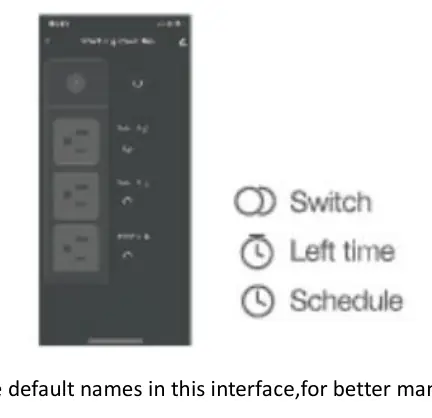
Once connected, you can rename your device, set schedules, and create automations or groups within the app. You can also share device control with other users by authorizing their accounts through the app settings.
Voice Control
The power strip is compatible with Amazon Alexa and Google Home. To enable voice control, link your BN-LINK Smart account within the respective Alexa or Google Home app under 'Skills' or 'Works with Google'. Ensure device names are unique and recognizable for voice commands.
Troubleshooting
If you encounter connection issues, verify that your Wi-Fi is 2.4GHz and that you have entered the correct password. If the device goes offline, check your network connection or try resetting the plug by holding the ON/OFF button for 5 seconds. For persistent issues, contact customer support.
Maintenance and Warranty
The product includes a 30-day money-back guarantee and a 15-month warranty covering technical defects not caused by human error. Ensure the device is used in proper working conditions and is not disassembled.

Manual page author
David Miller
Documentation analyst
Organizes user manual content into clear summaries with attention to model details, product context and everyday usability.