User Manual for Bosch GDS 18V-450 HC / 18V-450 PC Cordless Impact Screwdriver
Quick guide and user manual for the Bosch GDS 18V-450 HC and 18V-450 PC cordless impact screwdrivers. Includes setup, operation, maintenance, and technical specifications.
Quick answers from the manual
Quick answer
- The Bosch GDS 18V-450 HC and 18V-450 PC are cordless impact screwdrivers designed for driving and loosening screws and bolts, as well as tightening and loosening nuts within the specified dimension range. p. 7, 15
Key actions
- Insert battery p. 9, 17
- Change tool p. 10, 18
First start
- Charge battery p. 9, 17
Problems and fixes
Critical temperature reached or battery almost empty. Run tool at no load to cool or charge battery.
p. 10, 18Maintenance and reset
- Clean air vents p. 12, 20
Technical specifications
| Parameter | Value | Meaning | Pages |
|---|---|---|---|
| Rated voltage | 18 V | Operating voltage | p. 7, 16 |
Where to find it in the PDF
- Product Overview p. 3
- Technical Data p. 7, 8, 16
Table of contents
Manual images
Click an image to enlargeQuick guide from the manual
This manual provides essential information for the safe and efficient operation of the Bosch GDS 18V-450 HC and GDS 18V-450 PC cordless impact screwdrivers. Always read the full safety instructions before use.
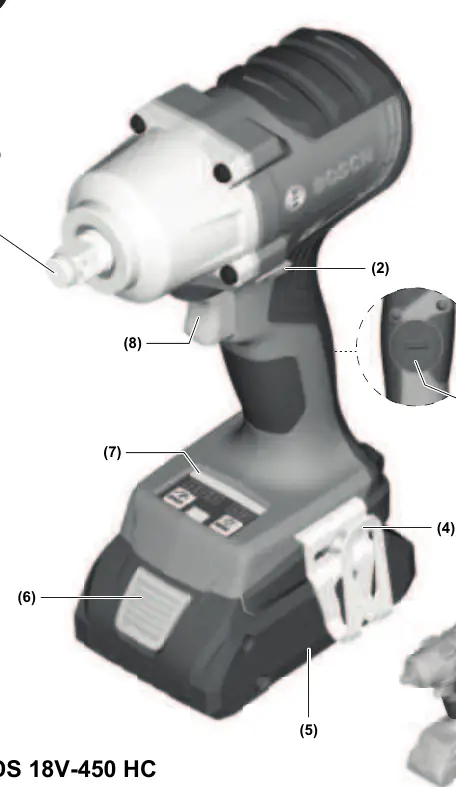
Safety Instructions
General Power Tool Safety: Keep your work area clean and well-lit. Do not operate power tools in explosive atmospheres. Keep children and bystanders away. Always wear personal protective equipment, including eye protection and hearing protection.
Assembly
Remove the battery before performing any maintenance, tool changes, or storage. Ensure the tool is switched off before inserting the battery.
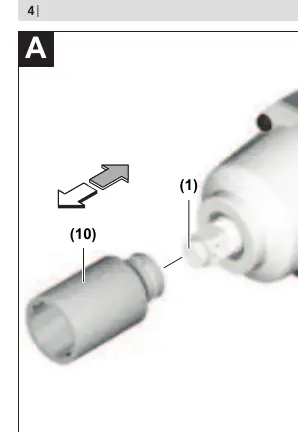
Operation
Tool Holder: Slide the application tool onto the square drive of the tool holder. Ensure it is securely connected.
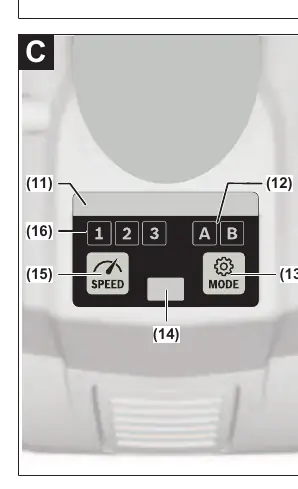
Rotational Direction: Use the rotational direction switch to change the direction. Do not change while the on/off switch is pressed.
Speed/Impact Rate: Adjust the speed by varying the pressure on the on/off switch.
User Interface: Use the user interface to preselect speed and working modes.
Maintenance
Clean the air vents regularly to prevent dust accumulation. Keep the tool and ventilation slots clean for safe operation.
Manufacturer information
Bosch
Practical help
Common problems
Check battery charge or temperature. Allow the tool to cool down if overheated.
Allow the tool to run at no load to cool down.
Before use
- Check battery charge level
- Ensure the correct application tool is securely inserted
- Verify the rotational direction switch is set correctly
- Ensure the work area is clear and well-lit

Manual page author
David Miller
Documentation analyst
Organizes user manual content into clear summaries, with attention to model details, product context, and everyday usability.