Installation Guide for Bosch NDA-U-CBB Conduit Back Box
Quick installation guide for the Bosch NDA-U-CBB 148mm conduit back box. Includes step-by-step mounting instructions, cable routing, and camera plate attachment procedures.
Table of contents
Manual images
Click an image to enlargeQuick installation guide
This document provides the installation procedure for the Bosch NDA-U-CBB 148mm conduit back box. Ensure you have the necessary tools, specifically an M4 TR20 driver, before beginning the installation.
Installation steps
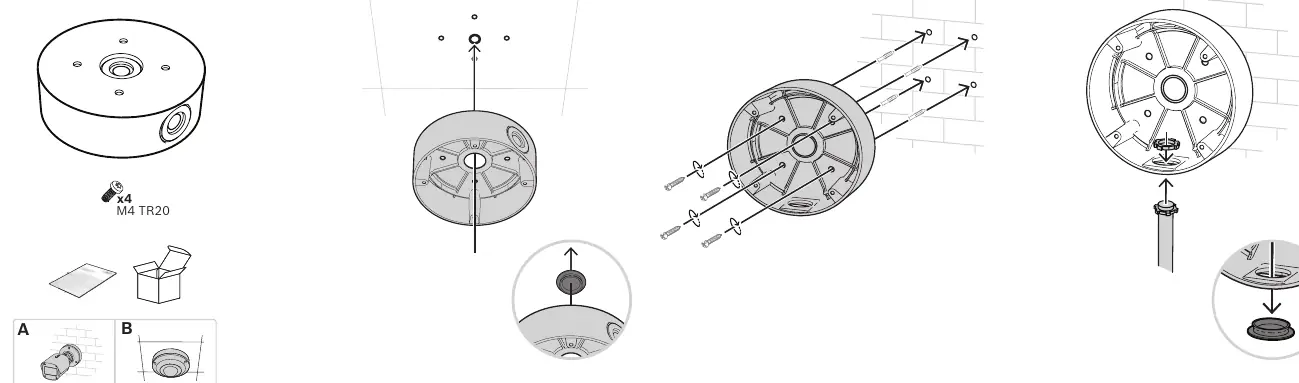
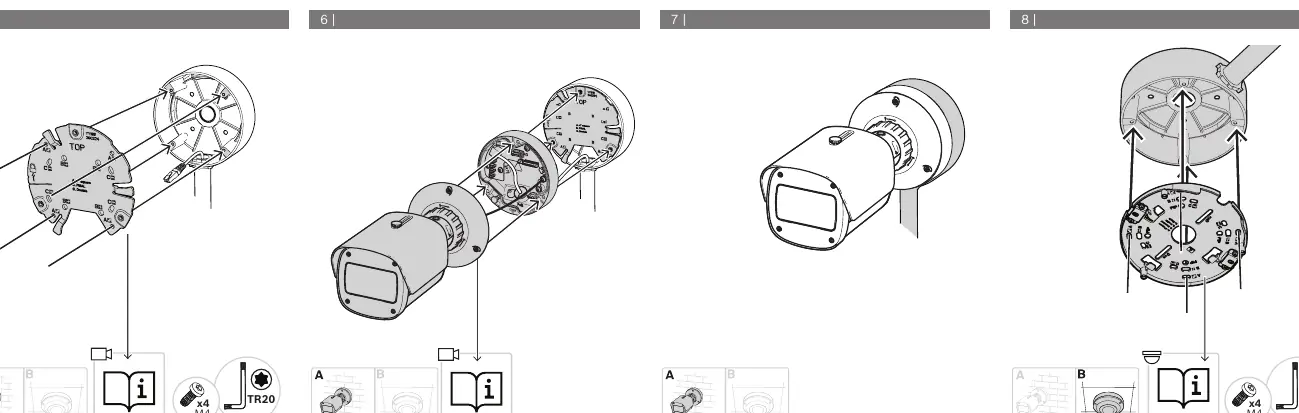
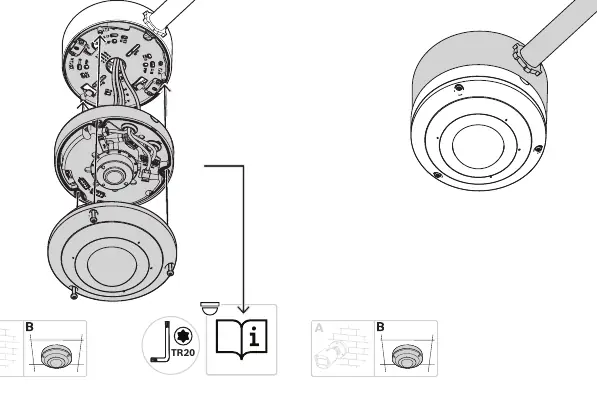
- Preparation: Ensure the mounting surface is suitable for the weight of the camera and back box.
- Mounting: Secure the back box to the wall or ceiling using appropriate fasteners for your mounting surface.
- Cable Routing: Feed the necessary cables through the back box entry points.
- Plate Attachment: Attach the camera mounting plate to the back box using the provided M4 TR20 screws.
- Final Assembly: Complete the final connection and secure the camera unit to the back box as illustrated in the final steps.
Technical specifications
The Bosch NDA-U-CBB is a 148mm conduit back box designed for specific Bosch camera models. It utilizes M4 TR20 hardware for secure mounting and assembly.
Manufacturer information
Bosch
Practical help
Common problems
Ensure the mounting surface is flat and use appropriate wall anchors or screws suitable for the material (brick, concrete, etc.).
Use the correct M4 TR20 driver to avoid damaging the screw heads.
Before use
- Verify the mounting surface can support the combined weight of the camera and back box.
- Ensure you have an M4 TR20 screwdriver available.
- Check that all cables are routed through the back box before final assembly.
- Confirm the camera model is compatible with the NDA-U-CBB back box.

Manual page author
Michael Turner
Technical manual editor
Reviews PDF manuals for structure, safety notes, and practical product details so readers can find the right information quickly.