Programming Manual for BUNN Premia Coffee Brewer
A comprehensive programming guide for the BUNN Premia Coffee Brewer, covering recipe configuration, machine settings, USB data management, and maintenance reminders.
Quick answers from the manual
Quick answer
- This document is the Programming Manual for the BUNN Premia Coffee Brewer, providing instructions on recipe setup, machine configuration, and data management. p. 1
Key actions
- Configure recipes and grinder calibration p. 3
- Manage machine settings via the interface p. 3
- Export or import data using USB p. 3
Maintenance and reset
- Perform regular cleaning and preventive maintenance as outlined in the reminders section. p. 3
Where to find it in the PDF
- Title Page p. 1
- Warranty Information p. 2
- Table of Contents p. 3
Table of contents
Quick Guide from the Manual
This manual provides instructions for programming and configuring the BUNN Premia Coffee Brewer. It covers recipe setup, machine settings, and data management via USB. For technical service, contact Bunn-O-Matic Corporation at 1-800-286-6070.
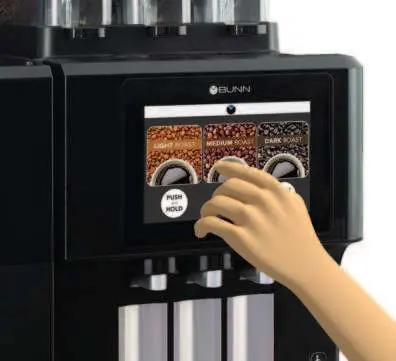
Product and Recipe Setup
The manual details how to configure products, calibrate the grinder, and edit coffee recipes by size. It also includes instructions for enabling products and setting up bean hoppers.
Machine Settings
Users can adjust various machine parameters, including temperature, bean hopper settings, grounds bin management, and hot/ambient water settings. Energy-saving modes, scheduling, and factory resets are also configurable.
Data Management
The system supports exporting and importing data using a USB drive, allowing for the setup of multiple machines and copying settings between units. The manual also covers importing images and videos for the user interface.
Maintenance and Reminders
The manual includes sections on cleaning, preventive maintenance, and water filter management to ensure optimal performance and longevity of the equipment.
Manufacturer information
Bunn-O-Matic Corporation
Practical help
Common problems
Ensure high water quality; poor water quality is a common cause of failure for dispense valves, coils, and boilers.
Avoid improper use or physical damage; touch screen issues are often caused by external damage.
Verify that the power supply voltage matches the equipment specifications.
Before use
- Verify that the power supply matches the voltage specifications.
- Ensure the water supply meets quality standards to prevent scaling.
- Fill the coffee bean hoppers.
- Check the status of the water filter.

Manual page author
David Miller
Documentation analyst
Organizes user manual content into clear summaries, with attention to model details, product context, and everyday usability.