Costco 14kt White Gold Diamond Bracelet Security Clasp Guide
Learn how to properly operate the under-clasp security feature on your Costco 14kt white gold diamond bracelet to ensure it remains securely fastened.
Table of contents
Understanding the Security Clasp
Your 14kt white gold diamond bracelet is equipped with a specialized under-clasp security feature designed to prevent accidental opening. Proper operation of this mechanism is essential for the longevity of the jewelry and to ensure it remains securely on your wrist.
Opening the Bracelet
To safely remove the bracelet, follow these steps:
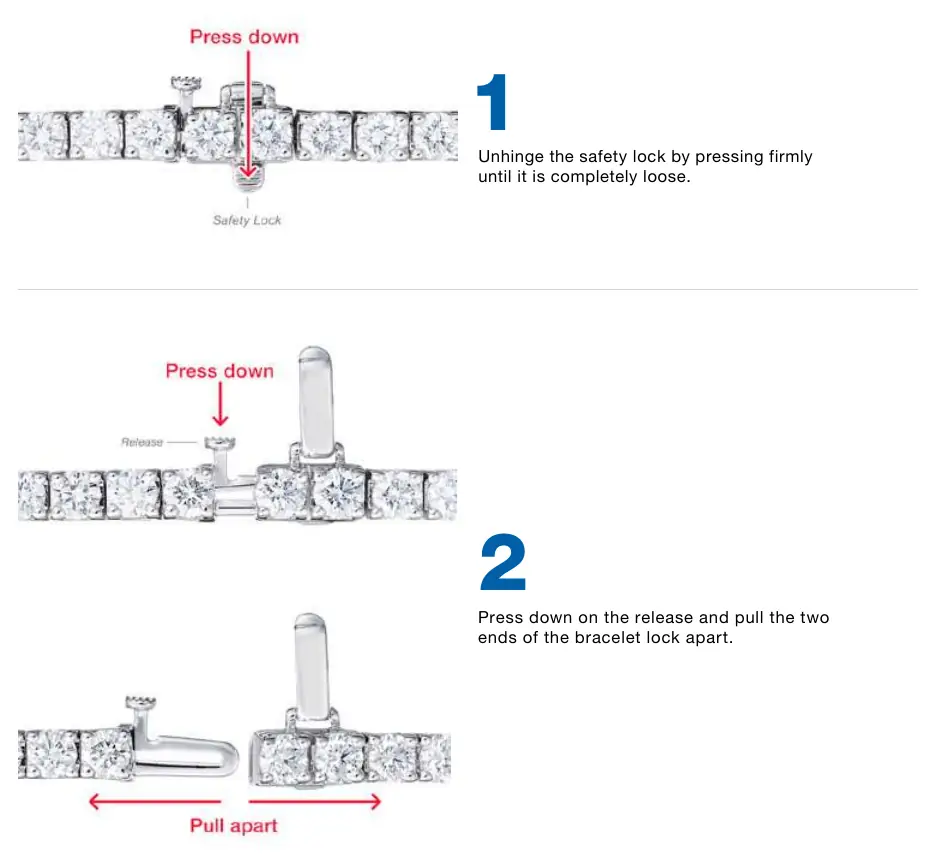
- Release the safety lock: Locate the safety lock on the underside of the clasp. Press down firmly on the lock until it is completely unhinged and loose.
- Separate the clasp: Once the safety lock is disengaged, press down on the release mechanism. While holding the release, pull the two ends of the bracelet lock apart to open the clasp.
Fastening the Bracelet
To put the bracelet on securely, follow these steps:
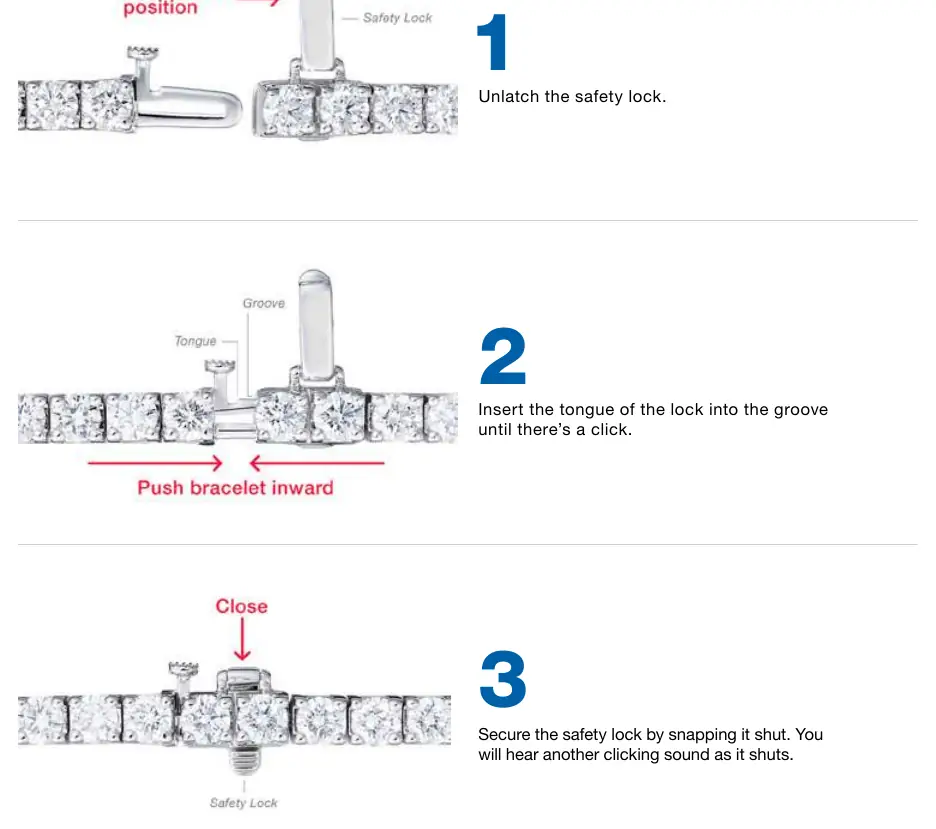
- Prepare the clasp: Ensure the safety lock is in the open position.
- Engage the lock: Insert the tongue of the lock into the corresponding groove on the opposite side of the clasp. Push the bracelet ends inward until you hear a distinct clicking sound, which indicates that the tongue is properly seated.
- Secure the safety lock: Finally, snap the safety lock shut over the clasp. You will hear a second clicking sound confirming that the security feature is fully engaged and the bracelet is locked.
Care and Maintenance
To maintain the beauty and security of your diamond bracelet, it is recommended to handle the clasp mechanism with care. Avoid forcing the lock if you feel resistance. Regularly inspect the clasp for any signs of wear or looseness. If the clasp does not click securely into place, discontinue use and consult a professional jeweler for inspection or repair. Keep the bracelet clean by gently wiping it with a soft cloth to remove oils and debris that may affect the operation of the clasp.