User Manual for Dahua 0210B-S2 4MP IR Dome Net Camera
Quick installation guide for the Dahua 0210B-S2 4MP IR Dome Net Camera, featuring mounting diagrams for ceiling, wall, and pole installations.
Quick guide from the manual
This document provides visual guidance for the physical installation and mounting of the Dahua 0210B-S2 4MP IR Dome Net Camera. It illustrates the various mounting configurations supported by the device to ensure proper placement and stability.
Mounting Options
The camera supports multiple installation methods depending on the environment and mounting surface. Ensure you have the correct mounting accessories for your chosen method:
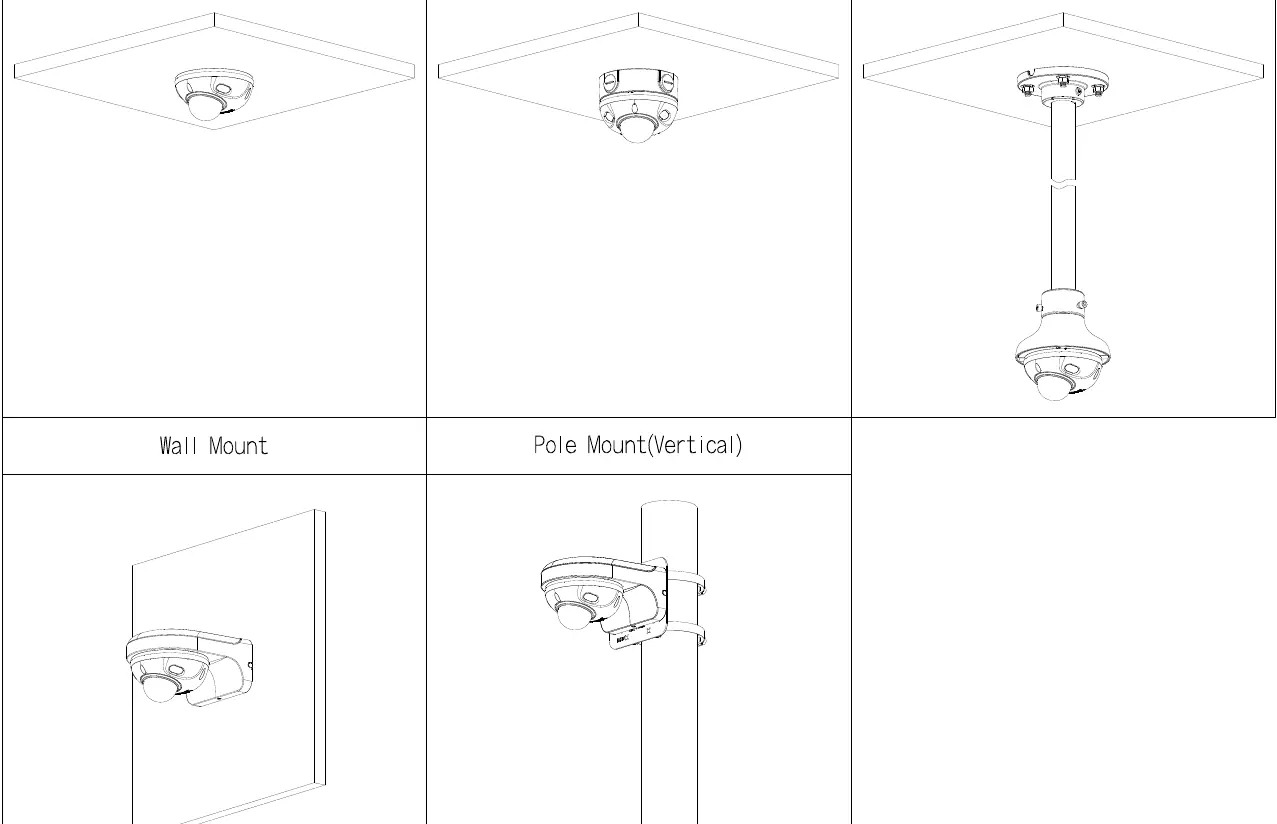
- Ceiling Mount: Direct mounting to a flat ceiling surface.
- Junction Mount: Mounting using a junction box, which is recommended for cable management and protection.
- Pole Mount (Vertical): Mounting to a vertical pole using appropriate pole-mount brackets.
- Wall Mount: Mounting to a vertical wall surface.
- Ceiling Mount (Pendant): Extended ceiling mounting using a pole or pendant adapter for increased height.
Manufacturer information
Zhejiang Dahua Technology Co., Ltd.
Practical help
Before use
- Verify the mounting surface can support the weight of the camera.
- Ensure all necessary mounting hardware (screws, anchors) is compatible with the surface material (e.g., concrete, drywall, wood).
- Check that cables are routed correctly through the mount or wall to prevent damage.
- Confirm the camera orientation is correct before tightening fasteners.
- Ensure the junction box is properly sealed if installing outdoors.
Images and diagrams
- The diagram illustrates five distinct mounting configurations: standard ceiling, junction box, pendant/pole ceiling, wall, and vertical pole mount.

Manual page author
Michael Turner
Technical manual editor
Reviews PDF manuals for structure, safety notes, and practical product details so readers can find the right information quickly.