User Guide for DELL Inspiron 16 5620 Laptop
Quick start guide for the DELL Inspiron 16 5620 laptop, covering initial setup, power connection, port identification, and system information access.
Table of contents
Manual images
Jump to the sectionQuick guide from the manual
This document provides essential setup and identification information for the DELL Inspiron 16 5620 laptop. It covers the initial power-up procedure, port identification, and regulatory compliance information.
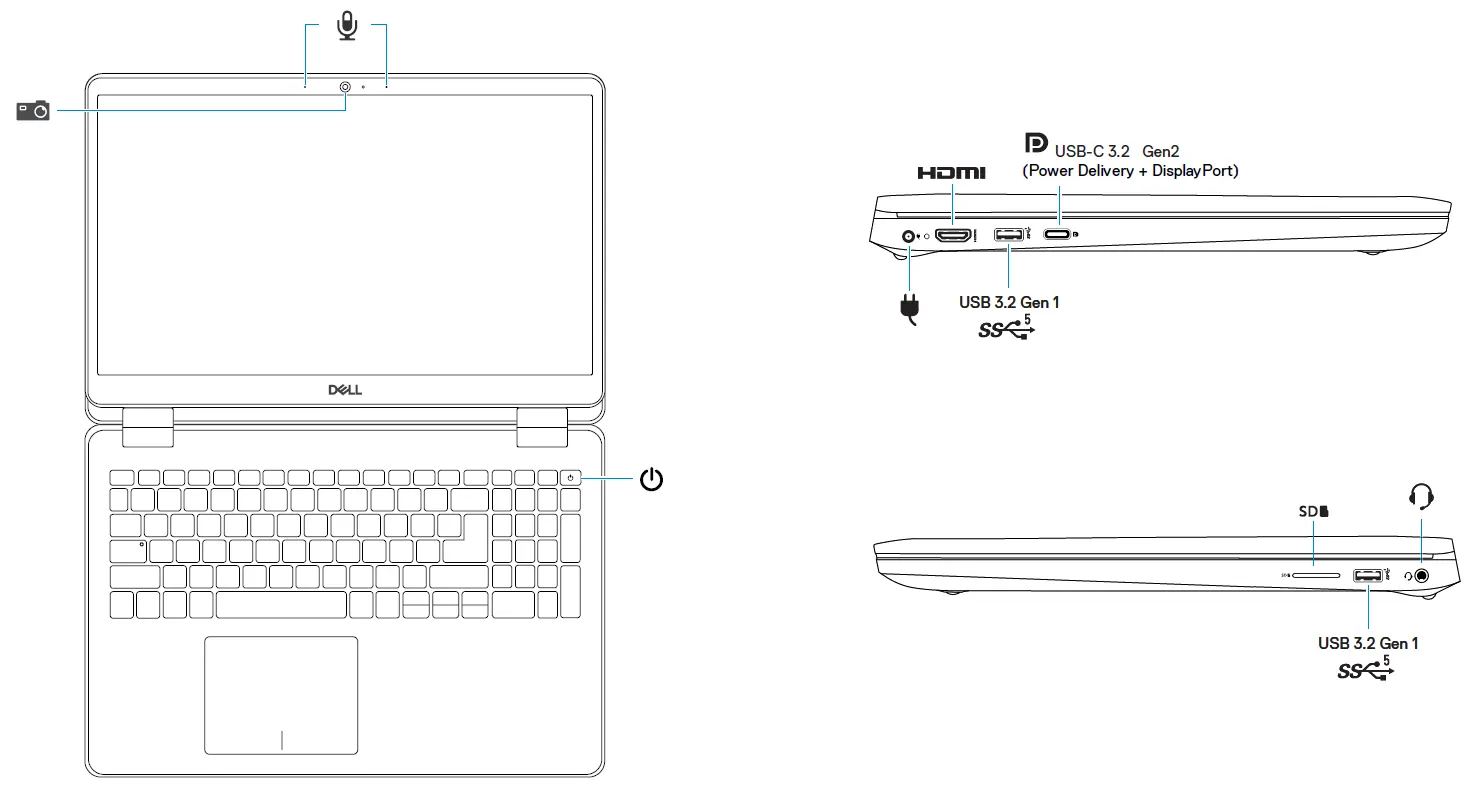
Initial setup
To set up your computer, follow these steps:
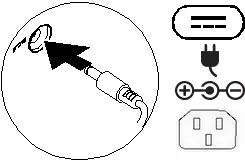
- Connect the power adapter or power cable to your computer and to the display, if required.
- Press the power button to turn on the computer (and the display, if connected).
System information
To view system information on your device:
- Windows: In Windows Search, type System and click System in the results.
- Ubuntu: On the desktop, click the icon and select About This Computer.
Safety and maintenance
Do not remove the computer cover unless you need to install internal accessories. For instructions on removing and replacing parts, visit Dell.com/support. Always retain filler brackets or cards for empty card-slot openings to maintain FCC certification, prevent dust accumulation, and ensure proper airflow for cooling.
Technical specifications
- Input voltage: 100-240V AC
- Input frequency: 50-60Hz
- Input current (maximum): 1.6/1.7A
- Output voltage: 19.5V DC
- Output current: 3.34A
- Maximum operating temperature: 35°C
Official resources from the manual
Manufacturer information
Dell Inc.
Practical help
Common problems
Port availability depends on your specific computer configuration.
Before use
- Read the safety information provided with your computer.
- Ensure you have the correct power adapter (100-240V AC).
- Check that all filler brackets are installed in empty slots to maintain cooling and FCC compliance.

Manual page author
Michael Turner
Technical manual editor
Reviews PDF manuals for structure, safety notes, and practical product details so readers can find the right information quickly.