User Manual for East Oak Deck Box Lock
Quick guide for the East Oak Deck Box Lock. Learn how to open the lock, set a new combination, and contact support.
Table of contents
Quick guide from the manual
This document provides instructions for operating the East Oak Deck Box Lock. The default factory combination is 0-0-0-0.
Opening the lock
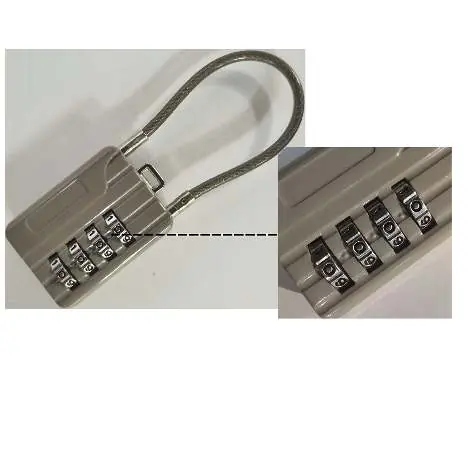
- Ensure the code line on the front side is aligned with the current combination.
- Press the button located above the dials to open the lock.
Creating a new combination
- Set the current combination to 0-0-0-0 on the front side.
- Open the lock.
- Insert a metal rod or thin stick into the keyhole located at the bottom of the lock.
- While holding the rod in place, turn the number dials to your desired new combination.
- Release the metal rod from the keyhole to save the new combination.
Customer support
If you have questions or concerns regarding the quality of your product, please contact East Oak:
- Email: [email protected]
- Website: eastoak.com
- Phone: 1-833-327-8625 (USA)
Official resources from the manual
Practical help
Common problems
Forgot the combination
The manual does not provide a reset method if the combination is forgotten. Please ensure you record your new combination in a safe place.
Before use
- Verify the default combination is 0-0-0-0.
- Ensure you have a thin metal rod or stick available for setting the new combination.

Manual page author
Emily Carter
User documentation editor
Prepares concise manual descriptions and highlights the most useful setup, operation, and maintenance information for readers.