User Manual for 9-in-1 Power Strip
Quick guide for the 9-in-1 Power Strip. Includes technical specifications, safety precautions, and usage guidelines to ensure proper operation.
Table of contents
Important Information
This document provides essential guidelines for the safe and effective use of your 9-in-1 Power Strip. Please ensure you read the safety precautions before connecting any devices to the power strip to prevent damage to your equipment or the charger itself.
Product Composition
The package includes the following items:
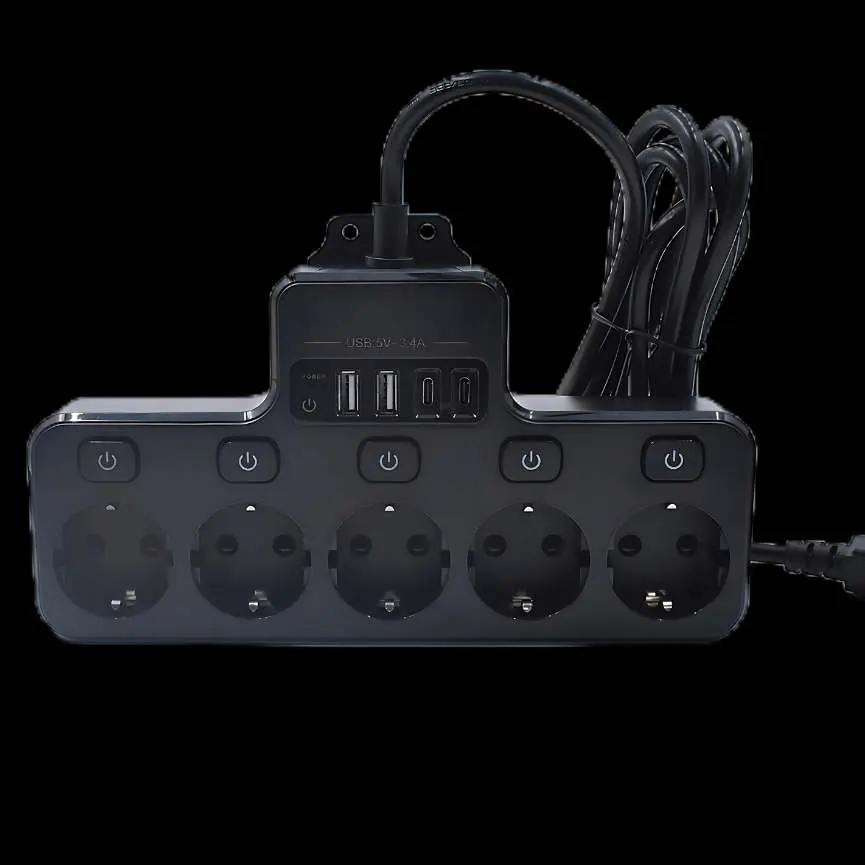
- 1 x 9-in-1 Power Strip
- 1 x Instruction manual
Technical Specifications
The power strip operates within the following electrical parameters:
- Input: AC 100-250V
- Output: AC 100-250V
- Total USB Output: DC 5V 2.4A
Safety Precautions
To ensure safe operation and longevity of the device, please adhere to the following instructions:
- Operating Environment: Always use and charge the device at room temperature. Keep the charger away from water and excessive dust.
- Usage: Unplug the power source when the device is not in use.
- Compatibility: Do not attempt to charge unsuitable batteries, as this may damage both the batteries and the charger.
- Supervision: Children should only use the charger when accompanied by an adult.
- Maintenance: Do not disassemble or attempt to operate the charger if it appears damaged in any way.
Practical help
Common problems
Do not disassemble or operate the charger. Discontinue use immediately.
Do not attempt to charge batteries that are not compatible, as this may cause damage to the batteries and the charger.
Before use
- Ensure the device is used in a room temperature environment.
- Inspect the power strip for any physical damage before plugging it in.
- Verify that the power source is within the AC 100-250V range.
- Keep the device away from water and dusty areas.

Manual page author
Emily Carter
User documentation editor
Prepares concise manual descriptions and highlights the most useful setup, operation, and maintenance information for readers.