Assembly Instructions for Ebern Designs 5067057 Cloud Couch Modular Sectional
A step-by-step assembly guide for the Ebern Designs 5067057 Cloud Couch modular sectional. Learn how to attach legs, assemble individual units, and connect the sofa modules.
Quick answers from the manual
Quick answer
- To assemble the Cloud Couch, attach the legs to the bottom of each unit, slide the backrests and armrests into the base, and connect the units together using the underside connectors. p. 1
Key actions
- Attach legs to the bottom of each unit p. 1
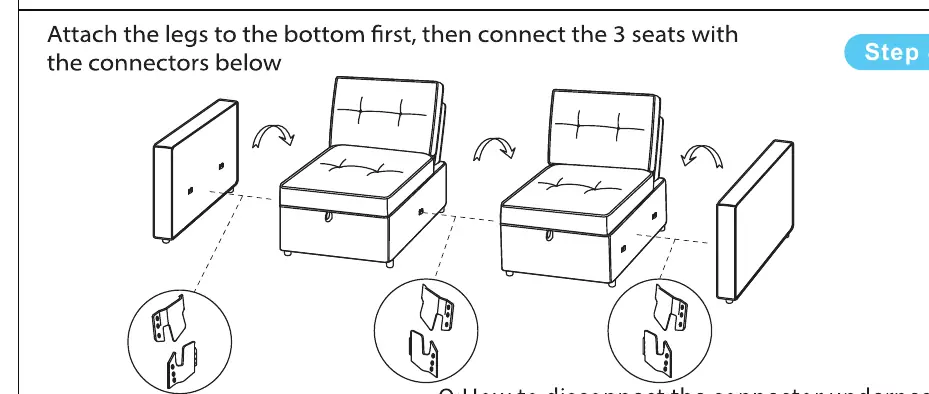
- Connect the 3 seats with the connectors below p. 1
Problems and fixes
Lift the sofa module up to unlock the connector underneath.
p. 1Show 1 more answers Show less
Where to find it in the PDF
- Assembly Instructions p. 1
Table of contents
Manual images
Click an image to enlargeQuick Assembly Guide
This guide provides instructions for assembling the Cloud Couch modular sectional. Ensure you have all parts before beginning assembly.
Assembly Steps
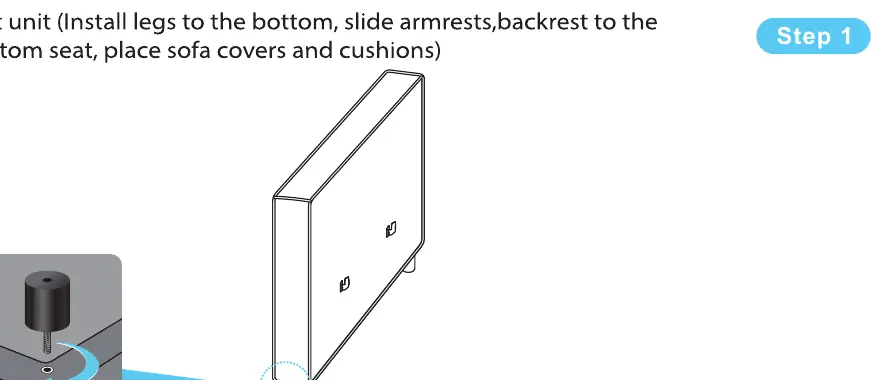
Step 1: Left Unit Assembly
Attach the legs to the bottom of the unit. Slide the armrests and backrest into the bottom seat. Place the sofa covers and cushions.
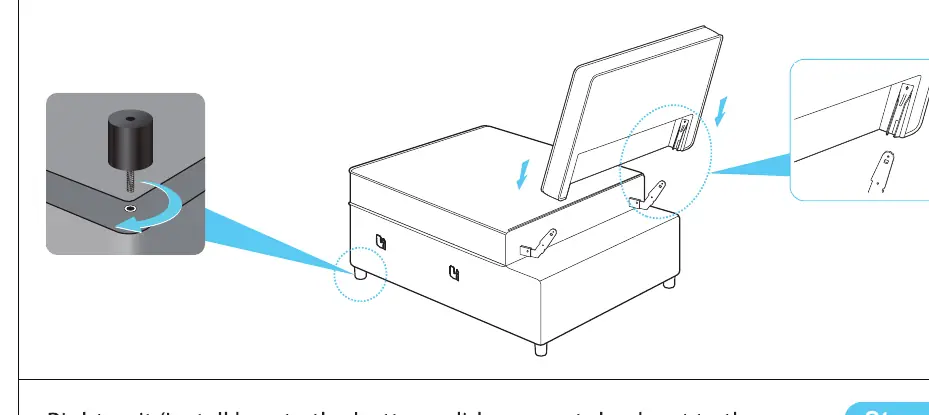
Step 2: Intermediate Unit Assembly
Attach the legs to the bottom of the base seat. Cover the backrest on the base seat, then place the slipcover and cushion.
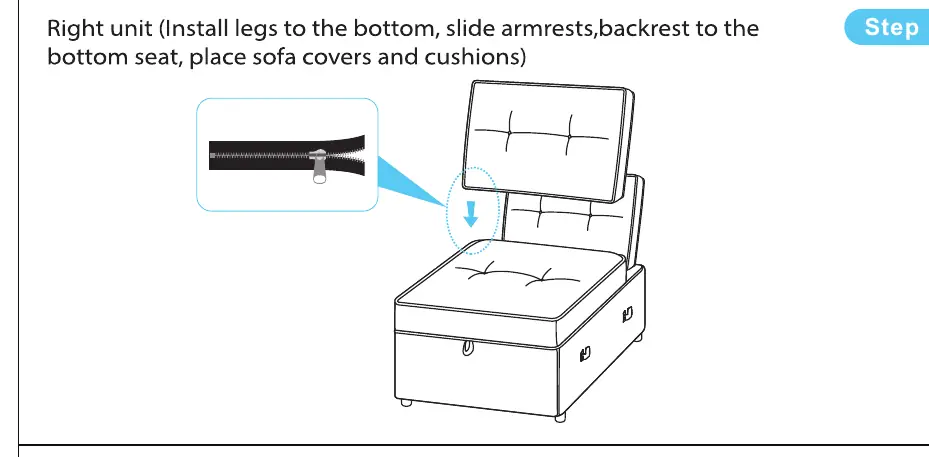
Step 3: Right Unit Assembly
Attach the legs to the bottom of the unit. Slide the armrests and backrest into the bottom seat. Place the sofa covers and cushions.
Step 4: Connecting the Modules
Attach the legs to the bottom of all units first. Connect the three seats together using the provided connectors underneath.
Disassembly
To disconnect the modules, lift the sofa module up to unlock the connector underneath.
Practical help
Common problems
Ensure the connectors underneath are fully engaged. Lift the module to unlock and re-engage if necessary.
Before use
- Verify all parts are present
- Ensure legs are securely attached to the bottom of each unit
- Check that backrests and armrests are fully slid into the base seat
- Confirm all connectors are locked between modules

Manual page author
David Miller
Documentation analyst