Elgato Heavy Base Multi Mount Accessory User Guide
Quick start guide for the Elgato Heavy Base. Includes assembly instructions, weight and dimension specifications, and safety warnings to prevent tipping.
Table of contents
Manual images
Click an image to enlargeQuick Start Guide
The Elgato Heavy Base is a stable foundation for your Multi Mount system. This guide covers the basic assembly and safety precautions required for setup.
Assembly Instructions
To assemble the Heavy Base, follow these steps:
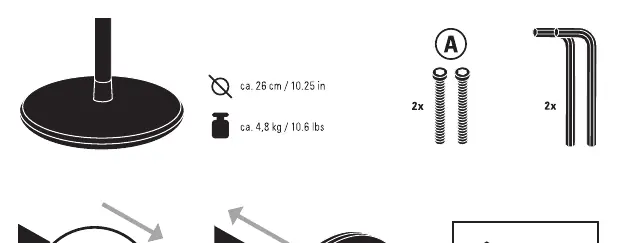
- Ensure you have the base, the two provided screws (A), and the hex key.
- Align the base with the mounting pole.
- Insert the two screws (A) through the base into the pole.
- Tighten the screws securely using the provided hex key.
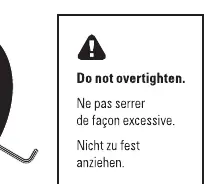
Important: Do not overtighten the screws, as this may damage the components.
Safety and Stability
To ensure safe operation, please observe the following:
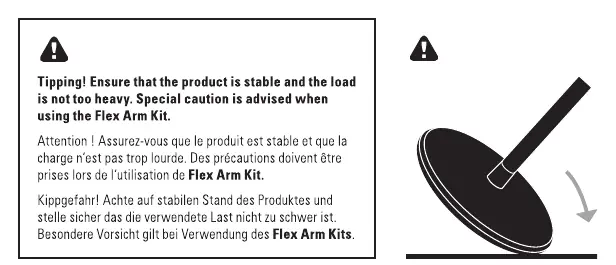
- Stability: Always ensure the product is placed on a stable, flat surface.
- Load Limits: Ensure the load attached to the mount is not too heavy.
- Flex Arm Kit: Exercise special caution when using the Flex Arm Kit, as the added leverage increases the risk of tipping.
Specifications
- Diameter: 26 cm / 10.25 in
- Weight: 4.8 kg / 10.6 lbs
Manufacturer information
Elgato
Practical help
Common problems
Ensure the base is placed on a flat, stable surface and that the attached load is not too heavy, especially when using the Flex Arm Kit.
Ensure you are using the two provided screws (A) and the included hex key. Do not overtighten.
Before use
- Verify you have the base, 2 screws (A), and the hex key.
- Ensure the surface where the base will be placed is flat and stable.
- Check that the load to be mounted is within safe limits.
- Do not overtighten screws during assembly.

Manual page author
Michael Turner
Technical manual editor
Reviews PDF manuals for structure, safety notes, and practical product details so readers can find the right information quickly.