Assembly and Installation Guide for Forclover 10x10 Pop-Up Canopy
Quick assembly and installation guide for the Forclover 10x10 Pop-Up Canopy. Includes step-by-step instructions for frame setup, roof cover attachment, and awning installation.
Table of contents
Manual images
Click an image to enlargeQuick guide from the manual
This guide provides instructions for the assembly and installation of the Forclover 10x10 Pop-Up Canopy. The process requires unfolding the frame, attaching the roof cover, and securing the structure. Ensure you have enough space to fully unfold the frame before starting.
Parts List
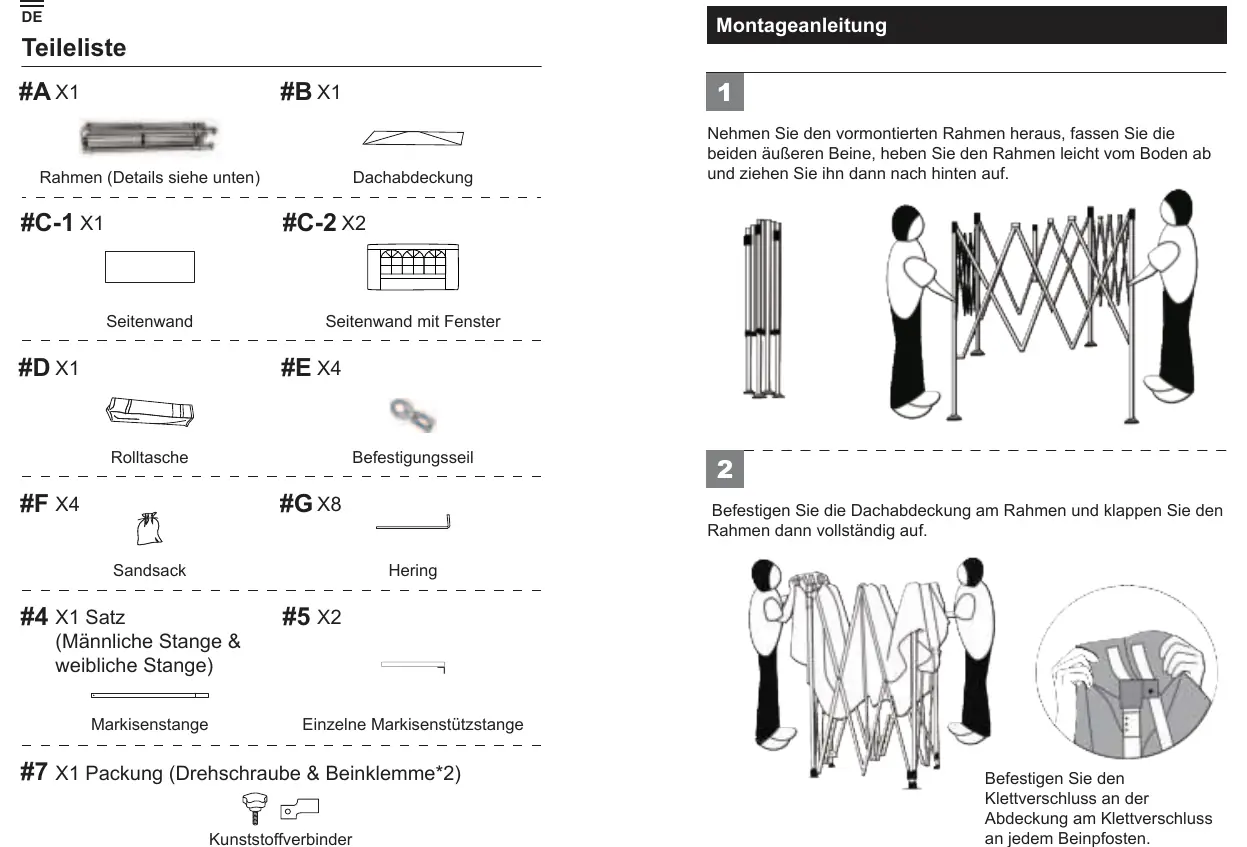
- Frame
- Roof cover
- Side walls (plain and with window)
- Roller bag
- Tie-down ropes
- Sandbags
- Stakes
- Awning poles and support poles
- Plastic connectors and screws
Assembly Instructions

- Take out the pre-assembled frame. Grasp the two outer legs, lift the frame slightly off the ground, and pull the frame open while stepping backward.
- Attach the roof cover to the frame, then fully unfold the frame.
- Secure the Velcro on the cover to the Velcro on each leg pole.
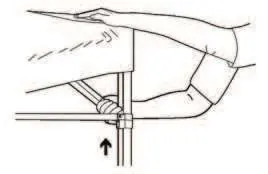
- Lock the leg poles by pushing up the crossbars until you hear the upper buttons click.
Awning Installation
- Connect the awning pole sections.
- Insert the connected awning pole through the canopy fabric.
- Attach the plastic parts to the leg poles.
- Use screws to connect the canopy support pole to the awning pole.
- Attach the awning to the cover using Velcro.
Practical help
Common problems
Ensure you are grasping the outer legs and lifting the frame slightly off the ground before pulling it open.
Ensure all stakes and tie-down ropes are used, and sandbags are filled and attached to the legs.
Before use
- Verify all parts are present (Frame, Roof cover, Side walls, etc.).
- Ensure you have enough space to fully unfold the frame.
- Check that the ground is level for stability.
- Ensure all Velcro straps are securely fastened.

Manual page author
Emily Carter
User documentation editor
Prepares concise manual descriptions and highlights the most useful setup, operation, and maintenance information for readers.