Home / Ceiling Panels
User Manual for Vicsoon Night Light Bluetooth Speaker
Quick guide for the Vicsoon Night Light Bluetooth Speaker. Learn how to pair Bluetooth, set the alarm, adjust the light, and operate the speaker functions.
Table of contents
Quick guide from the manual
This device combines a Bluetooth speaker, night light, and alarm clock. To operate, use the buttons on the front panel. Short presses typically control playback and volume, while long presses handle power and mode switching. Ensure the device is fully charged before first use.
Bluetooth Pairing
To connect your device:
- Turn on the speaker and ensure it is in Bluetooth mode.
- Search for the device on your phone's Bluetooth settings.
- Select the speaker name to pair.
- If the connection fails, ensure the phone is within range and the speaker is not connected to another device.
Alarm and Time Settings
To set the time and alarm:
- Time setting: Short press the clock button to enter time setting mode. Use the plus/minus buttons to adjust the hour and minute. Short press the clock button to confirm.
- Alarm setting: Long press the clock button to enter alarm setting mode. Use the plus/minus buttons to set the time. Short press the clock button to confirm.
- Turning off alarm: When the alarm rings, press any button to stop it. If you do not press any button, it will ring again after 5 minutes, repeating 3 times.
Light Adjustments
The device features two light modes:
- Warm light mode: Short press the top of the light to change brightness (low, medium, high). Long press to turn off.
- RGB mode: Short press the top of the light to change colors. It features 7 color modes (red, blue, green, purple, yellow, cycle color, and music light mode).
Specifications
- Battery Capacity: 3000mAh
- Light Color: 3000K Warm White
- Material: Plastic/Metal
- Power: 100W
Safety and Maintenance
- Do not exceed the recommended voltage range.
- Clean the device with a soft, dry cloth.
- Keep the device away from water to prevent damage.
- If the device is not used for a long period, ensure it is stored properly.
Practical help
Common problems
Bluetooth connection failure
Ensure the phone is within range and the speaker is not already connected to another device.
Alarm not ringing
Ensure the alarm is set correctly and the volume is set to an audible level.
Device not charging
Ensure you are using the correct charging cable and that the power source is active.
Before use
- Charge the device fully before first use.
- Ensure the device is placed on a stable, flat surface.
- Check that the charging cable is compatible with the device port.
- Verify the device is in the correct mode (Bluetooth/FM/SD) before operation.
Specs in practice
- Battery Capacity
- 3000mAh, providing power for portable use.
Images and diagrams
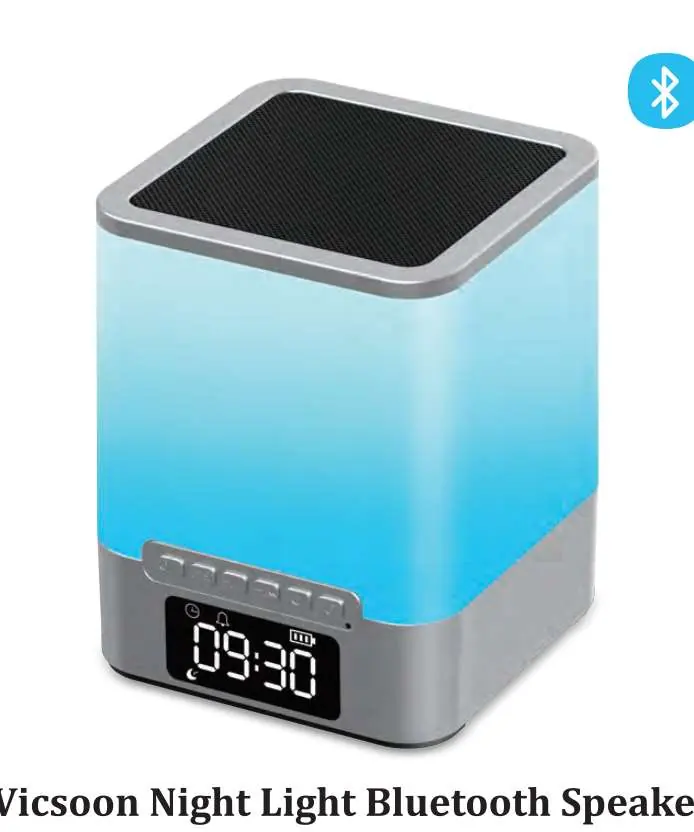
- The front panel contains the main control buttons for mode switching, volume, and playback.
- The display screen indicates the current time, alarm status, and battery level.
Model compatibility
- Supports Bluetooth connectivity for mobile devices.
- Supports USB disk and SD card for music playback.
- Compatible with standard 5V charging sources.

Manual page author
Emily Carter
User documentation editor
Prepares concise manual descriptions and highlights the most useful setup, operation, and maintenance information for readers.