User Manual for Gamdias ARES E3 2-in-1 Gaming Combo
Quick installation and usage guide for the Gamdias ARES E3 2-in-1 Gaming Combo. Learn about system requirements, keyboard shortcuts, mouse settings, and DPI adjustments.
Quick answers from the manual
Quick answer
- The Gamdias ARES E3 2-in-1 Gaming Combo is a plug-and-play device. Simply connect the keyboard and mouse to your PC's USB ports. The keyboard supports media controls via Fn+F1-F12 and backlight toggling via Fn+Scroll Lock. p. 2
Key actions
- Toggle keyboard backlight p. 2
- Adjust mouse DPI p. 3
Technical specifications
| Parameter | Value | Meaning | Pages |
|---|---|---|---|
| DPI Settings | 1200, 1800, 2400, 3600 | Adjustable sensitivity levels for the AURA GS3 mouse. | p. 3 |
Where to find it in the PDF
- System Requirements and Keyboard Shortcuts p. 2
- Mouse Settings p. 3
Table of contents
Manual images
Click an image to enlargeQuick guide from the manual
The Gamdias ARES E3 2-in-1 Gaming Combo is a plug-and-play peripheral set. Ensure your PC has available USB ports and is running a compatible version of Windows (XP, Vista, 7, 8, 10, or 11).
Package contents
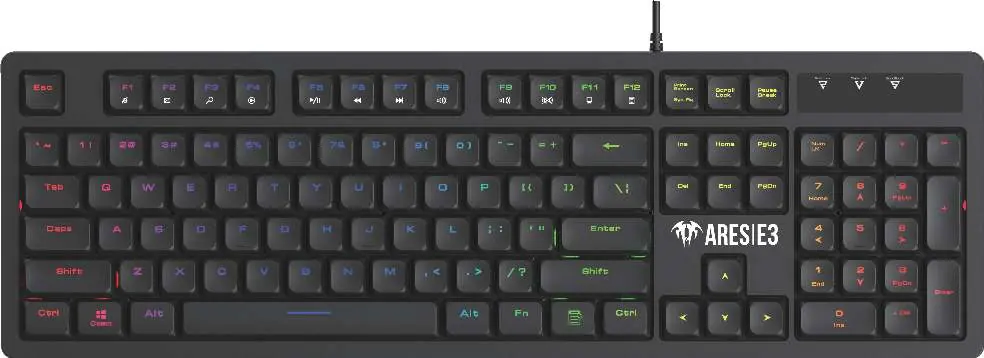
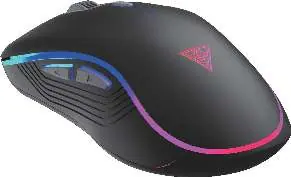
- Gamdias ARES E3 Membrane Gaming Keyboard
- Gamdias AURA GS3 Gaming Mouse
Keyboard functions
The keyboard supports various media and system controls using the Fn key combined with F1 through F12. Additionally, you can toggle the keyboard backlight on or off using the Fn + Scroll Lock key combination.
Gaming mouse settings
The AURA GS3 mouse features standard left, right, and middle click buttons, along with forward and backward side buttons. The DPI key allows you to cycle through sensitivity settings.
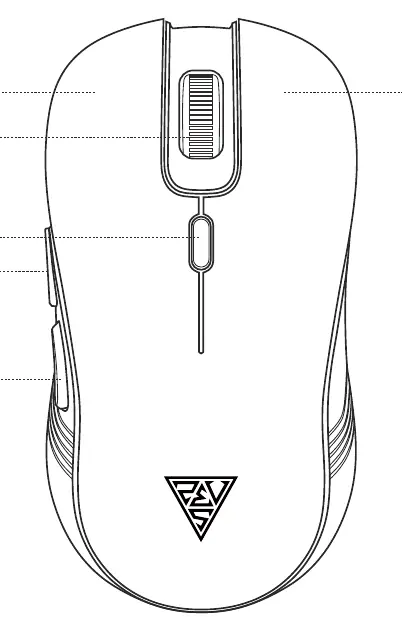
- Default DPI: 1200
- Available DPI levels: 1200, 1800, 2400, 3600
Product registration
For online product registration, please visit the official website at www.GAMDIAS.com.
Official resources from the manual
Manufacturer information
GAMDIAS
Practical help
Common problems
Press the Fn + Scroll Lock key combination to toggle the backlight on.
Press the DPI key on the mouse to cycle through the available sensitivity levels (1200, 1800, 2400, 3600 DPI).
Before use
- Ensure your PC has available USB ports.
- Verify your operating system is Windows XP, Vista, 7, 8, 10, or 11.
- Connect the keyboard and mouse to the USB ports.

Manual page author
Michael Turner
Technical manual editor
Reviews PDF manuals for structure, safety notes, and practical product details so readers can find the right information quickly.