Globo 21006SS Table Lamp
Quick guide for the Globo 21006SS table lamp. Learn how to operate the touch controls, adjust color temperature, dim the light, and charge the built-in battery.
PDF source: Deutsch · summary: English
Quick answers from the manual
Quick answer
- The Globo 21006SS is a rechargeable table lamp operated via touch controls. It features adjustable color temperatures (2700K, 6500K, 4000K) and a continuous dimming function. p. 1
Key actions
- Cycle light modes p. 1
- Dim the light p. 1
First start
- Charge the lamp p. 1
Show 2 more answers Show less
Technical specifications
| Parameter | Value | Meaning | Pages |
|---|---|---|---|
| Battery | 3.7V 1800mAh Li-ion | Internal rechargeable battery | p. 1 |
| Charging Time | 4 hours | Time required to fully charge the battery | p. 1 |
Where to find it in the PDF
- Operation and Charging p. 1
- Light Source Disclaimer p. 2, 3
Table of contents
Quick guide from the manual
The Globo 21006SS is a portable table lamp featuring touch-sensitive controls for lighting adjustments and a built-in rechargeable battery. This guide covers basic operation and charging.
Operation
The lamp is controlled via a touch sensor. Use the following gestures to adjust the light:
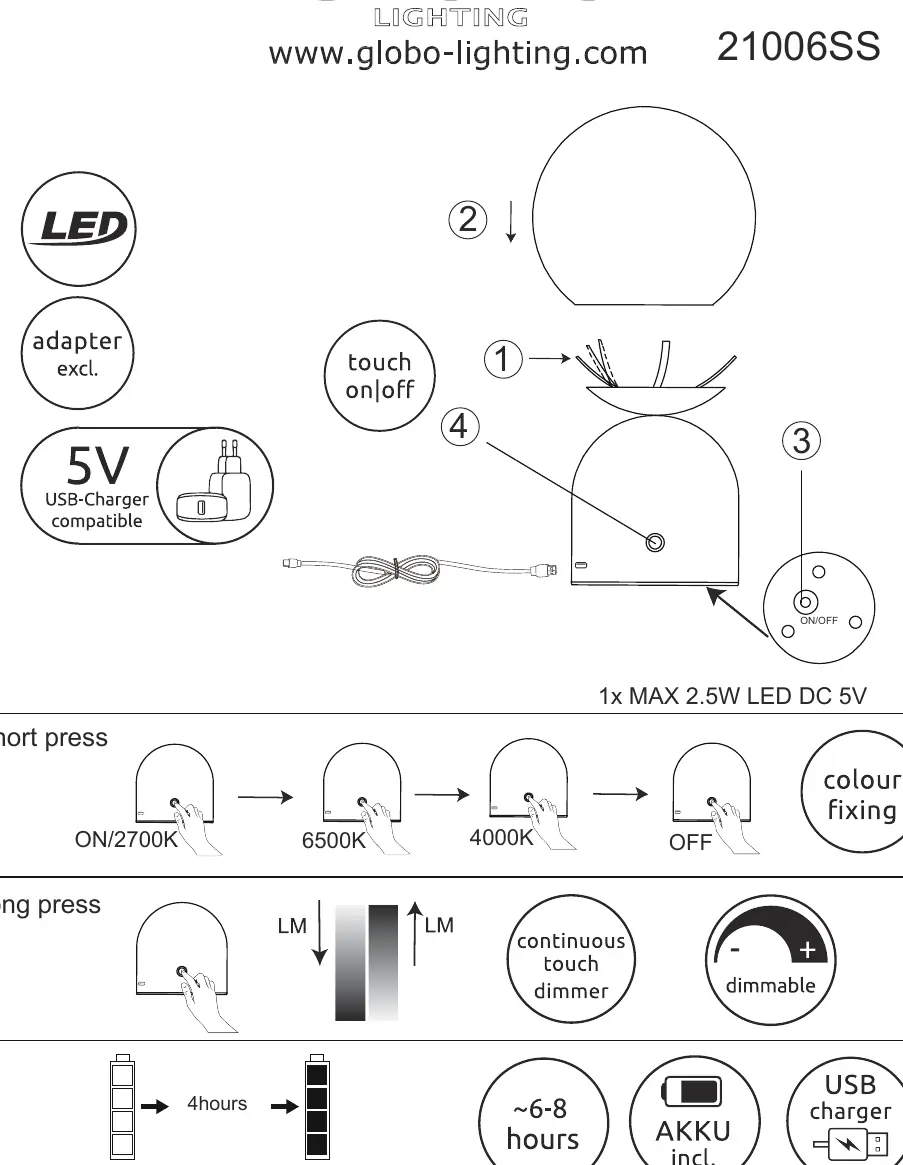
- Short press: Cycles through the light modes in the following order: ON/2700K > 6500K > 4000K > OFF.
- Long press: Activates the continuous touch dimmer to adjust brightness.
Charging
The lamp includes a built-in 3.7V 1800mAh Li-ion battery. To charge the device:
- Use a 5V USB charger (adapter not included).
- The charging time is approximately 4 hours.
- A full charge provides approximately 6-8 hours of operation.
Light Source
This product contains a light source of energy efficiency class F. The LED light source is integrated into the product design and cannot be replaced.
Manufacturer information
Globo Lighting
Practical help
Common problems
Ensure the battery is charged. Connect the lamp to a 5V USB power source.
Ensure you are using a long press on the touch sensor, not a short press.
Before use
- Ensure you have a compatible 5V USB charger (adapter not included).
- Charge the battery fully before the first use (approx. 4 hours).
- Verify the lamp is placed on a stable surface.

Manual page author
David Miller
Documentation analyst