Electronics / Monitors
Google Pixel 7a Smartphone User Guide
Quick guide for the Google Pixel 7a smartphone, covering key business features, security specifications, hardware details, and technical parameters.
Table of contents
Quick guide from the manual
The Google Pixel 7a is a business-ready smartphone designed for productivity and security. This document provides an overview of its core capabilities, including AI-driven features, security protections, and detailed technical specifications to help you integrate the device into your business environment.
Key Features and Productivity
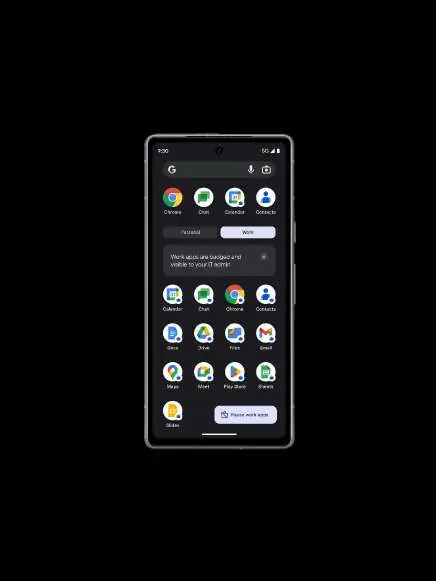
The device is powered by the Google Tensor G2 chip, which enables advanced AI features such as Live Translate for global collaboration, Assistant Voice Typing for efficient note-taking, and Google Assistant for task management. It is designed to work seamlessly with other Google ecosystem devices like Pixel Watch, Chromebook, and Pixel Buds.
Security and Threat Protection
Security is a primary focus of the Pixel 7a, featuring multiple layers of protection:
- Titan M2 security coprocessor: Provides hardware-level security.
- Biometric Authentication: Includes Face Unlock and an under-display fingerprint sensor.
- Call Screen: Uses Google Assistant to filter spam calls and identify callers.
- Updates: Guaranteed at least 5 years of security updates from the initial release.
- Privacy: Includes anti-phishing, anti-malware, and VPN by Google One at no extra cost.
Technical Specifications
The device features a 6.1-inch OLED Smooth Display (up to 90Hz) with Corning Gorilla Glass 3. It is equipped with 8GB of LPDDR5 RAM and 128GB of UFS 3.1 storage. The camera system includes a 64MP wide rear camera, a 13MP ultrawide camera, and a 13MP front camera, supporting advanced features like Photo Unblur, Magic Eraser, and Night Sight.
Battery and Connectivity
The phone houses a typical 4385 mAh battery, offering over 24 hours of life, which can be extended up to 72 hours using the Extreme Battery Saver mode. Connectivity options include Wi-Fi 6E (802.11ax) and Bluetooth v5.3 + LE.
More information
For further details and support, visit the official business portal at pixel.google/business/
Official resources from the manual
Manufacturer information
Google LLC
Practical help
Common problems
Unwanted spam calls
Use the Call Screen feature, which utilizes Google Assistant to detect and filter out spam calls before they interrupt you.
Battery life concerns
Enable Extreme Battery Saver mode to extend battery life up to 72 hours (note: this disables certain features like 5G).
Before use
- Ensure you have a 5G data plan if you intend to use 5G services.
- Check if your carrier supports the specific 5G bands used by the device.
- Verify that your region supports specific features like Call Screen (US only).
- Ensure you have a Google account to utilize the full suite of integrated business tools.
Specs in practice
- Smooth Display
- An OLED screen capable of refresh rates up to 90Hz for smoother scrolling and animations.
Model compatibility
- 5G service availability depends on carrier network capabilities and signal strength.
- Some features like Live Translate and Assistant Voice Typing are not available in all languages or countries.
- VPN by Google One may not be available in all countries and some data may not be transmitted through it.

Manual page author
David Miller
Documentation analyst
Organizes user manual content into clear summaries, with attention to model details, product context, and everyday usability.