Documents / Warranty Safety
GoPro LIT HERO User Manual
Quick guide for the GoPro LIT HERO camera, covering setup, recording modes, voice control, cloud backup, and maintenance.
Table of contents
Quick guide from the manual
This document provides essential instructions for operating the GoPro LIT HERO camera. Key procedures include inserting a microSD card, charging the battery, updating the firmware via the GoPro Quik app, and basic camera operation using the touch screen and shutter button.
Device Overview
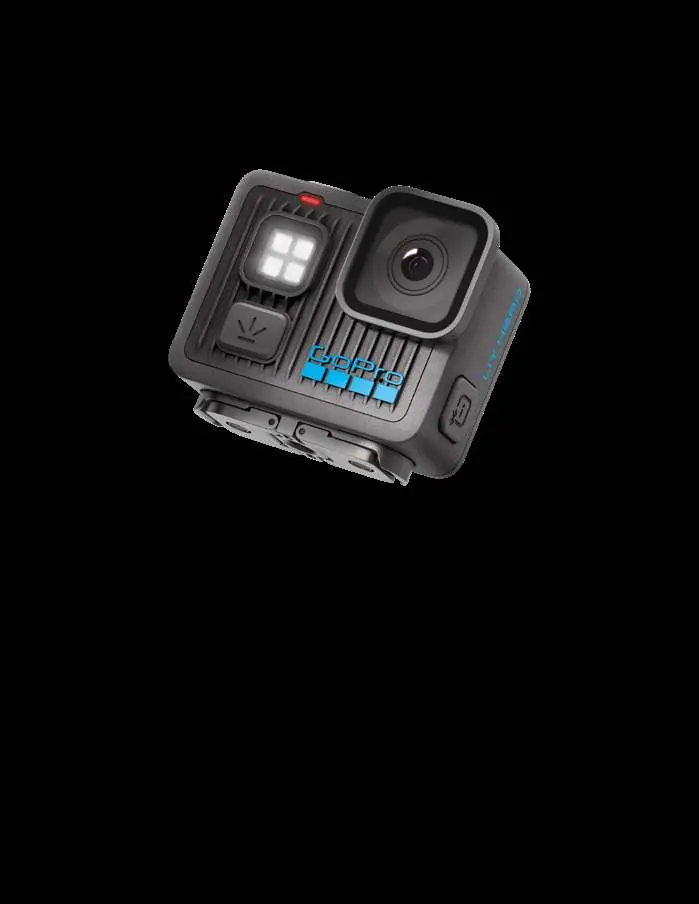
The camera features a shutter button, status lights, a microSD card slot, a USB-C port, a built-in light, and a touch screen. The side door is removable and must be securely closed to maintain water resistance.
Getting Started
Before first use, insert a microSD card (A2/V30 class or higher) and charge the camera using the provided USB-C cable. Update the camera firmware using the GoPro Quik app or manually via the GoPro website.
Recording Modes
The camera offers four modes: Video (16:9), Video in 4:3, Photo (12MP), and Slo-Mo (16:9). You can switch modes by swiping on the touch screen or using the Power/Mode button.
Voice Control
Control your camera hands-free using voice commands like "GoPro, record video" or "GoPro, take a photo". You can enable or disable this feature in the dashboard.
Cloud Backup
With a GoPro subscription, you can automatically upload content to the cloud when the camera is charging and connected to Wi-Fi. You can also manage uploads manually through the dashboard.
Maintenance
The camera is waterproof up to 5m with the door closed. After use in salt water, rinse with fresh water and dry with a soft cloth. Keep the lens and microphone ports clean and free of debris.
Troubleshooting
If the camera does not respond, hold the Mode button for 10 seconds to restart. For playback issues on a computer, use the GoPro Player app to ensure files are properly stabilized.
Manufacturer information
GoPro, Inc.
Practical help
Common problems
Camera does not turn on
Ensure the battery is charged. If it still fails, hold the Mode button for 10 seconds to restart.
Playback on computer is choppy
Use the GoPro Player app to view and export stabilized footage, as third-party apps may not support stabilization.
Camera is too hot
The camera will shut down if it overheats. Let it cool down and consider using lower resolution/frame rate settings.
Before use
- Insert a microSD card (A2/V30 class or higher).
- Charge the camera fully using the provided USB-C cable.
- Update the camera firmware via the GoPro Quik app.
- Ensure the side door is securely closed and locked.
- Check that the camera is clean and dry before opening the side door.
Specs in practice
- Operating Temperature
- -10°C to 35°C.
- Charging Temperature
- 0°C to 35°C.
Images and diagrams
- The camera features a touch screen for navigation and a shutter button for recording.
- The side door houses the microSD slot and USB-C port.
- Mounting is possible via folding fingers or 1/4-20 threads.
Model compatibility
- Requires microSD card with A2/V30 rating or higher.
- Cloud features are not available in China.
- Use only 5V 1A chargers to avoid battery damage.

Manual page author
Emily Carter
User documentation editor
Prepares concise manual descriptions and highlights the most useful setup, operation, and maintenance information for readers.