Hansgrohe PuraVida 15273XXX Installation Manual
Quick installation guide for the Hansgrohe PuraVida 15273XXX faucet. Includes technical specifications, safety notes, and step-by-step assembly instructions.
Table of contents
Manual images
Click an image to enlargeQuick guide from the manual
This guide provides essential information for the installation and operation of the Hansgrohe PuraVida 15273XXX faucet. Always wear gloves during installation to prevent crushing and cutting injuries. Ensure that the hot and cold water supplies have equal pressure before proceeding.
Installation
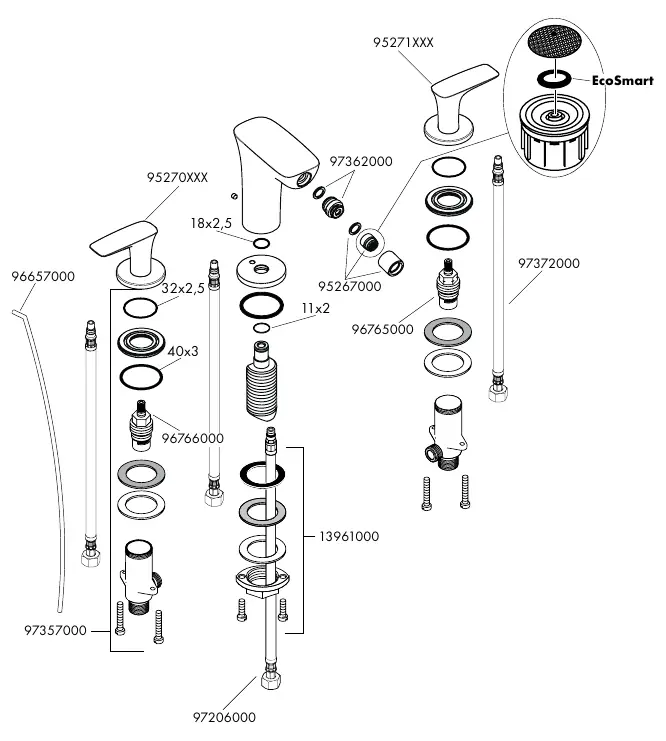
The faucet must be installed, flushed, and tested according to valid norms. If you experience issues with an instantaneous water heater or desire a higher water flow, you can remove the EcoSmart flow limiter located behind the aerator.
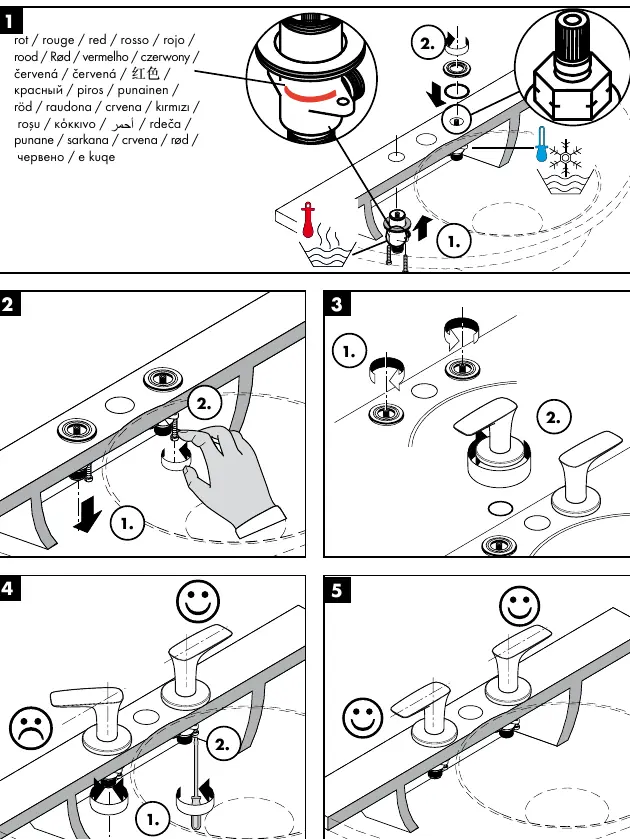
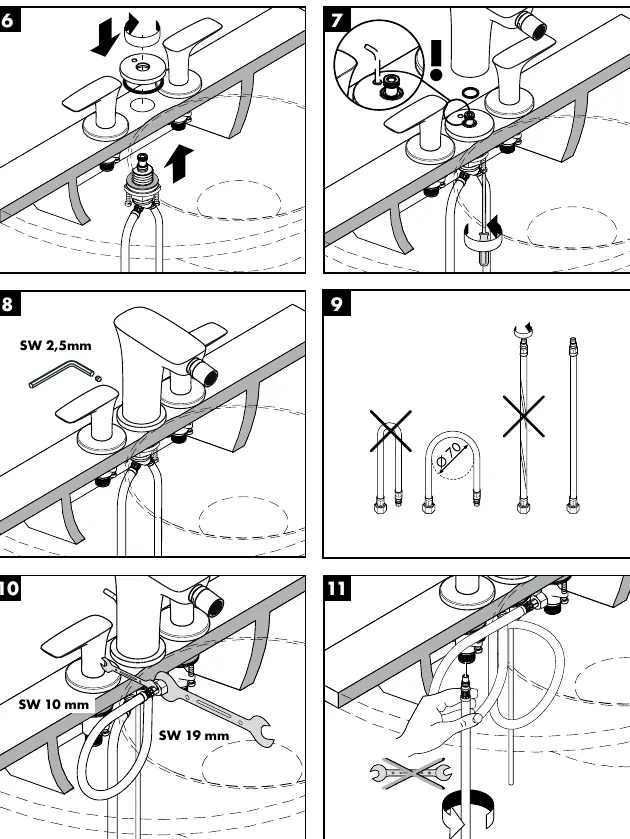
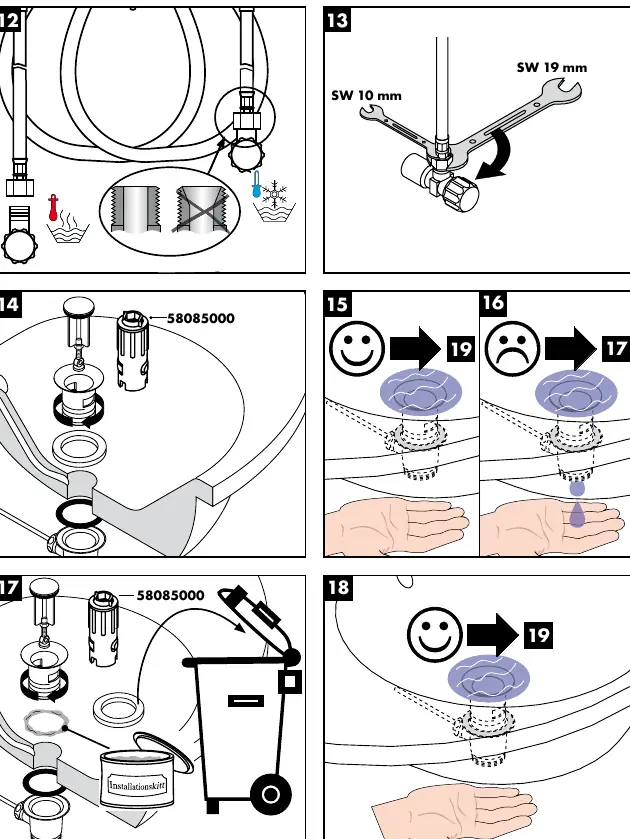
Required tools: A special installation tool (58085000) is required but not included in the delivery.
Technical Data
- Operating pressure: Max. 1 MPa (Recommended 0.1–0.5 MPa)
- Test pressure: 1.6 MPa
- Hot water temperature: Max. 80°C (Recommended 65°C)
- Compatibility: Can be used with hydraulically and thermally controlled continuous flow heaters if the flow pressure is at least 0.15 MPa.
Maintenance and Cleaning
Cleaning recommendations are provided in the enclosed brochure. Do not use silicone containing acetic acid during installation.
Manufacturer information
Hansgrohe SE
Practical help
Common problems
Remove the EcoSmart flow limiter located behind the aerator.
Balance the pressure between hot and cold water supplies.
Before use
- Wear gloves during installation to prevent injuries.
- Ensure hot and cold water supplies have equal pressure.
- Flush the pipes before installation.
- Check for leaks after installation.

Manual page author
David Miller
Documentation analyst
Organizes user manual content into clear summaries, with attention to model details, product context, and everyday usability.