Google Account Setup Guide for Harvest Tec 1670DK Display Kit
Step-by-step guide for creating a Google Account on your Samsung Galaxy Tablet for use with the Harvest Tec 1670DK display kit, including account configuration and backup settings.
Table of contents
Quick guide from the manual
This document provides instructions for creating a Google Account on your Samsung Galaxy Tablet, which is recommended for use with the Harvest Tec 1670DK display kit. Creating an account allows for app updates and reloading the PrecisionBaleApp if necessary. Please remember to write down your password during the setup process.
Creating a Google Account
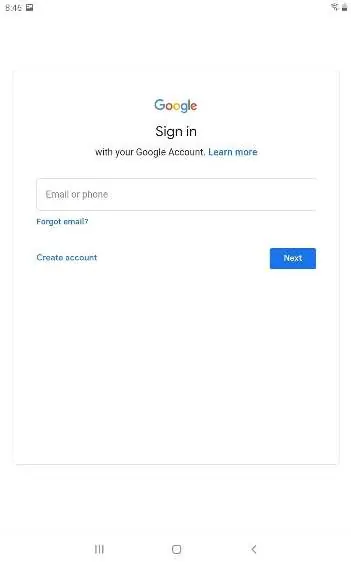
- Open the Settings app on your tablet.
- Tap Google.
- Tap Sign into your Google Account.
- Tap Create Account. If you already have a Google account, sign in here to complete the tablet setup.
- Tap For Myself.
- Enter your first and last name, then tap Next.
- Enter your birthday and gender, then tap Next.
- Create your email address.
- Create a password and verify it.
- Optionally, enter your phone number. Tap Next if you entered a number, or Skip if not.
- Tap Next on the following screen.
- Agree to the Privacy and Terms.
- Choose your preferences for backing up the tablet to Google Drive.
Support
For additional information, refer to your Galaxy Tablet manual or contact Samsung Customer Service at 1.800.726.7864 or visit https://www.samsung.com/us/support/
Official resources from the manual
Manufacturer information
Harvest Tec
Practical help
Common problems
Having a Google Account allows you to reload the app if something goes wrong.
If you already have a Google account, sign in during the setup process to complete it.
Before use
- Ensure you have access to the Settings app on your Galaxy Tablet.
- Have a valid first and last name ready.
- Prepare a password and write it down.
- Decide if you want to provide a phone number for account recovery.

Manual page author
Emily Carter
User documentation editor
Prepares concise manual descriptions and highlights the most useful setup, operation, and maintenance information for readers.