HUION Kamvas Pro 27 (144HZ) Pen Display
Professional 27-inch pen display with 144Hz refresh rate, featuring advanced pen technology, multi-touch support, and customizable OSD settings for creative professionals.
Table of contents
Product Overview
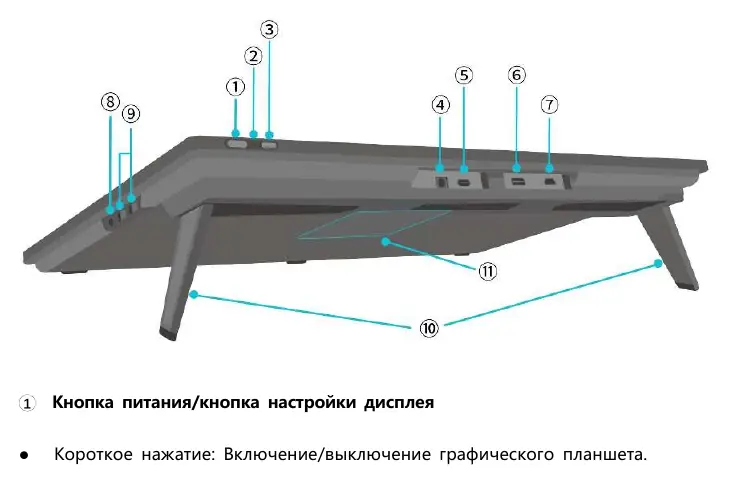
The HUION Kamvas Pro 27 (144HZ) is a professional-grade pen display designed for digital artists. It offers a natural drawing experience with precise pressure sensitivity and high-quality color reproduction. The device features integrated stands adjustable from 0° to 20° and is VESA mount compatible (100mm x 100mm) for flexible positioning.
Connectivity and Setup
The display supports multiple connection methods, including a full-featured USB-C cable for data and signal transmission, or a combination of HDMI and USB-A cables. Ensure the power adapter is connected to the display and a power outlet. For optimal performance, install the latest Huion driver from the official website, ensuring all other drawing software and antivirus programs are closed during installation.
Digital Pen Usage
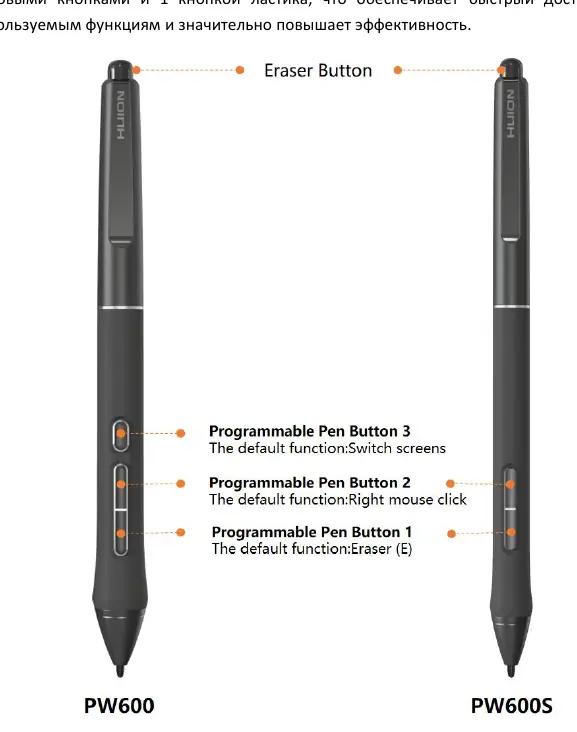
The device comes with advanced digital pens (PW600/PW600S) featuring programmable buttons and an eraser function. The pen should be held like a standard writing instrument. Users can customize button functions, pressure sensitivity, and tilt settings within the driver software. If the pen tip wears down, it can be easily replaced using the provided tool in the pen case.
Touch and OSD Controls
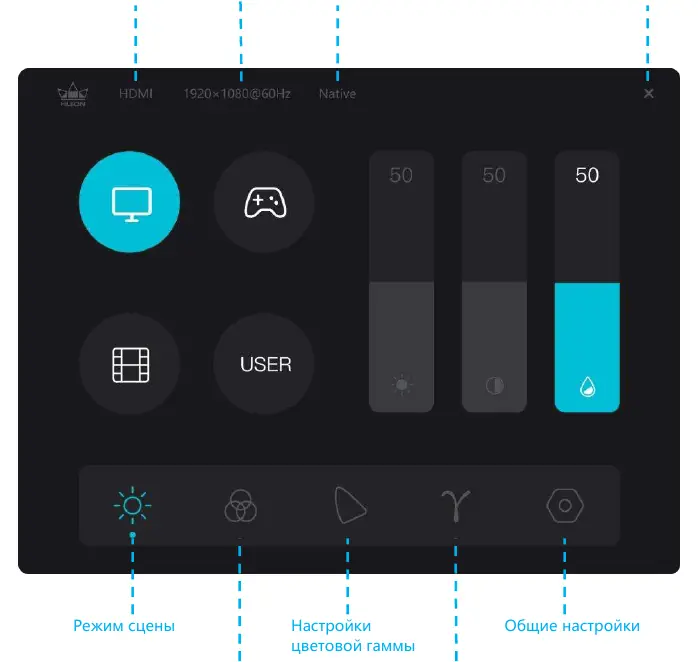
The Kamvas Pro 27 supports 10-point capacitive touch (Windows only), which can be toggled via a physical switch. The On-Screen Display (OSD) menu, accessible by holding the power button for 3 seconds, allows for fine-tuning of brightness, contrast, color temperature, and gamma settings. Users can switch between different color spaces like sRGB, Adobe RGB, and DCI-P3.
Maintenance and Troubleshooting
Keep the screen clean using the provided cloth. Do not leave the pen on the active display area when not in use, as this may interfere with computer sleep modes. If you encounter issues such as lack of pressure sensitivity or connection errors, ensure the driver is correctly installed and the cables are securely connected. For persistent problems, consult the official support forum or contact Huion customer service.