Hypergear 20W USB-C PD & 18W USB Mini Dual Car Charger User Manual
Quick guide for the Hypergear Mini Dual Car Charger. Learn about charging specifications, output power, compatibility, and safety features for models 15650 and 15651.
Table of contents
Quick guide from the manual
The Hypergear Mini Dual Car Charger is a compact device designed to charge two mobile devices simultaneously in your vehicle. It utilizes USB-C Power Delivery (PD) and Adaptive Fast Charging technologies to provide efficient power to smartphones, tablets, and accessories.
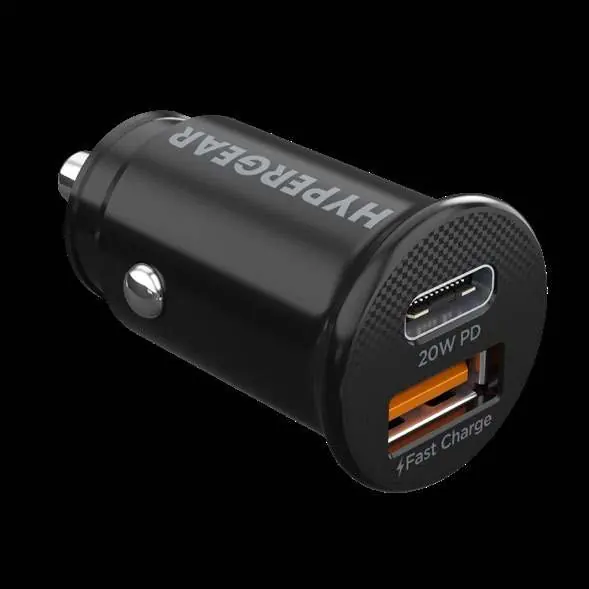
Product Features
- USB-C Power Delivery: High-speed charging for compatible devices.
- Adaptive Fast Charging: Automatically adjusts power output for optimal charging speed.
- Dual Output: Features one USB-C port and one standard USB-A port.
- Smart Chip Technology: Ensures safe charging and prevents overcharging.
- Low-Profile Design: Compact size to fit flush in most car outlets.
Technical Specifications
Ensure your vehicle's power outlet matches the input requirements.
- Input: 12-24V
- Total Output: 20W Max
- PD Output (USB-C): 5V/3A, 9V/2.22A, 12V/1.67A (20W Max)
- USB Output (USB-A): 5V/3A, 9V/2A, 12V/1.5A (18W Max)
- Shared Output: 5V/3A (15W Max)
Safety and Protection
The charger is equipped with built-in protection features to safeguard your devices during the charging process:
- Short Circuit Protection
- Overcharge Protection
Manufacturer information
HyperGear
Practical help
Common problems
Ensure you are using a high-quality, compatible cable and that the device supports the required charging protocol (PD or Adaptive Fast Charging).
The charger is designed for standard 12-24V car outlets. Ensure the outlet is clear of debris and the charger is fully inserted.
Before use
- Verify your vehicle's power outlet provides 12-24V.
- Check that your charging cable is compatible with the device and the charger port (USB-C or USB-A).
- Ensure the charger is fully inserted into the power outlet.

Manual page author
Michael Turner
Technical manual editor