Hyundai 15W Wireless Car Charging Holder User Manual
Quick guide for the Hyundai 15W Wireless Car Charging Holder. Learn about specifications, product contents, and safety warnings for your Qi-standard wireless charger.
Table of contents
Important Information
This document provides the essential specifications and safety guidelines for the Hyundai 15W Wireless Car Charging Holder. This device is designed for smartphones conforming to the Qi-standard, allowing for cable-free charging by simply placing the device on the charging plate.
Product Overview
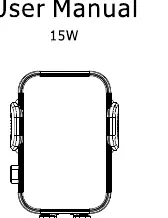
The device is a wireless charging holder designed for vehicle use. It includes a mounting mechanism for car air vents and requires a qualified car charger adapter to function correctly.
Specifications
- Input: DC 5V/2.0A, 9V/2.0A (MAX)
- Output: DC 5V/1.12A, 9V/1.67A (Output power depends on the mobile device model)
- Interface: USB Car charger
- Compatibility: Qi-standard enabled smartphones
Package Contents
- Wireless charging holder
- Car air vent mount
- USB cable
- User manual
Safety Warnings
- Do not use this product in high-temperature environments.
- Do not short circuit the device.
- Do not drop or subject the product to physical impact.
- Ensure the use of a qualified AC adapter for optimal performance and safety.
Manufacturer information
Hyundai
Practical help
Common problems
Ensure your smartphone supports Qi wireless charging and is correctly aligned on the charging plate.
Verify that you are using a qualified car charger adapter that meets the input requirements (5V/2A or 9V/2A).
Before use
- Verify your smartphone is Qi-standard compatible.
- Ensure the car air vent is compatible with the provided mount.
- Use a qualified car charger adapter to power the holder.
- Check that the cable is securely connected to both the charger and the holder.

Manual page author
Emily Carter
User documentation editor
Prepares concise manual descriptions and highlights the most useful setup, operation, and maintenance information for readers.