Iiyama 052B2010 Universal Wall Mount Installation Guide
A quick installation guide for the Iiyama 052B2010 universal wall mount, covering wall plate mounting, display bracket attachment, and security locking steps.
Table of contents
Manual images
Jump to the sectionQuick guide from the manual
This document provides essential instructions for installing the Iiyama 052B2010 universal wall mount. It covers various mounting surfaces and the procedure for attaching the display to the wall plate securely.
Wall plate installation
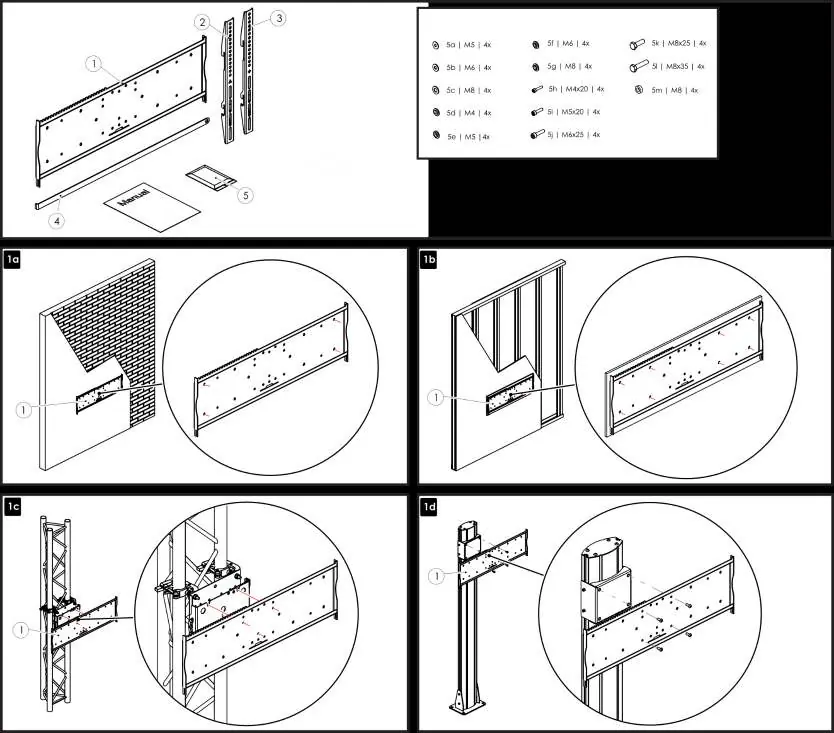
The wall plate can be installed on different surfaces, including brick/concrete walls, wooden studs, truss systems, or specialized poles. Ensure the plate is level and securely anchored to the structure before proceeding.
Display bracket attachment
Attach the two vertical mounting brackets to the back of your display using the appropriate screws and spacers provided in the hardware kit. Ensure the brackets are aligned correctly and tightened firmly.
Mounting the display
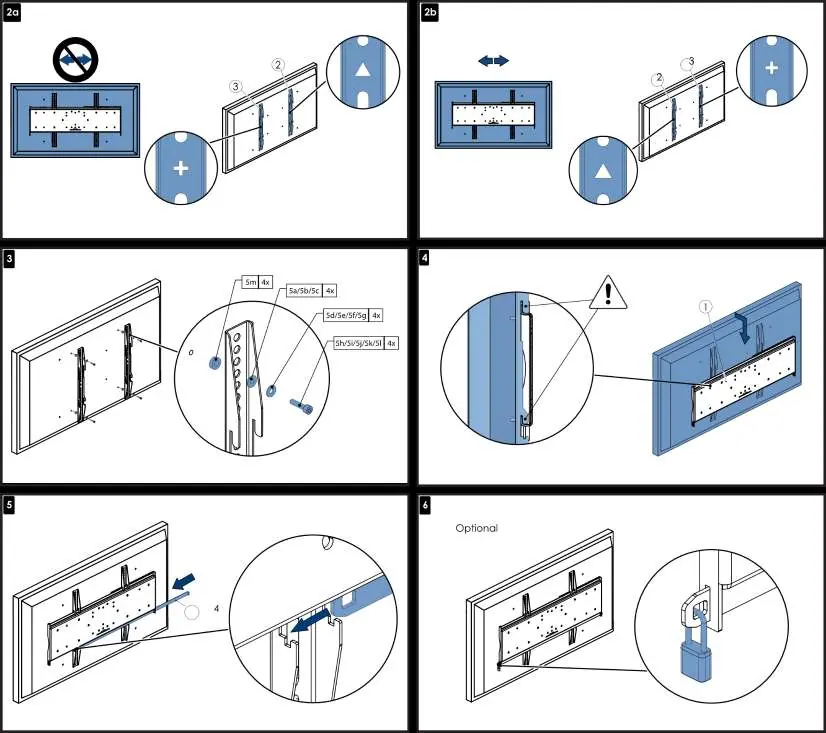
- Hook the display brackets onto the top edge of the wall plate.
- Ensure the display is centered and locked into position.
- Insert the safety locking bar through the brackets to prevent the display from being lifted off the mount.
- Optionally, use a padlock to secure the locking bar for added security.
Manufacturer information
iiyama
Practical help
Common problems
Adjust the position of the brackets on the wall plate or ensure the wall plate itself was mounted perfectly level.
The kit includes various screw sizes (M4, M5, M6, M8) and spacers. Select the combination that matches your display's VESA mounting holes.
Before use
- Verify the wall structure can support the weight of the display and mount.
- Identify the correct screw size for your display's VESA pattern.
- Ensure you have a level tool for accurate wall plate installation.
- Check that all components (wall plate, brackets, locking bar) are present.

Manual page author
Michael Turner
Technical manual editor
Reviews PDF manuals for structure, safety notes, and practical product details so readers can find the right information quickly.