User Manual for iJOY Burst Color LED Wireless Speaker
Quick guide for the iJOY Burst Color LED Wireless Speaker (0604V2). Learn how to operate the speaker, use Bluetooth, FM, AUX, and TF modes, and understand charging and safety precautions.
Table of contents
Quick guide from the manual
The iJOY Burst Color LED Wireless Speaker is a portable audio device supporting Bluetooth, FM radio, AUX, USB, and TF card playback. This guide provides essential instructions for operating the device, charging, and safety precautions.
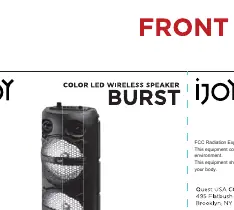
Device Functions
The speaker is controlled via the following button operations:
- M Button: Press to switch between BT, FM, AUX, USB, and TF modes.
- Play/Pause Button: Short press to play or pause music. In FM mode, hold to auto-search stations.
- Previous/Next Buttons: Short press to skip to the previous or next song. Hold to decrease or increase volume.
- Power/Volume Knob: Rotate to turn the speaker on or off and adjust volume.
Operating Modes
- Bluetooth: Switch to BT mode. Search for the speaker on your Bluetooth-enabled device and connect to 'iJOY BURST'.
- FM Radio: Switch to FM mode. Hold the Play/Pause button to auto-search stations (87.5MHz-108MHz).
- AUX: Connect an audio device using a 3.5mm cable.
- USB/TF Card: Insert a USB drive or TF card containing MP3 files to play music automatically.
- TWS Function: Turn on two speakers and enter BT mode. Double press the Play/Pause button on one speaker to pair them for surround sound.
Charging and Battery
The speaker features a 1500mAh rechargeable battery. Use a 5V power adapter to charge the device via the Micro USB port. Ensure the battery is not exposed to excessive heat, direct sunlight, or fire. Do not attempt to disassemble the battery.
Safety and Precautions
- Do not spill water on the speaker; it is not waterproof.
- Keep away from children.
- Do not shake the speaker.
- If the speaker is damaged, discontinue use and contact service.
- Do not place heavy objects on the speaker.
Specifications
- Output Power: 10W
- Frequency Response: 100Hz-18KHz
- SNR: 80dB
- THD: 10%
- Battery: 1500mAh Rechargeable
- Power Supply: 5V/1A
- Speaker: 6.5" x 2 (Diameter: 165mm)
- Magnetic Resistance: 4 OHMS
Practical help
Common problems
Ensure the speaker is in Bluetooth mode and your device is searching for 'iJOY BURST'.
Ensure you are in FM mode and hold the Play/Pause button to initiate the auto-search function.
Verify that the Micro USB cable is securely connected and the power source provides 5V.
Before use
- Charge the speaker fully before the first use.
- Ensure the speaker is kept away from water and moisture.
- Check that your playback device is compatible with Bluetooth, AUX, or TF card.
- Ensure the speaker is placed on a stable surface.
Specs in practice
- Output Power: 10W
- Indicates the audio volume capability of the speaker.
- Frequency Response: 100Hz-18KHz
- The range of sound frequencies the speaker can reproduce.
- Battery: 1500mAh
- Capacity of the internal rechargeable battery.
- Magnetic Resistance: 4 OHMS
- Impedance of the speaker driver.
Images and diagrams
- M button: Used to switch between modes (BT/FM/AUX/USB/TF).
- Play/Pause button: Short press to play/pause music; long press for auto-search in FM mode.
- Previous/Next buttons: Short press to skip tracks; long press to adjust volume.
Model compatibility
- Compatible with Bluetooth-enabled devices (phones, computers, tablets).
- Supports TF cards and USB drives for MP3 playback.
- Supports TWS function for pairing two speakers.

Manual page author
Michael Turner
Technical manual editor
Reviews PDF manuals for structure, safety notes, and practical product details so readers can find the right information quickly.