Automotive / Car Audio
User Manual for NOD INFINITY 10W Stereo Speakers
Quick guide for the NOD INFINITY 10W stereo speakers. Learn how to connect, adjust volume, and maintain your audio system with this concise manual.
Table of contents
Manual images
Click an image to enlargeQuick guide from the manual
The NOD INFINITY 10W stereo speakers are designed for use with laptops, PCs, and other audio devices equipped with a 3.5mm audio output. The system is powered via USB and controlled by a single rotary switch on the front of the right speaker.
Parts Identification
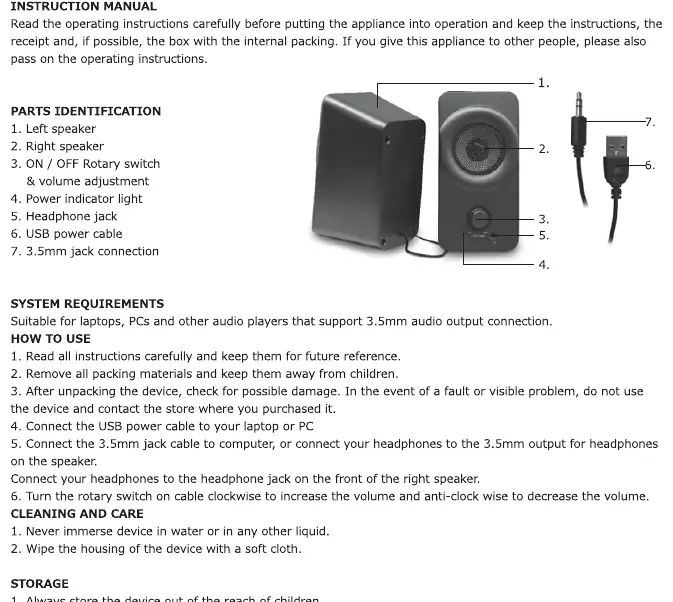
The speaker system consists of the following components:
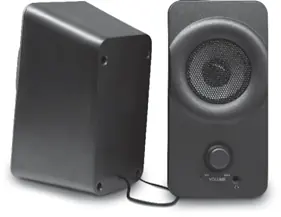
- Left speaker
- Right speaker
- ON/OFF Rotary switch & volume adjustment
- Power indicator light
- Headphone jack
- USB power cable
- 3.5mm jack connection
System Requirements
The speakers are compatible with any laptop, PC, or audio player that supports a standard 3.5mm audio output connection.
Setup and Operation
- Unpack the device and inspect for any physical damage. Do not use if damaged.
- Connect the USB power cable to your laptop or PC to provide power to the speakers.
- Connect the 3.5mm jack cable to the audio output port of your computer or audio player.
- Use the rotary switch on the front of the right speaker to turn the device on and adjust the volume. Turn clockwise to increase volume and anti-clockwise to decrease volume.
- You may connect headphones to the headphone jack located on the front of the right speaker.
Cleaning and Care
- Never immerse the device in water or any other liquid.
- Wipe the housing of the device with a soft cloth.
Storage and Disposal
Always store the device in a safe, clean, and dry place, preferably in its original packaging, and keep it out of the reach of children. When disposing of the product, do not treat it as household waste. Separate the electronic components for environmentally safe recycling as indicated by the crossed-out wheeled bin symbol.
Practical help
Common problems
No sound from speakers
Ensure the 3.5mm jack is fully inserted into the audio output port of your device and the USB cable is connected to a powered USB port.
Volume is too low or too high
Adjust the rotary switch located on the front of the right speaker. Turn clockwise to increase volume.
Before use
- Verify your device has a 3.5mm audio output port.
- Inspect the device and cables for any visible damage after unpacking.
- Ensure the speakers are kept away from water and liquids.
- Keep the device out of the reach of children.
Images and diagrams
- The rotary switch (3) serves as both the power control and volume adjustment.
- The headphone jack (5) is conveniently located on the front of the right speaker for easy access.
Model compatibility
- Compatible with laptops, PCs, and audio players that support 3.5mm audio output.

Manual page author
David Miller
Documentation analyst
Organizes user manual content into clear summaries, with attention to model details, product context, and everyday usability.