LookOurWay Canopy Tent LED Light Set User Guide
User guide for the LookOurWay Canopy Tent LED Light Set (10M1011004-2P), covering specifications, charging, mounting, and operation instructions.
Table of contents
Manual images
Jump to the sectionProduct Overview
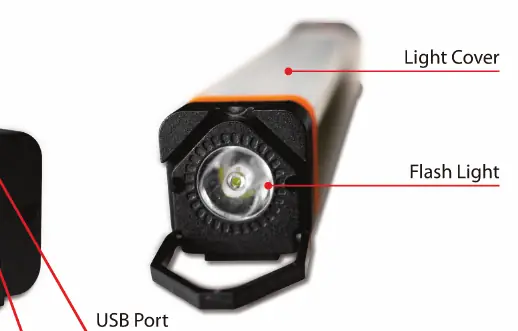
The LookOurWay Canopy Tent LED Light Set is a portable lighting solution designed for canopy tents. The set includes LED lights, a USB charger, a USB cable, mounting straps, and an EVA carry case for storage and transport.
Specifications
The lights feature a durable aluminum housing and are water-resistant with an IP20 rating. Key technical parameters include:
- Brightness: 390 Lumens per light
- Color Temperature: 6500K (Bright White)
- Battery Type: Lithium Ion
- Input Voltage: DC5V 1A
- Discharge Time: 6-8 hours
- Dimensions: 12.5 inches x 1.5 inches x 1.5 inches
Operation and Modes
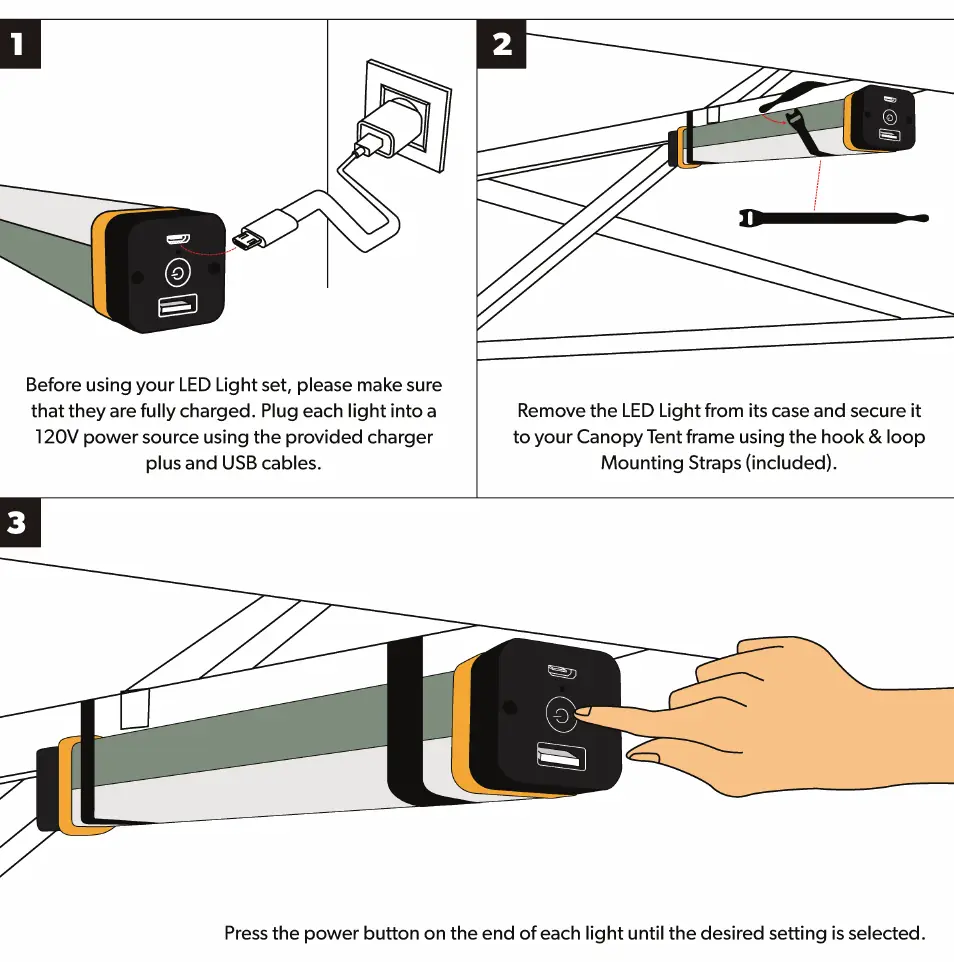
The device offers multiple light modes, including High, Low, Bug Repelling Amber, and Flashlight. Users can cycle through these settings by pressing the power button located on the end of the light unit.
Setup and Charging
Before initial use, ensure that each light is fully charged. Connect the light to a 120V power source using the provided USB charger and cable. The charging status is indicated by the charging light on the unit. Once charged, the lights can be secured to the canopy tent frame using the included hook and loop mounting straps.
Manufacturer information
LookOurWay, LLC
Practical help
Common problems
Ensure the unit is fully charged using the provided USB charger and cable.
Verify that the hook and loop mounting straps are pulled tight and properly fastened around the tent frame.
Before use
- Charge the LED light fully using the provided USB charger and cable.
- Verify the light is in good condition and the housing is intact.
- Ensure the mounting straps are available for installation.
- Identify the power/mode selection button on the end of the light.

Manual page author
David Miller
Documentation analyst
Organizes user manual content into clear summaries, with attention to model details, product context, and everyday usability.