Güde MIG 192/6K Welding Machine User Guide
Quick guide for the Güde MIG 192/6K welding machine, covering setup, wire installation, welding parameters, maintenance, and troubleshooting.
Table of contents
Manual images
Jump to the sectionQuick guide from the manual
This document provides essential instructions for the Güde MIG 192/6K welding machine. It covers assembly, initial setup, wire installation, and basic operation. Always read the full safety instructions before use to prevent accidents.
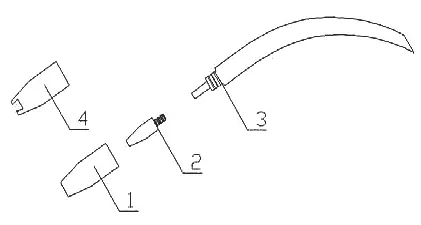
Device Description
The MIG 192/6K is a compact, high-class welding machine designed for DIY use. It features 6 power levels, adjustable wire feed, and thermal overload protection. It is suitable for welding various metals, including steel and stainless steel.
Installation and Setup
Follow the assembly instructions for wheels, handle, gas bottle, and welding shield. Ensure the power supply is properly fused and the machine is connected to an efficient grounding system. Work only in dry environments.

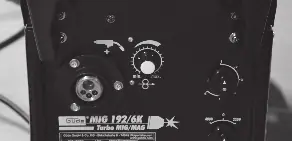
Wire Installation
- Open the left side door.
- Insert the wire spool so the wire pulls from the top.
- Ensure the wire end is straight and burr-free.
- Adjust spool resistance using the center nut.
- Check that the wire feed pulley grooves match the wire diameter.
- Tighten the knob until the wire runs evenly; do not overtighten to avoid motor damage.
Operation
Select the voltage (230V or 400V) and set the power level and wire feed speed according to the material thickness. Use the pressure switch on the hose to feed the wire through the torch before starting.
Maintenance
Regularly clean the hose set, gas nozzle, and wire feed components. Use protective spray on the gas nozzle to prevent slag buildup. Replace worn contact tips and gas distributors as needed.
Troubleshooting
If the welding current fails, check for thermal overload (wait for the machine to cool) or tripped fuses. For irregular wire feed, check pulley pressure, clean the wire guide, or replace the gas nozzle.
Technical Data
- Voltage: 230V/400V
- Frequency: 50Hz
- Control Range: 25-160A
- Protection Class: IP 21 S
- Weight: approx. 39.1 kg
For technical support or spare parts, visit www.guede.com or contact the service department at +49 (0) 79 04 / 700-360 or [email protected].
Official resources from the manual
Practical help
Common problems
Thermal protection may have triggered due to overload. Wait approx. 10 minutes for the transformer to cool down.
Check if the gear ring is broken or blocked, or if the motor is defective.
Clean the wire guide with compressed air, check for clogged gas nozzles, or replace worn feed pulleys.
Check for gas supply, clean the nozzle, ensure the material is not rusty or damp, and maintain a 30° torch angle.
Before use
- Read the entire operating manual.
- Ensure the power supply is properly fused.
- Wear protective clothing (helmet, apron, gloves).
- Ensure the work area is dry and free of flammable materials.
- Check that the gas bottle is securely fixed and closed.
- Verify that the wire feed pulley matches the wire diameter.
Specs in practice
- ED% (Switch-on time)
- The ratio between welding time and cooling time within a 10-minute cycle.
- Control Range
- The adjustable range of the welding current (25-160 A).
Images and diagrams
- 1: Welding machine
- 3: Grounding terminal
- 4: Spare nozzles and wire feed pulley
- 5: Pressure control valve
- 6: Power plug
Model compatibility
- Suitable for welding steel, low-carbon steel, low-alloy steel, and stainless steel.
- Requires Co2/Argon mixed gas for operation.
- Compatible with 230V (via adapter) and 400V power sources.

Manual page author
Emily Carter
User documentation editor
Prepares concise manual descriptions and highlights the most useful setup, operation, and maintenance information for readers.