NEBO DAVINCI 1800L Rechargeable Flashlight
Comprehensive guide for the NEBO DAVINCI 1800L, covering operation, charging, power bank functionality, and safety instructions.
Table of contents
Product Overview
The NEBO DAVINCI 1800L is a high-performance, rechargeable flashlight designed for versatility and reliability. Before initial use, ensure you open the battery compartment and remove the round battery spacer disc. The unit is powered by a high-capacity Li-Ion battery.
Operation
The flashlight features Smart Power Control (SPC) for seamless transitions between light modes. To operate the device, press and release the power button to cycle through the following modes: High, Medium, Low, and Off. If the light has been on for 8 seconds or longer, the next button press will turn the unit off. Additional features include:
- Strobe: Double-tap the power button.
- Direct-to-Low: From the OFF position, press and hold the power button.
- 3X Zoom: Twist the head of the flashlight to narrow or widen the light beam.
Charging and Power Bank
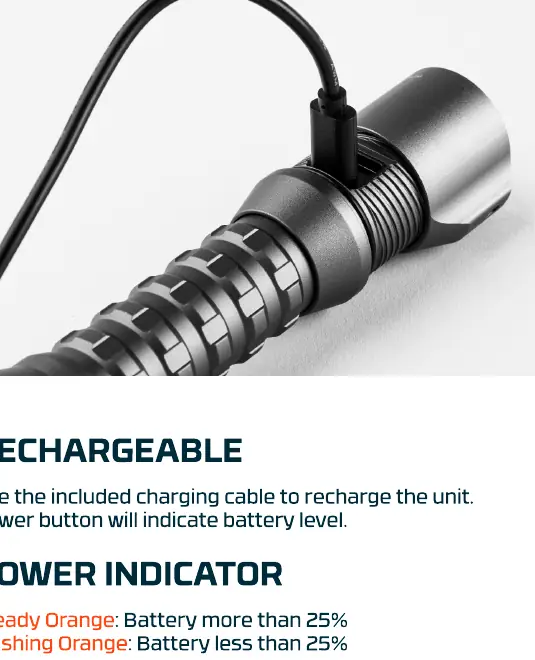
The unit is rechargeable using the included charging cable. The power button serves as an indicator for battery levels: steady orange indicates more than 25% battery, while flashing orange indicates less than 25%. During charging, the indicator will pulse green and turn steady green once fully charged. The DAVINCI 1800L also functions as a power bank; simply plug your phone or other USB device into the USB port to charge.
Safety and Maintenance
The unit may become hot during extended use. Always keep the crown away from surfaces until the flashlight has cooled down. The device is equipped with Smart Temperature Control, which utilizes advanced circuitry to actively regulate light output and monitor temperature, ensuring battery longevity and safe operation. If you experience any issues with the product, please contact the customer service team directly rather than returning it to the store.

Manual page author
Emily Carter
User documentation editor
Prepares concise manual descriptions and highlights the most useful setup, operation, and maintenance information for readers.