User Manual for Nu Republic Sonicpop 160 Wireless Speaker
Get the most out of your Nu Republic Sonicpop 160 wireless speaker. This guide covers Bluetooth pairing, TWS mode, playback controls, charging, and warranty information.
Table of contents
Manual images
Click an image to enlargeQuick guide from the manual
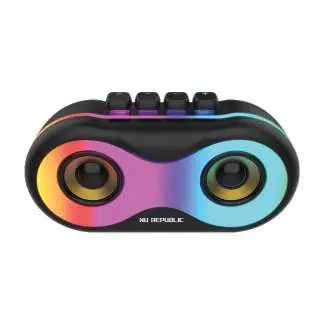
The Nu Republic Sonicpop 160 is a wireless speaker featuring 16W output. Key operations include sliding the power toggle to turn the device on, scanning for 'Sonicpop 160' on your mobile device to pair via Bluetooth, and using the play/pause button for music control and TWS pairing. The device supports TF card playback and Aux input, which are triggered automatically upon insertion.
Getting started
To power the speaker on or off, slide the toggle switch located on the device. Once powered on, the speaker enters wireless Bluetooth mode. To connect, enable the Bluetooth function on your mobile phone, scan for available devices, and select 'Sonicpop 160'. The device will automatically connect and save the pairing for future use.
Music playback and controls
Use the buttons on the speaker to control your audio experience:

- Play/Pause: Short click the play/pause button to pause or restart music.
- Previous Song: Short press the '-' button.
- Next Song: Short press the '+' button.
- Volume Decrease: Long press the '-' button.
- Volume Increase: Long press the '+' button.
- Calling: Click the play/pause button to answer or hang up a call. Long press the play/pause button to reject an incoming call.
Modes and features
- Mode Switching: The speaker defaults to Bluetooth mode. Inserting a TF card automatically switches to TF card playback. Inserting an Aux cable automatically switches to Aux mode.
- RGB Light: Press the 'light' button to change the light mode or turn the light on/off.
- TWS Function: To pair two speakers, ensure both are in Bluetooth mode. Double-click the play/pause button on either speaker and wait for them to connect. Once connected, pair with your mobile device.
Charging
The speaker has a built-in, non-removable rechargeable battery. Charge the device using a Type-C cable. A red light indicates the speaker is charging; the light turns off when the battery is fully charged. Note that repeated charging and discharging will naturally lead to a decline in battery life over time.
Safety and maintenance
- Use the product only for its intended purpose.
- Store and use the product at room temperature.
- Do not expose the product to rain or wet conditions.
- Do not drop the product to avoid damage.
- Do not disassemble or attempt to repair the product yourself.
- Do not dispose of the built-in lithium battery in fire.
Warranty information
Nu Republic provides a warranty against defects in material and workmanship. The warranty is valid for 6 months from the date of original purchase or 12 months from the date of import, whichever is earlier. Proof of purchase is required for claims. For service or support, contact Nu Republic at [email protected] or call the helpline at +918826257630. Service hours are Monday to Friday, 10:30 AM - 6:30 PM.
Practical help
Common problems
Ensure the speaker is powered on and in Bluetooth mode. Scan for 'Sonicpop 160' on your mobile device and ensure it is within range.
Ensure both speakers are in Bluetooth mode and not connected to another device. Double-click the play/pause button on one of the speakers to initiate pairing.
Before use
- Charge the speaker fully using a Type-C cable.
- Ensure the speaker is kept at room temperature.
- Keep the device away from water, moisture, and extreme environmental conditions.
- Ensure you have your original sales invoice for warranty purposes.
Images and diagrams
- The speaker features a power toggle switch for on/off control.
- The top panel contains buttons for Play/Pause, Volume/Track control (+/-), and Light mode switching.
Model compatibility
- Supports Bluetooth connectivity.
- Supports TF card playback.
- Supports Aux cable input.

Manual page author
Michael Turner
Technical manual editor
Reviews PDF manuals for structure, safety notes, and practical product details so readers can find the right information quickly.