Quick Start Guide for Philips 22E1N1200AW Monitor
A comprehensive quick start guide for the Philips 22E1N1200AW monitor. Includes instructions for assembly, cable connections, OSD button functions, and tilt adjustment.
Quick answers from the manual
Quick answer
- This document is a Quick Start Guide for the Philips 22E1N1200AW monitor, detailing assembly, cable connections, OSD button usage, and tilt adjustment. p. 1
Key actions
- Assemble the stand by attaching it to the monitor while it is face down on a smooth surface. p. 1
- Connect power, video (HDMI/VGA), and audio cables to the rear ports. p. 1
First start
- Place monitor face down, attach stand, connect power and video cables, and power on. p. 1
Show 1 more answers Show less
Where to find it in the PDF
- Quick Start Guide p. 1
Table of contents
Manual images
Click an image to enlargeQuick Start Guide
This guide provides essential setup and operation instructions for the Philips 22E1N1200AW monitor. Please follow the steps below to ensure proper installation and usage.
Assembly and Setup
Before beginning, ensure you have a clean, stable surface. CAUTION: Place the monitor face down on a smooth surface to avoid scratching or damaging the screen during assembly.
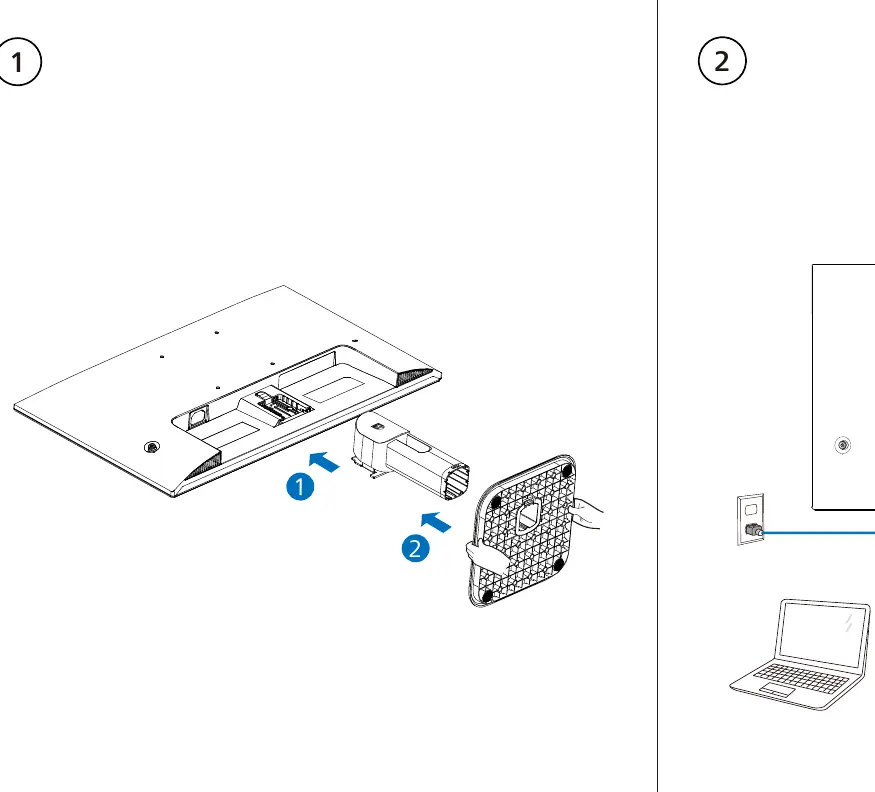
- Attach the stand to the monitor base as illustrated.
- Ensure the stand is securely fastened before placing the monitor upright.
Cable Connections
Connect the necessary cables to the ports located on the back of the monitor:
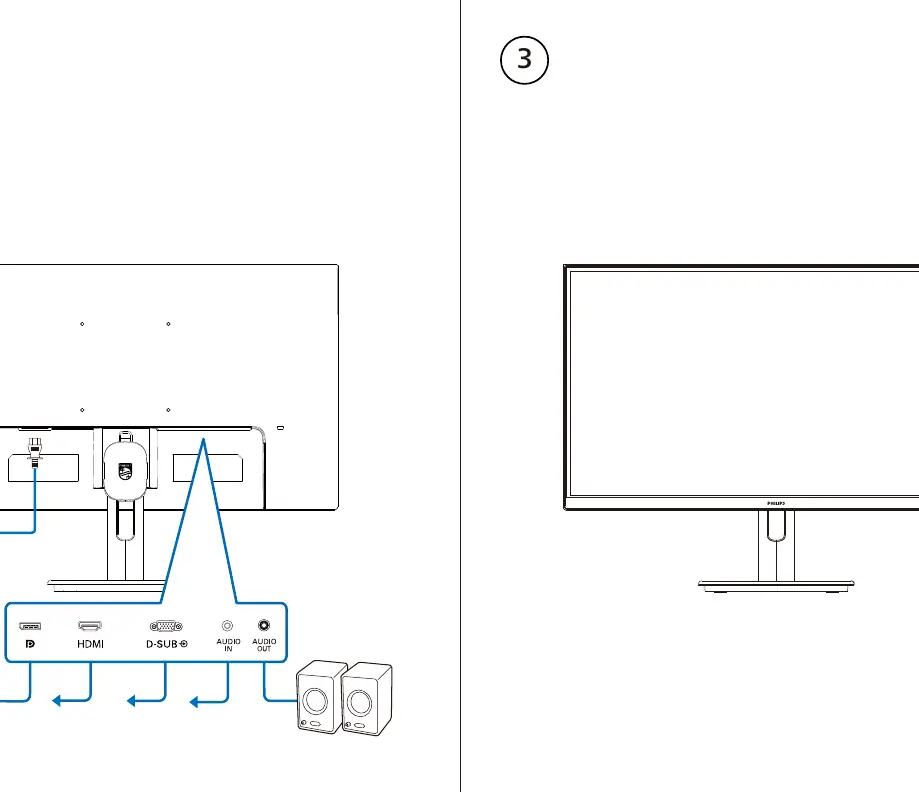
- Power: Connect the power cable.
- Video: Connect the HDMI or VGA cable to your computer.
- Audio: Connect the audio cable if required.
OSD Button Functions
The monitor features On-Screen Display (OSD) buttons for quick adjustments. Use these buttons to navigate the menu:
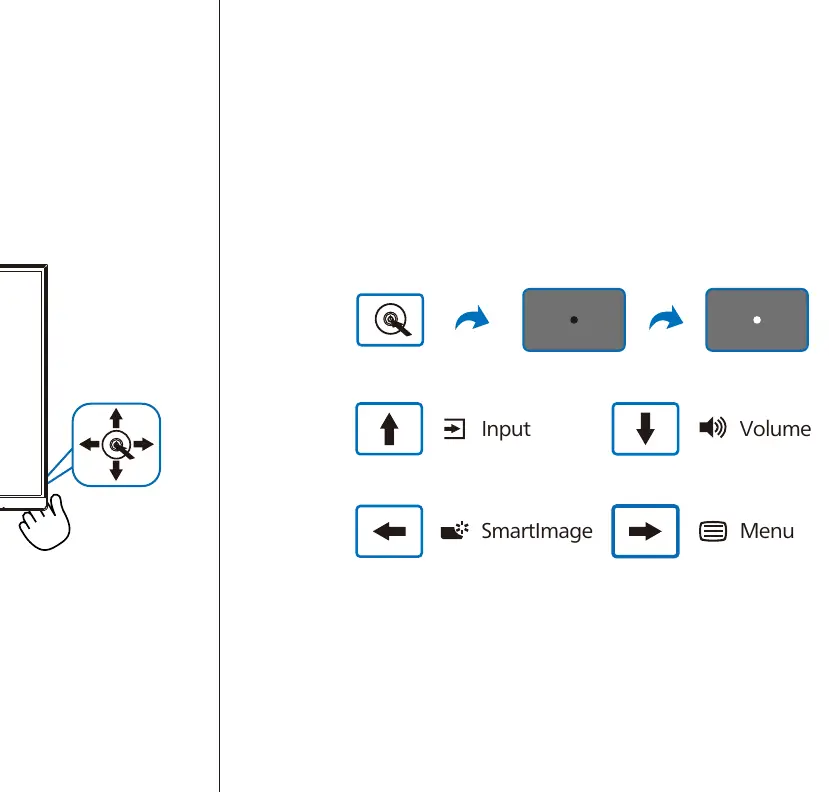
- Input: Select the video input source.
- Volume: Adjust the audio volume.
- SmartImage: Access image enhancement presets.
- Menu: Open the main OSD menu.
Tilt Adjustment
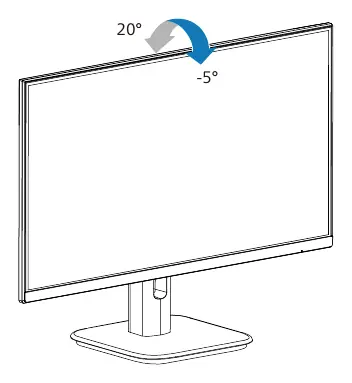
The monitor stand allows for tilt adjustment to improve viewing comfort. The screen can be tilted from -5 degrees to 20 degrees.
Manufacturer information
Philips
Practical help
Before use
- Place the monitor face down on a smooth surface to prevent screen damage
- Ensure you have the required cables (Power, HDMI/VGA, Audio)
- Verify the stand is securely attached before uprighting the monitor
Images and diagrams
- Assembly: Shows the attachment of the stand to the monitor base
- Connections: Illustrates the connection points for Power, HDMI, VGA, and Audio cables
- OSD Controls: Explains the function of the buttons for Input, Volume, SmartImage, and Menu
- Tilt: Demonstrates the -5 to 20-degree tilt range

Manual page author
Emily Carter
User documentation editor