Quick Start Guide for Philips 24E2N1500 LCD Monitor
Quick start guide for the Philips 24E2N1500 LCD monitor. Includes assembly instructions, connection guide, tilt adjustment, and basic control information.
Quick answers from the manual
Quick answer
- This guide provides instructions for assembling the Philips 24E2N1500 monitor, connecting cables, and adjusting the tilt. p. 1
Key actions
- Assemble the stand p. 1
- Connect power and video cables p. 1
First start
- Place monitor face down on a smooth surface, attach the stand, connect power and video cables. p. 1
Show 2 more answers Show less
Technical specifications
| Parameter | Value | Meaning | Pages |
|---|---|---|---|
| Tilt | -5° to +20° | Vertical tilt adjustment range | p. 1 |
Where to find it in the PDF
- Quick Start Guide p. 1
Table of contents
Manual images
Click an image to enlargeQuick guide from the manual
This document provides essential setup instructions for the Philips 24E2N1500 monitor. Please follow the safety precautions to avoid damaging the screen.
Safety and Assembly
Caution: Always place the monitor face down on a smooth, clean surface to prevent scratching or damaging the screen during assembly.
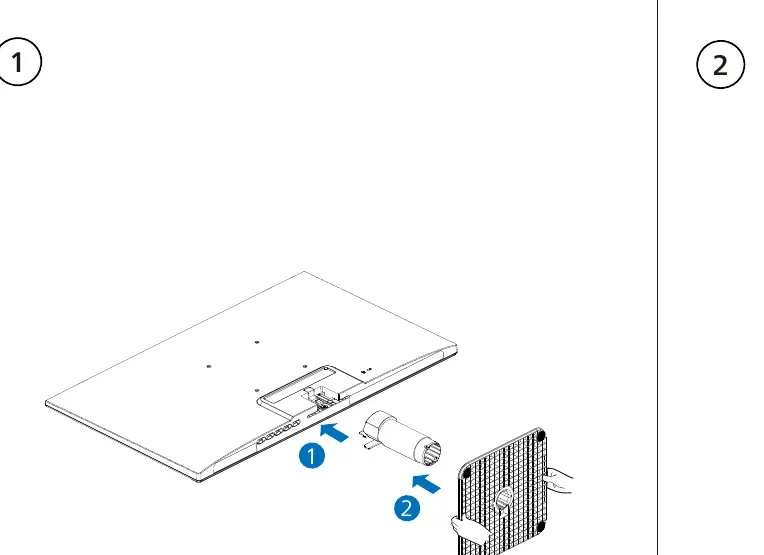
To assemble the monitor:
- Place the monitor screen-side down on a flat surface.
- Attach the stand base to the monitor arm as shown in the diagram.
Connections
The monitor supports the following connections:
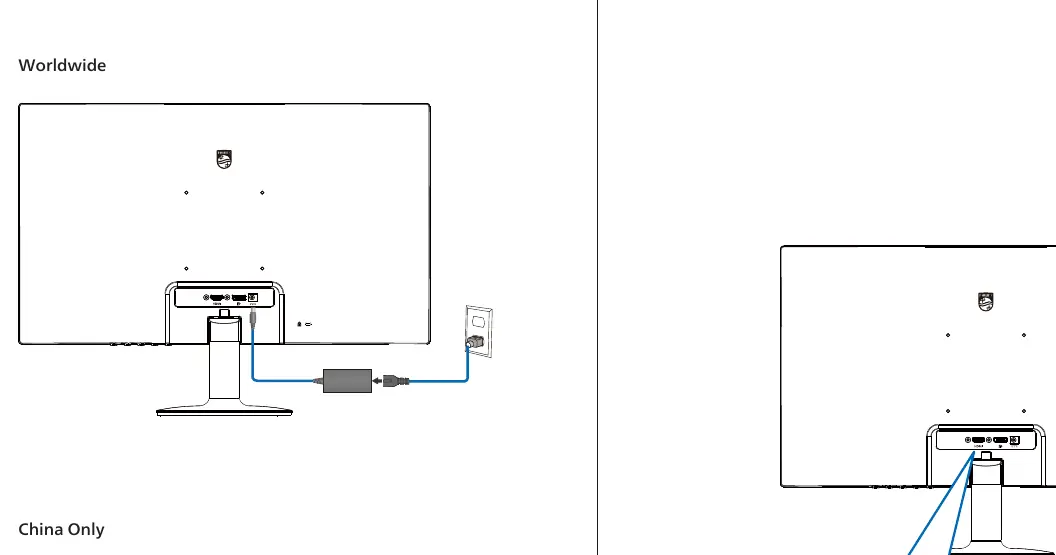
- Power: Connect the provided AC/DC adapter to the power port. Note that there are different adapters for Worldwide and China-only models.
- Video: Connect your video source using an HDMI or DisplayPort (DP) cable.
Adjustments and Controls
Tilt Adjustment: The monitor can be tilted vertically between -5° and +20°.
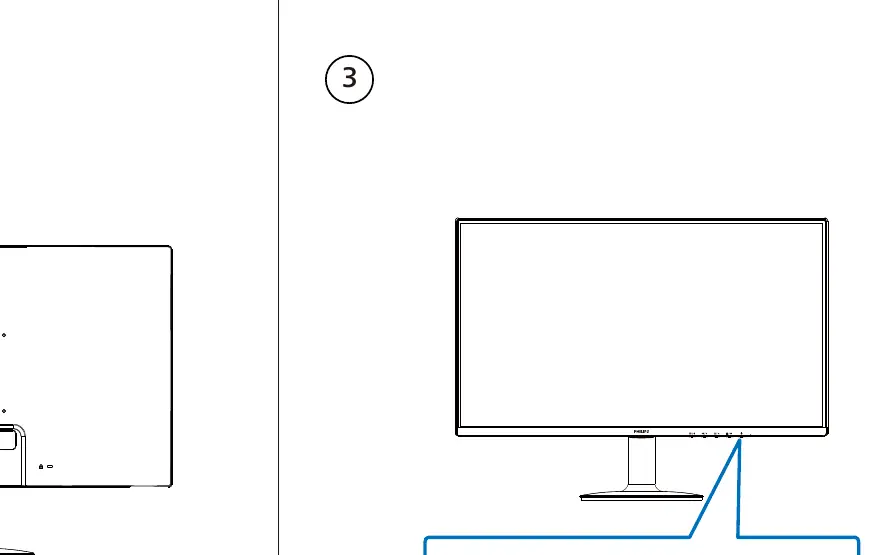
Controls: The monitor features an OSD (On-Screen Display) button/joystick located on the back/bottom for menu navigation and settings.
Manufacturer information
Philips
Practical help
Common problems
Always place the monitor face down on a smooth, clean surface before attaching the stand.
Before use
- Ensure you have a smooth, clean surface for assembly
- Identify the correct power adapter (Worldwide vs China Only)
- Have HDMI or DP cables ready for connection

Manual page author
Michael Turner
Technical manual editor