User Manual for Philips E Line 227E4LSB LCD Monitor
Quick guide for the Philips E Line 227E4LSB LCD monitor. Includes technical specifications, connectivity options, display settings, and key features like SmartImage Lite and touch controls.
Quick answers from the manual
Quick answer
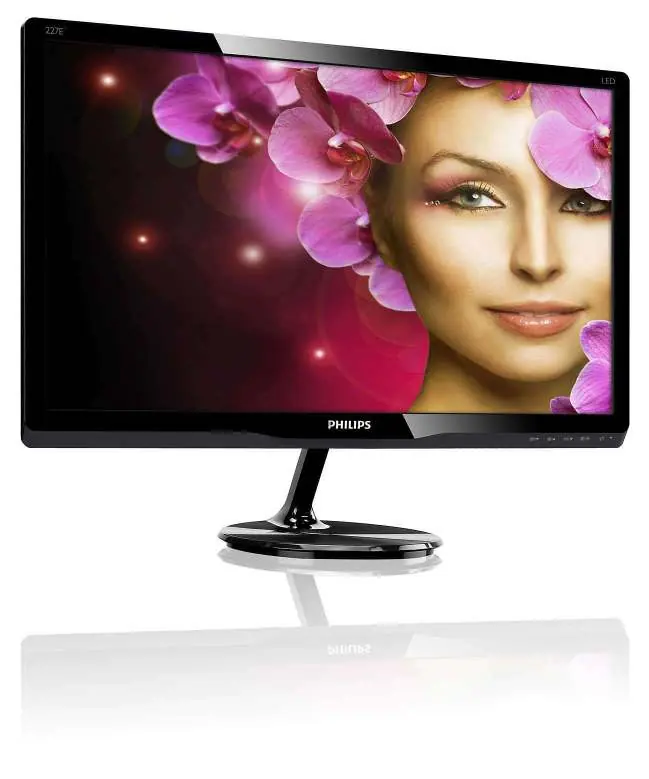
- The Philips 227E4LSB is a 21.5-inch Full HD LED monitor. It features touch controls, SmartImage Lite, and SmartContrast technology. It supports VGA and DVI-D inputs. p. 1, 2, 3
Key actions
- Use touch controls to adjust monitor settings p. 2
Technical specifications
| Parameter | Value | Meaning | Pages |
|---|---|---|---|
| Resolution | 1920 x 1080 | Optimum resolution at 60Hz | p. 3 |
| Power Consumption | 17.2 W | On mode power usage | p. 3 |
| Brightness | 250 cd/m² | Display brightness | p. 3 |
Show 1 more answers Show less
Where to find it in the PDF
- Overview and Features p. 1, 2
- Specifications p. 3
Table of contents
Manual images
Click an image to enlargeQuick guide from the manual
The Philips 227E4LSB is a 21.5-inch Full HD LED monitor designed for home and office use. This guide provides an overview of its features, connectivity, and technical specifications to help you set up and understand your device.
Key Features
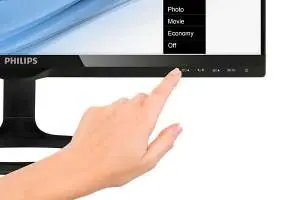
- SmartImage Lite: Analyzes screen content to enhance contrast, color saturation, and sharpness in real-time.
- SmartContrast: Automatically adjusts backlight intensity and colors for optimal image quality, especially in dark scenes.
- TrueVision: A factory-tuned display process ensuring consistent color and picture quality.
- Touch Controls: Intelligent, touch-sensitive icons replace traditional buttons for a modern interface.
Connectivity
The monitor supports the following input connections:
- VGA (Analog)
- DVI-D (Digital, HDCP)
Technical Specifications
- Resolution: 1920 x 1080 @ 60Hz
- Brightness: 250 cd/m²
- Response Time: 5 ms
- Viewing Angle: 176° (H) / 170° (V)
- Power Supply: External, 100-240VAC, 50-60Hz
- Power Consumption: 17.2 W (On mode), 0.5 W (Standby), 0.3 W (Off mode)
Operating Conditions
- Temperature: 0°C to 40°C (Operation), -20°C to 60°C (Storage)
- Altitude: Up to 12,000ft (3,658m) during operation
- Humidity: 20% to 80% relative humidity
Manufacturer information
Philips
Practical help
Before use
- Ensure power supply is 100-240VAC
- Connect via VGA or DVI-D cable
- Check environment temperature (0°C to 40°C)
- Verify compatibility with your OS (Mac OS X, Windows 7/Vista/XP)
Specs in practice
- Response Time
- 5 ms for smooth motion
- Contrast Ratio
- 1000:1 typical, 20,000,000:1 SmartContrast

Manual page author
David Miller
Documentation analyst