User Manual for Philips 221S3UCB/00 LCD Monitor
Quick guide for the Philips 221S3UCB/00 USB-powered LCD monitor. Learn about setup, USB connectivity, ergonomic adjustments, and technical specifications.
Quick answers from the manual
Quick answer
- The Philips 221S3UCB/00 is a USB-powered monitor that uses a single USB 2.0 cable for both video signal and power. If your laptop cannot supply enough power, an optional DC adapter is required. p. 1, 2, 3
Key actions
- Connect the monitor to your laptop using the provided USB cable. p. 1, 2
- Adjust the stand height, tilt, and swivel for ergonomic comfort. p. 1, 2, 3
Problems and fixes
Purchase and use an optional DC adapter.
p. 3Show 2 more answers Show less
Technical specifications
| Parameter | Value | Meaning | Pages |
|---|---|---|---|
| Resolution | 1920 x 1080 @ 60Hz | Optimum display resolution | p. 3 |
| Power Consumption | 9W (typ.) | Typical power usage in On mode | p. 3 |
Where to find it in the PDF
- Product Overview p. 1
- Highlights and Features p. 2
- Specifications p. 3
Table of contents
Quick guide from the manual
The Philips 221S3UCB/00 is a USB-powered LCD monitor designed for simplicity. It uses a single USB 2.0 cable to transmit both video and power from your laptop, eliminating the need for separate power or video cables. Note: If your laptop's USB ports do not provide sufficient power, an optional DC adapter may be required.
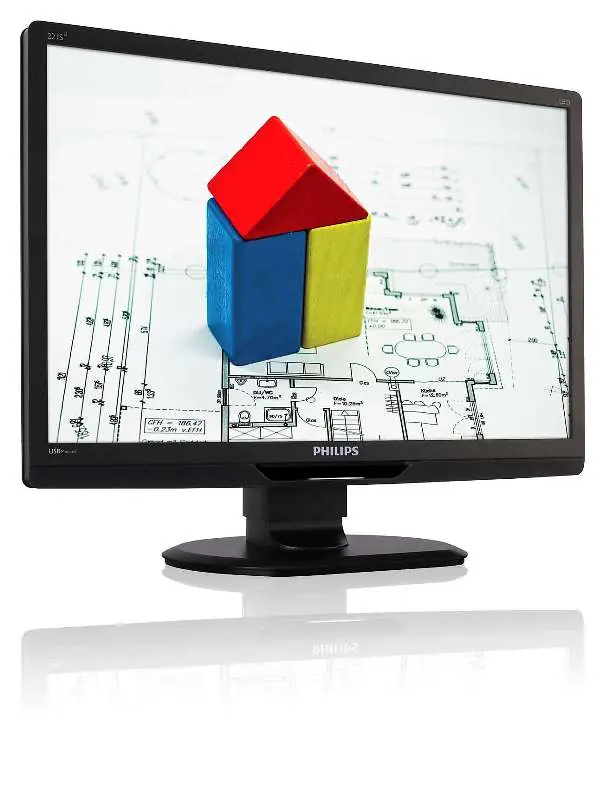
Product highlights
This monitor features LED backlight technology, which provides consistent brightness, faster startup times, and energy efficiency. It is mercury-free and designed with an ergonomic stand that supports height adjustment, tilt, and swivel for optimal viewing comfort.
Setup and connectivity
The monitor operates via a plug and play connection. Simply connect the USB cable to your laptop's USB 2.0 port. It is compatible with Mac OS X, Windows 7, Vista, and XP.
Ergonomic adjustments
The Compact Ergo Base allows for the following adjustments to ensure maximum viewing comfort:
- Height adjustment: up to 70 mm
- Swivel: -65 to 65 degrees
- Tilt: -5 to 20 degrees
Technical specifications
- Panel Size: 21.5 inch (54.6 cm)
- Resolution: 1920 x 1080 @ 60Hz
- Power Consumption: 9W (typical)
- Connectivity: USB 2.0
- Mounting: VESA mount (100x100mm)
Manufacturer information
Philips
Practical help
Common problems
Ensure the USB cable is securely connected. If the laptop USB ports do not provide enough power, purchase and use an optional DC adapter.
Before use
- Verify laptop has USB 2.0 ports
- Ensure the monitor is placed on a stable surface
- Check for available USB ports on the laptop

Manual page author
David Miller
Documentation analyst