Sabrent 2-Slot Micro USB OTG and USB 3.0 Flash Memory Card Reader User Guide
Quick guide for the Sabrent 2-Slot Micro USB OTG and USB 3.0 Flash Memory Card Reader. Learn how to connect to your PC, Mac, or OTG device and understand usage limitations.
Quick answers from the manual
Quick answer
- The Sabrent 2-Slot Micro USB OTG and USB 3.0 Flash Memory Card Reader is a plug-and-play device that requires no drivers. Simply connect it to your PC/Mac via the USB port or your OTG device via the Micro USB port. p. 2, 3
Key actions
- Connect to PC or Mac p. 2
- Connect to OTG device p. 2
First start
- Plug and play installation p. 3
Problems and fixes
The device can only read one card at a time.
p. 2Technical specifications
| Parameter | Value | Meaning | Pages |
|---|---|---|---|
| Interface | USB 3.0 / Micro USB | Dual interface for computer and OTG device connectivity | p. 1, 2 |
Where to find it in the PDF
- Product Overview p. 1
- Connection Instructions p. 2
- Installation Confirmation p. 3
Table of contents
Quick guide from the manual
The Sabrent 2-Slot Micro USB OTG and USB 3.0 Flash Memory Card Reader is a plug-and-play device designed for easy data transfer. No software drivers are required for installation on your computer or mobile device.
Usage
To use the card reader, connect it to your device using the appropriate port:
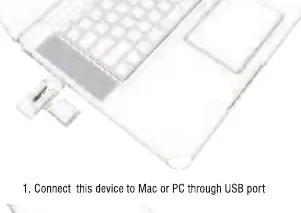
- USB Port: Connect the device to your Mac or PC.
- Micro USB Port: Connect the device to your OTG-enabled mobile device.
Important Limitations
Please note that this device can only read one card at a time. Ensure you are not attempting to access multiple cards simultaneously.
Support
If you encounter any installation issues, please contact the support team at [email protected].
Manufacturer information
Sabrent
Practical help
Common problems
The device is designed to read only one card at a time.
Before use
- Ensure your computer or mobile device has a compatible USB or Micro USB port
- Insert the memory card into the reader slot
- Verify that your mobile device supports OTG functionality

Manual page author
Michael Turner
Technical manual editor
Reviews PDF manuals for structure, safety notes, and practical product details so readers can find the right information quickly.