Whirlpool AKZ 146/IX Oven Operating Instructions
Comprehensive operating guide for the Whirlpool AKZ 146/IX oven, covering control panel usage, cooking functions, and maintenance tips.
Table of contents
Appliance Overview
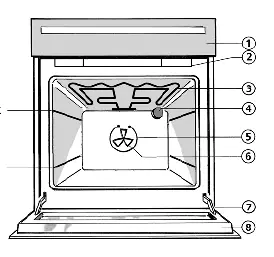
The Whirlpool AKZ 146/IX is a versatile oven designed for various cooking needs. It features a control panel with a selector knob for functions, a central button for confirmation, and a right-hand knob for setting time, temperature, and power levels. The oven includes a cooling fan that activates automatically based on internal temperature, except during grill functions where it starts immediately.
Quick Start Guide
To begin using the oven, ensure the display shows four dashes. If the display reads STOP, press the middle button under the display once. Select your desired function using the left dial and set the temperature with the right dial. If the display does not show the expected status, ensure all controls are off, switch off the mains supply briefly, and restart.
Oven Functions
- MLTF (Heat Maintenance): Maintains 35°C or 60°C. Ideal for raising dough (35°C) or keeping food warm (60°C).
- Fan Function: Allows simultaneous cooking on multiple levels. Temperature range is 50°C to 250°C with a default of 160°C. No preheating is required.
- Grill Function: Suitable for small pieces of meat and toast. Offers five heat settings. For best results, preheat for 3-5 minutes with the door closed, then grill with the door open.
- Turbo Grill: Designed for large chunks of meat. Uses the grill and fan. Keep the oven door closed during operation.
Cooking Tips and Maintenance
For grilling and turbo grilling, it is recommended to place a little water in the drip tray to minimize smoke and fat spatters. Always turn food halfway through the cooking process. When using the fan function for multiple dishes, remove items as they finish cooking if they have different required times. Ensure the oven is kept clean and that the mains supply is managed correctly during setup and troubleshooting.