User Guide for Sandberg Micro WiFi USB Dongle 650 Mbit/s
Quick setup guide for the Sandberg Micro WiFi USB Dongle 650 Mbit/s (133-91B). Includes installation steps, support information, and warranty details.
Table of contents
Quick guide from the manual
This document provides essential instructions for setting up the Sandberg Micro WiFi USB Dongle 650 Mbit/s (model 133-91B). The device is designed for easy plug-and-play connectivity to provide wireless network access to your computer.
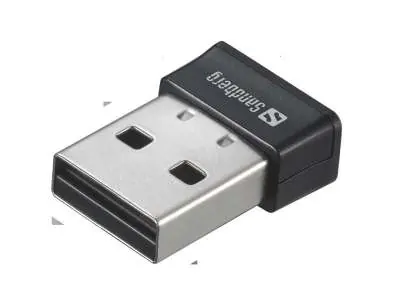
Installation
- Insert the Sandberg Micro WiFi USB Dongle into an available USB port on your computer.
- Once connected, the device will be recognized by your system, allowing you to connect to wireless networks.
Support and Warranty
For technical assistance, visit the official support helpdesk at http://helpdesk.sandberg.world. The product comes with a five-year warranty. It is recommended to register your new Sandberg product at www.sandberg.world/warranty to ensure full warranty coverage.
Disposal
For information regarding the handling of electronic waste, please refer to the official guidelines at www.sandberg.world/weee.
Official resources from the manual
Manufacturer information
Sandberg A/S
Practical help
Common problems
Ensure the USB port is functional and the dongle is fully inserted. Check your computer's device manager for driver status.
Before use
- Verify you have an available USB port on your computer.
- Ensure your computer is powered on.
- Register your product at www.sandberg.world/warranty for the 5-year warranty.

Manual page author
Emily Carter
User documentation editor
Prepares concise manual descriptions and highlights the most useful setup, operation, and maintenance information for readers.