User Manual for Sandberg Powerbank USB-C PD 100W (420-52)
Quick guide for the Sandberg Powerbank USB-C PD 100W (420-52). Learn how to charge the powerbank, charge your devices, and view technical specifications.
Table of contents
Manual images
Click an image to enlargeQuick guide from the manual
This guide provides instructions for the Sandberg Powerbank USB-C PD 100W (420-52). It covers how to charge the powerbank itself and how to use it to charge your mobile devices.
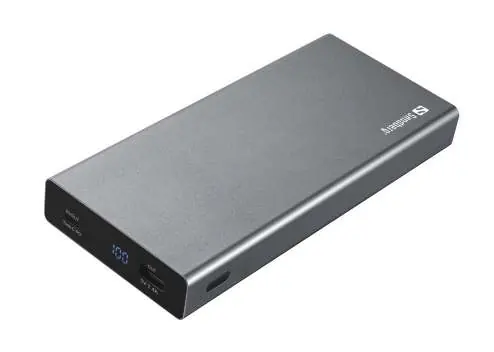
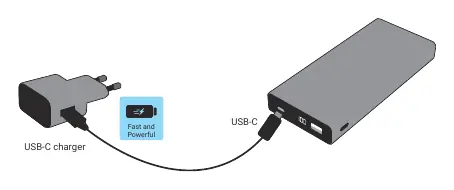
Charging the powerbank
To charge the powerbank, connect a USB-C charger to the USB-C port on the powerbank. The display will indicate the charging status.
Charging devices
You can charge your devices using the available ports:
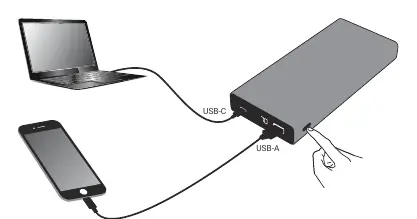
- USB-C port: Use this for high-power devices (up to 88W output).
- USB-A port: Use this for standard devices (up to 12W output).
Connect your device's charging cable to the appropriate port on the powerbank to begin charging.
Technical specifications
- Capacity: 20000 mAh / 74 Wh
- USB-C Input: 20V/3A, 15V/3A, 12V/3A, 9V/3A, 5V/3A (60W max)
- USB-C Output: 20V/4.4A, 15V/3A, 12V/3A, 9V/3A, 5V/3A (88W max)
- USB-A Output: 5V/2.4A (12W max)
Warranty and support
The product comes with a five-year warranty. For support, visit http://helpdesk.sandberg.world. Please register your product at www.sandberg.world/warranty.
Official resources from the manual
Manufacturer information
Sandberg A/S
Practical help
Common problems
Ensure the USB-C charger is connected properly to the USB-C input port.
Ensure the cable is securely connected to the USB-C or USB-A output port and the device.
Before use
- Check the battery level on the display
- Use a compatible USB-C charger for input
- Ensure cables are in good condition

Manual page author
Michael Turner
Technical manual editor
Reviews PDF manuals for structure, safety notes, and practical product details so readers can find the right information quickly.