Satechi 2-in-1 Magnetic Wireless Charging Stand User Manual
Quick guide for the Satechi 2-in-1 Magnetic Wireless Charging Stand. Learn how to charge your devices, understand LED indicators, and follow safety guidelines.
Quick answers from the manual
Quick answer
- The Satechi 2-in-1 Magnetic Wireless Charging Stand supports up to 15W for magnetic devices and 9W for AirPods. It requires a power adapter with at least 18W output. p. 1
Key actions
- Connect the USB-C cable to the stand and a power adapter (min 18W). p. 1
Problems and fixes
Do not place any metallic objects on the charger.
p. 1Technical specifications
| Parameter | Value | Meaning | Pages |
|---|---|---|---|
| Magnetic Charger Output | 15W | Max output for magnetic devices | p. 1 |
| AirPods Charger Output | 9W | Max output for AirPods | p. 1 |
Where to find it in the PDF
- User Manual p. 1
Table of contents
Quick guide from the manual
This document provides instructions for the Satechi 2-in-1 Magnetic Wireless Charging Stand. To ensure proper operation, use a power adapter with a minimum output of 18W.
Device overview
The charging stand is designed with two charging areas:
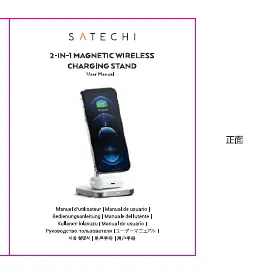
- Magnetic Wireless Charger: Located on the top, providing up to 15W of power for compatible magnetic devices.
- Qi Charger for AirPods: Located on the base, providing up to 9W of power.
The device also features an LED indicator to show status and a USB-C connector for power input.
Charging instructions
- Connect the provided 1M/3.28FT cable to the USB-C port on the stand.
- Connect the other end of the cable to a power adapter (minimum 18W required).
- Place your magnetic-compatible device on the magnetic charger.
- Place your AirPods on the base charger.
Important safety information
Do not place any metallic objects on the charger. Foreign objects can interfere with the charging process and may cause damage to the device or the charger.
Support
For technical support or inquiries, contact Satechi via email at [email protected] or by phone at +1 858 268 1800.
Manufacturer information
Satechi
Practical help
Common problems
Ensure the power adapter provides at least 18W of power and the USB-C cable is securely connected.
Remove any metallic objects from the charging surface.
Before use
- Verify power adapter is at least 18W
- Connect USB-C cable to the stand
- Ensure no metallic objects are on the charging surface

Manual page author
Emily Carter
User documentation editor
Prepares concise manual descriptions and highlights the most useful setup, operation, and maintenance information for readers.