User Manual for Scosche MagicMount MSC Phone Stand 142MSHS2
Quick guide for the Scosche 142MSHS2 MagicMount MSC Phone Stand. Learn how to install your MagSafe charger into the stand with our step-by-step setup instructions.
Table of contents
Manual images
Click an image to enlargeQuick guide from the manual
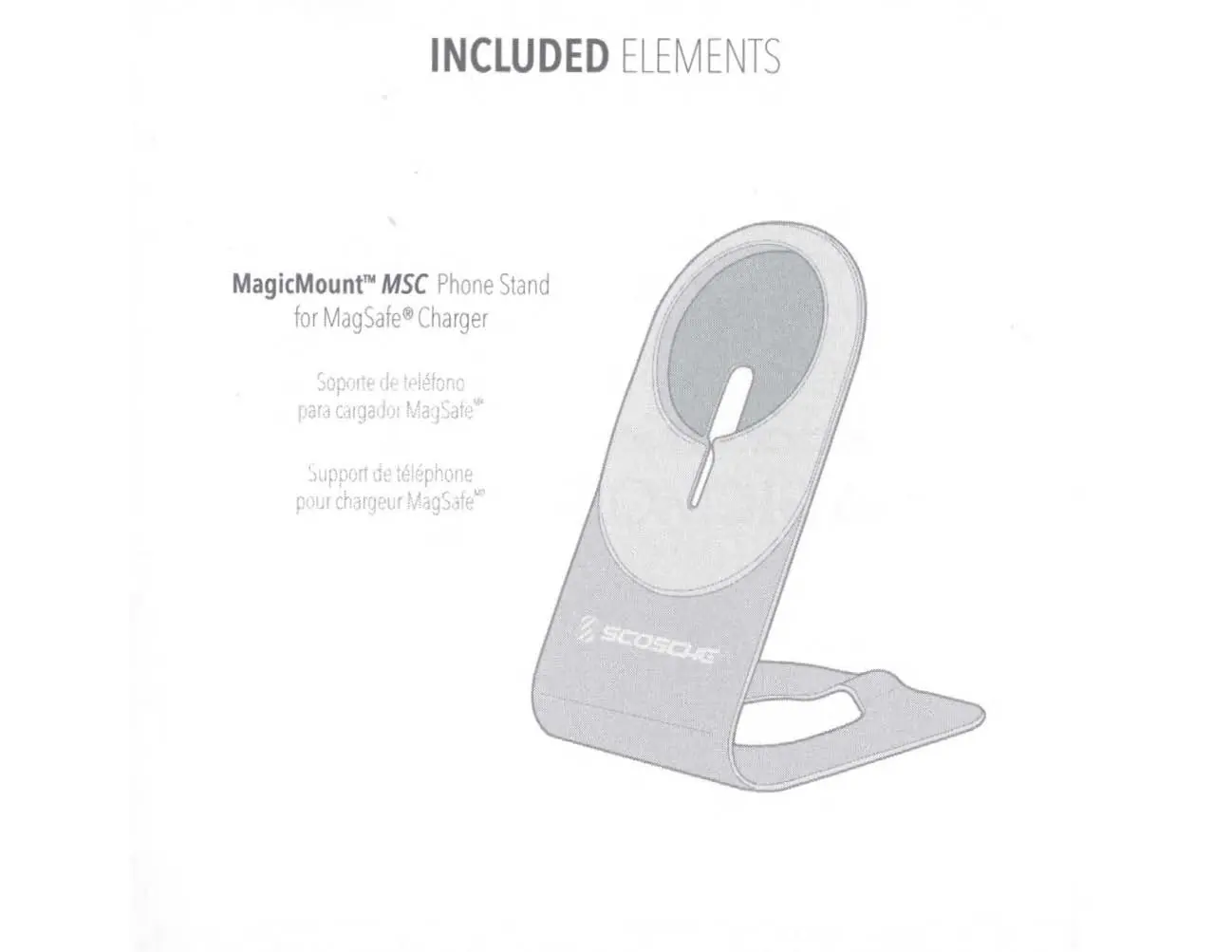
The Scosche MagicMount MSC Phone Stand is a desktop accessory designed to hold a MagSafe charger. Please note that the MagSafe charger and cable are not included with this product.
Included elements
The package contains the MagicMount MSC Phone Stand. Ensure all parts are present before beginning the setup.
Device setup
Follow these steps to install your charger into the stand:
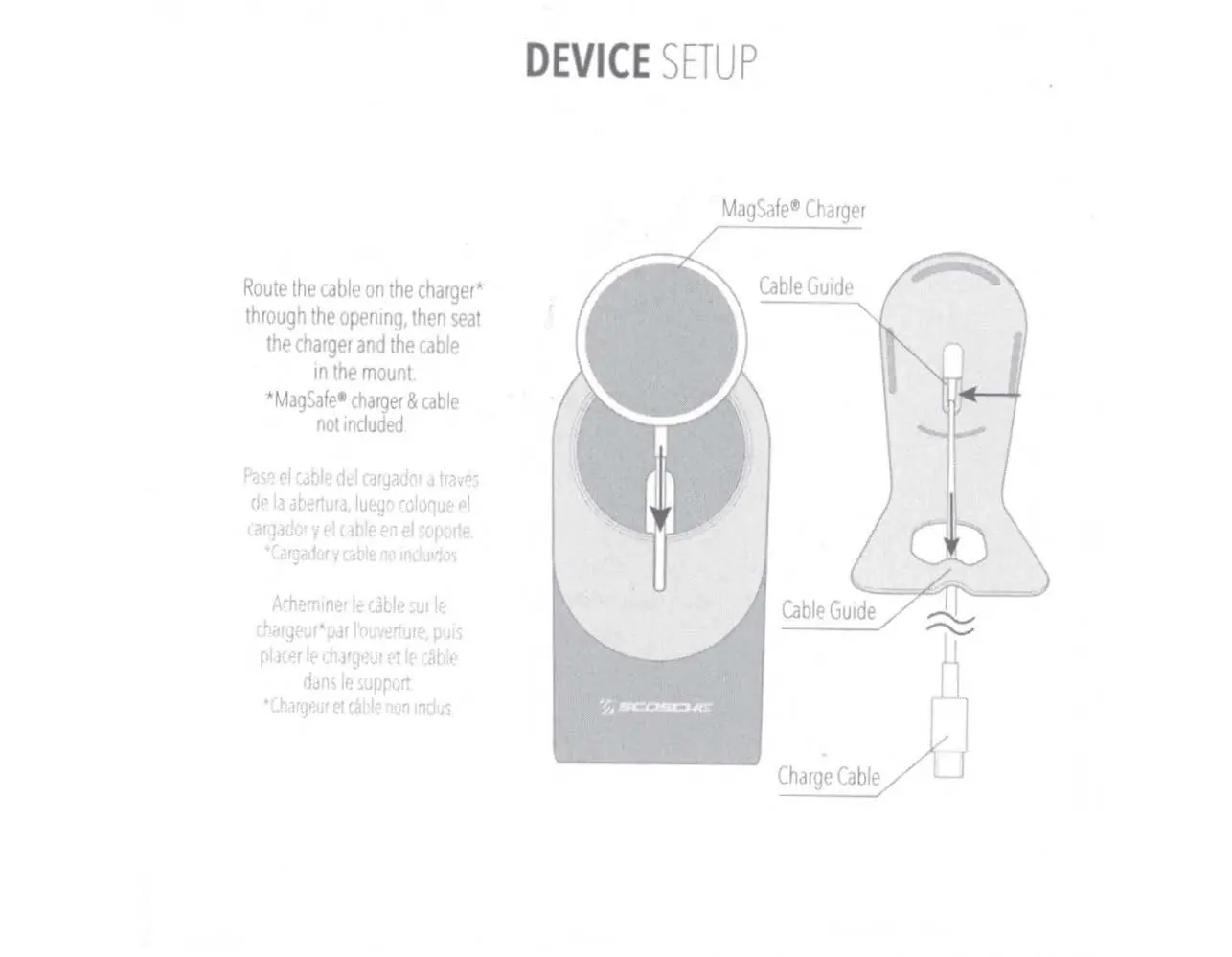
- Take the cable attached to your MagSafe charger.
- Route the cable through the opening in the center of the stand.
- Seat the charger firmly into the circular mount area.
- Secure the cable into the cable guide channel on the back of the stand to keep it organized.
Support and contact
For further assistance or to view the how-to video, visit the Scosche website. You can contact Scosche Industries at:
Scosche Industries1550 Pacific AvenueOxnard, California 93030Phone: 800-363-4490 x1 / 805-486-4450 x1www.scosche.com
Official resources from the manual
Manufacturer information
Scosche Industries, Inc.
Practical help
Common problems
The stand is specifically designed for the standard Apple MagSafe charger. Ensure you are using a compatible charger.
Ensure the cable is pressed firmly into the cable guide channel on the back of the stand to prevent it from slipping.
Before use
- Confirm you have a MagSafe charger available (not included).
- Ensure the stand is placed on a flat, stable surface.
- Check that your power source is within reach of the cable length.

Manual page author
David Miller
Documentation analyst
Organizes user manual content into clear summaries, with attention to model details, product context, and everyday usability.