Installation Instructions for SCT RCM-CQC Mounting Solution
Quick installation guide for the SCT RCM-CQC 2-Gang Mounting Solution for Cisco Quad Camera. Includes parts list and step-by-step assembly instructions.
Quick answers from the manual
Quick answer
- The RCM-CQC is a mounting solution for the Cisco Quad Camera. Installation involves attaching a wall plate to a 2-gang electrical box, securing a camera plate to the wall plate, and finally attaching the camera. p. 1, 2
Key actions
- Attach RCM Wall Plate to 2-gang electrical box using 6-32x1/2" screws. p. 1
- Attach Camera Plate to RCM Wall Plate using 6-32x3/8" screws. p. 1
- Attach Cisco QuadCam to Camera Plate. p. 2
Where to find it in the PDF
- Installation Instructions p. 1, 2
Table of contents
Quick guide from the manual
This document provides installation instructions for the SCT RCM-CQC 2-Gang Mounting Solution designed for the Cisco Quad Camera. Follow the steps below to assemble and mount the unit correctly.
Included parts
- No. 1: Camera Plate (813-1109, Qty 1)
- No. 2: RCM Wall Plate (813-1109, Qty 1)
- No. 3: 6-32x1/2" Slotted Screw, White (860-0014, Qty 4)
- No. 4: 6-32x3/8" Pan Head Torx Screw (860-0031, Qty 2)
Parts not included
- No. 5: 2-Gang Electrical Box (Qty 1)
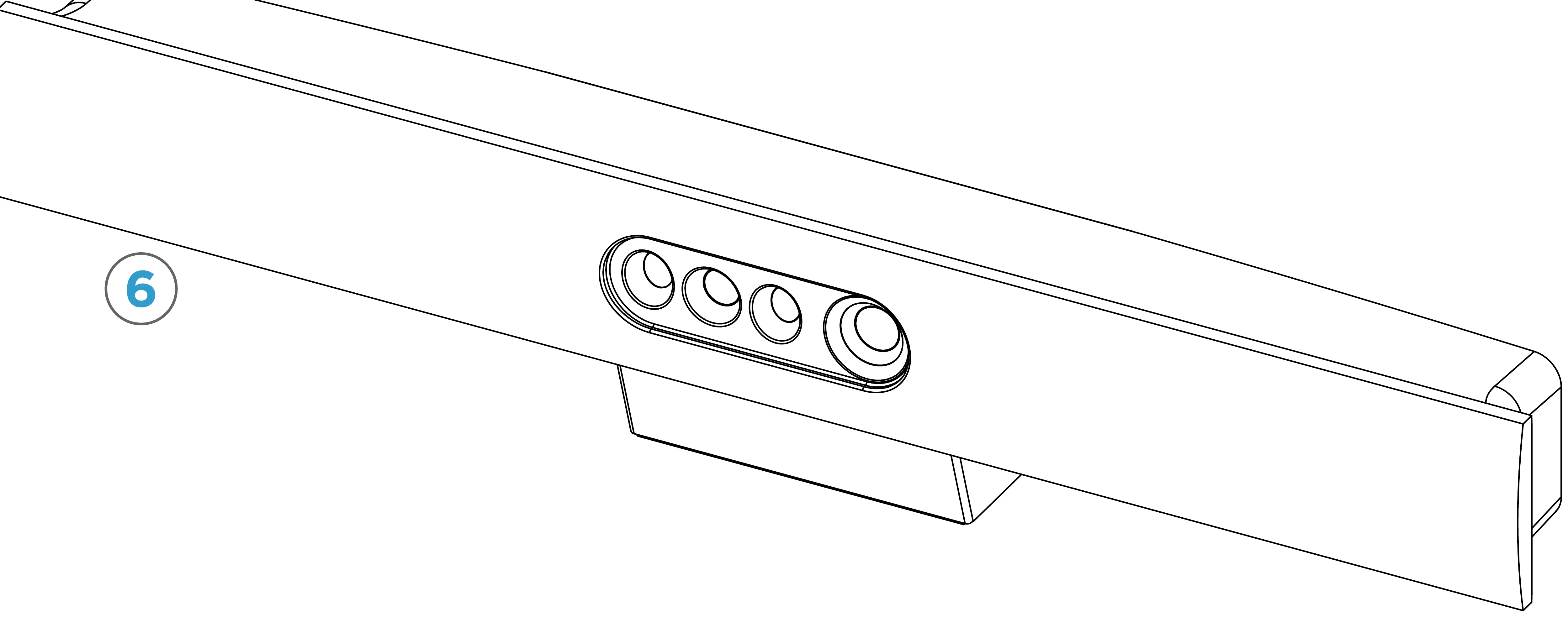
- No. 6: Cisco Quad Camera (Qty 1)
Installation steps
Step 1: Wall plate installation
Attach the RCM Wall Plate (No. 2) to the 2-gang electrical box (No. 5) using the provided 6-32x1/2" white slotted screws (No. 3, Qty 4).
Step 2: Camera plate installation
Attach the Camera Plate (No. 1) to the RCM Wall Plate using the provided 6-32x3/8" pan head Torx screws (No. 4, Qty 2).
Step 3: Camera attachment
Attach the Cisco QuadCam (No. 6) to the Camera Plate.
Contact information
Sound Control Technologies, Inc. | 203-854-5701 | WWW.SOUNDCONTROL.NET
Official resources from the manual
Practical help
Before use
- Ensure you have a 2-gang electrical box (not included).
- Verify you have the Cisco Quad Camera (not included).
- Check that all screws (6-32x1/2 and 6-32x3/8) are present.
Images and diagrams
- The diagrams illustrate the assembly sequence: attaching the wall plate to the electrical box, securing the camera plate to the wall plate, and mounting the camera.

Manual page author
Michael Turner
Technical manual editor
Reviews PDF manuals for structure, safety notes, and practical product details so readers can find the right information quickly.