Seeed Studio 1.3-inch OLED 128x64 Display
Quick guide for the Seeed Studio 1.3-inch OLED 128x64 display. Includes technical specifications, operating voltage, driver compatibility, and physical dimensions.
Table of contents
Manual images
Click an image to enlargeQuick guide from the manual
This document provides the technical specifications and overview for the Seeed Studio 1.3-inch OLED 128x64 display. It is designed for use in wearables and IoT devices, offering high contrast and low power consumption.
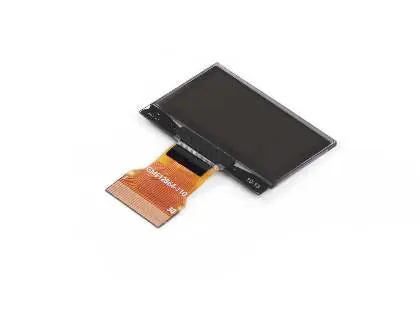
Key Features
- High Contrast Display: Delivers crisp monochrome visuals.
- Wide Viewing Angle: Ensures visibility from various positions.
- Low Power Consumption: Suitable for battery-operated devices.
- SSD1306-Compatible Driver: Uses the CH1116G driver IC.
- Flexible FPC Interface: Allows for compact integration.
- Fast Response Time: Ideal for dynamic content.
Technical Specifications
- Display Size: 1.3 inch
- Resolution: 128 x 64 dots
- Display Color: White monochrome OLED
- Driver IC: CH1116G
- Drive Duty: 1/64
- Operating Voltage: 3.0V – 5.0V (typical)
- Operating Current: < 20 mA (typical)
- Contrast Ratio: Typically >10,000:1
Operating Conditions
- Operating Temperature: -40°C to +80°C
- Storage Temperature: -40°C to +85°C
- View Direction: ALL
Physical Dimensions
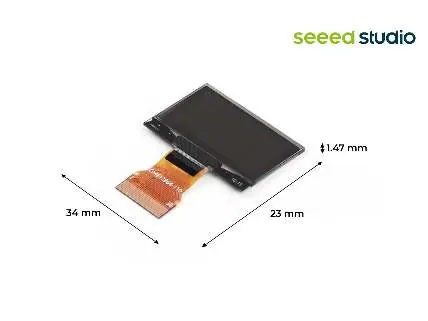
The display module measures 34mm in width and 23mm in height, with a thickness of approximately 1.47mm, making it suitable for compact embedded applications.
Practical help
Common problems
Verify that the power supply is within the 3.0V to 5.0V range.
Ensure the controller is configured for an SSD1306-compatible driver (CH1116G).
Before use
- Verify power supply voltage is between 3.0V and 5.0V.
- Ensure the driver IC (CH1116G) is compatible with your microcontroller/system.
- Check that the operating environment is within -40°C to +80°C.
- Handle the FPC interface carefully to avoid damage.

Manual page author
Emily Carter
User documentation editor
Prepares concise manual descriptions and highlights the most useful setup, operation, and maintenance information for readers.