User manual for SereneLife SLWBCAM20 webcam
Quick setup guide and technical specifications for the SereneLife SLWBCAM20 1080P Full HD Webcam. Learn how to mount, connect, and optimize your device for video calls and streaming.
Table of contents
Manual images
Click an image to enlargeQuick setup guide
To set up your SereneLife SLWBCAM20 webcam, follow these steps:
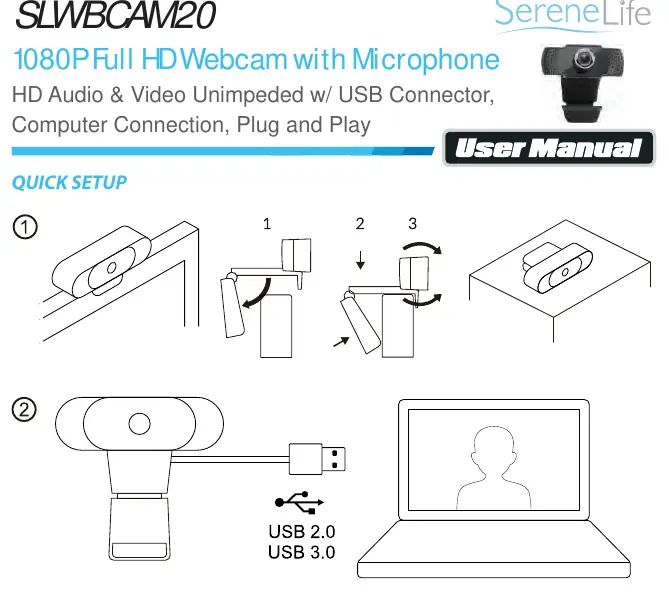
- Mounting: Place the camera on top of your LCD monitor or on a flat table surface using the adjustable stand.
- Connection: Connect the camera's USB cable to an available USB 2.0 or higher port on your computer.
- Initialization: Wait approximately three seconds for the operating system to detect and enumerate the camera.
Note: The camera requires a USB 2.0 or higher interface to function correctly.
Features
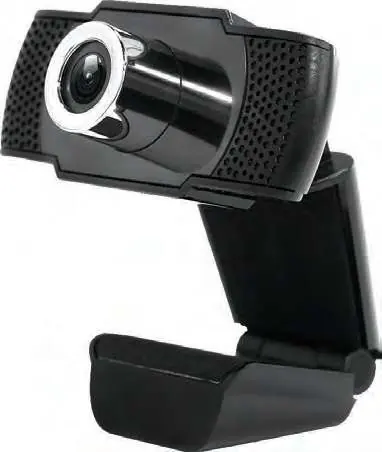
- Supports 1080p HD resolution at up to 30FPS.
- Built-in high-performance microphone.
- Plug and Play functionality for easy installation.
- 90-degree super wide field of view.
- Low light gain imaging technology and automatic noise reduction.
- Suitable for online lessons, video conferences, and live streaming.
Technical specifications
- Image Sensor: 1/2.9 2MP
- Video Resolution: 1920 x 1080
- Field Angle: 90 degrees
- Power Supply: DC 5V USB Direct Power
- USB Cable Length: 4.92 ft.
- Operating Temperature: 0° C to + 55° C
- Audio: PCM encoding, 32 kbp bit rate
Support
If you encounter issues, you can contact support via phone at (1) 718-535-1800 or email at [email protected].
Practical help
Common problems
Camera not detected by computer
Ensure the camera is connected to a USB 2.0 or higher port and wait at least three seconds for the operating system to enumerate the device.
Before use
- Ensure the device is connected to a USB 2.0 or higher port.
- Mount the camera securely on your monitor or a flat surface.
- Verify that your operating system has recognized the device (wait 3 seconds after plugging in).

Manual page author
Michael Turner
Technical manual editor
Reviews PDF manuals for structure, safety notes, and practical product details so readers can find the right information quickly.