Wireless Portable Charger 2048596-00-A User Manual
Quick start guide for the Shanghai Wireless Portable Charger 2048596-00-A. Learn how to charge the device, understand LED battery indicators, and operate the wireless charging function.
Quick answers from the manual
Quick answer
- The 2048596-00-A is a wireless portable charger. It is charged via a Type-C port and features LED indicators to show battery status. p. 1
Key actions
- Charge the power bank p. 1
Problems and fixes
Reorient or relocate the receiving antenna, increase separation between equipment and receiver, or connect to a different outlet.
p. 2Show 1 more answers Show less
Where to find it in the PDF
- Quick Start Guide p. 1
- Regulatory Compliance p. 2
Table of contents
Quick guide from the manual
This device is a wireless portable charger designed for mobile devices. It features a Type-C port for recharging the internal battery and a wireless charging surface for compatible devices.
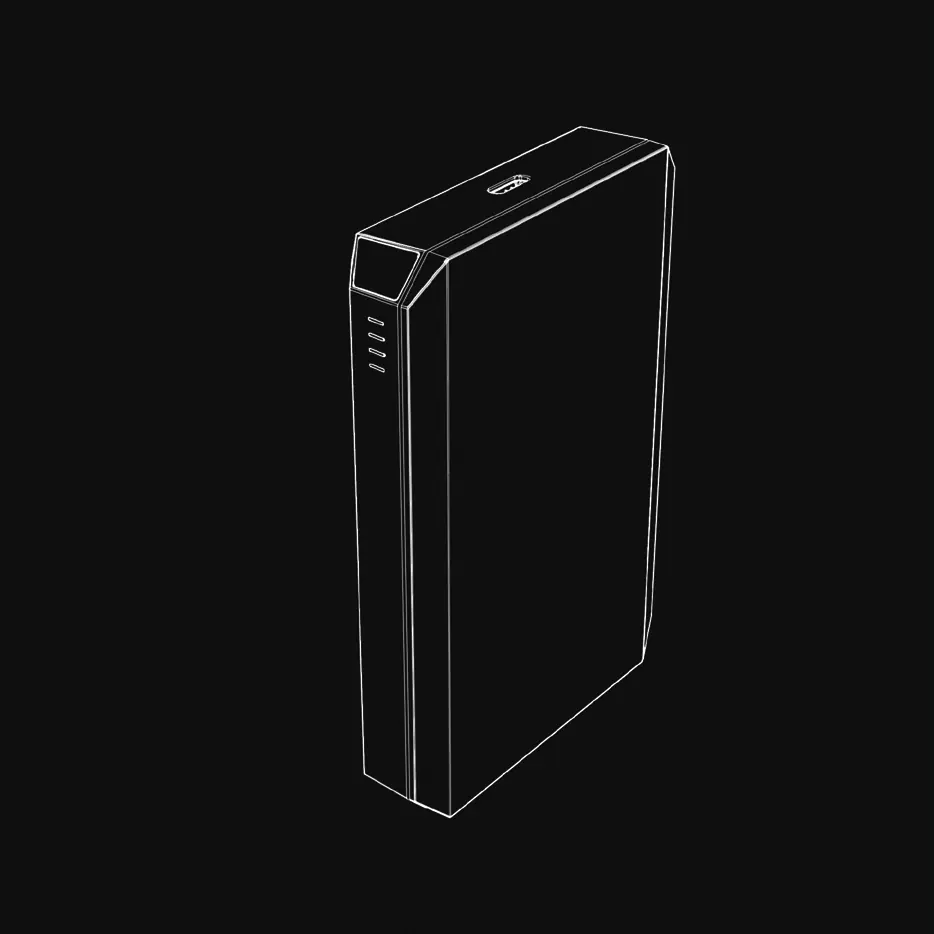
LED Indicators
The device includes LED lights to indicate the current battery level:
- 0-25%: One LED indicator
- 25-50%: Two LED indicators
- 50-75%: Three LED indicators
- 75-100%: Four LED indicators
Charging the device
To charge the portable charger, connect a Type-C cable to the input port and connect the other end to a power source.
Using wireless charging
Place your wireless-charging compatible device on the charging surface of the portable charger. Ensure proper alignment for optimal charging.
Regulatory Information
This equipment has been tested and found to comply with the limits for a Class B digital device, pursuant to part 15 of the FCC Rules. These limits are designed to provide reasonable protection against harmful interference in a residential installation.
Practical help
Common problems
Ensure the Type-C cable is securely connected to a power source.
Ensure the device is properly aligned on the charging pad and no metal objects are between them.
Before use
- Check the battery level using the LED indicators.
- Ensure the Type-C cable is available for recharging the power bank.
- Verify the device to be charged supports wireless charging.

Manual page author
Michael Turner
Technical manual editor