User Guide for Shark HH200 Series UltraLight Corded Handheld Vacuum
Quick guide for the Shark HH200 Series handheld vacuum, covering operation, dust cup emptying, filter maintenance, troubleshooting, and safety instructions.
Table of contents
Quick guide from the manual
This guide provides essential instructions for operating and maintaining your Shark HH200 Series UltraLight Corded Handheld Vacuum. Always unplug the unit before performing any maintenance. Ensure all filters and the dust cup are properly installed before use.
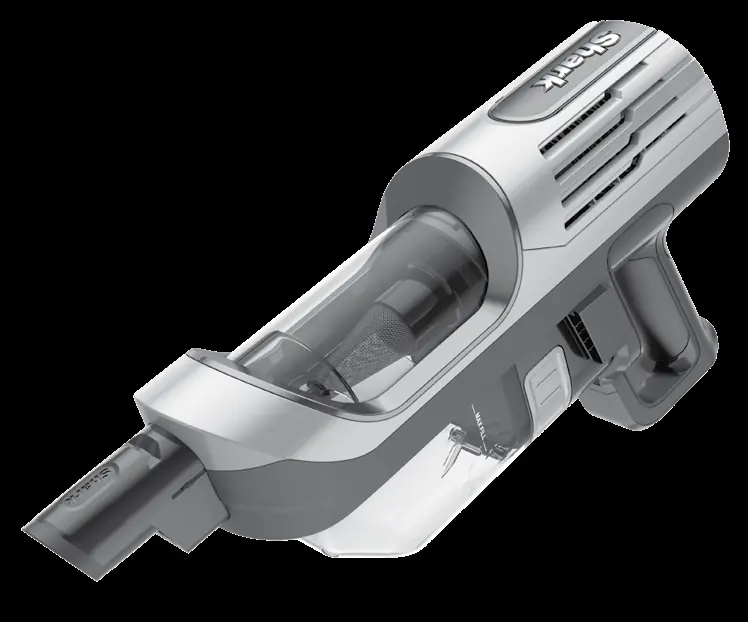
Operation
The control panel is located on top of the handheld vacuum. Press the Power button to start vacuuming and press it again to turn off the power. For storage, wrap the power cord around the two cord hooks and use the hook-and-loop fastener to secure it.
Emptying the dust cup
Empty the dust cup after every use and whenever debris reaches the MAX fill line:
- Press the two Dust Cup Release buttons simultaneously and slide the dust cup out.
- Hold the cup over a trash bin, press the Empty button, and pull to open it until it clicks into the locked position.
- Gently tap the cone-shaped screen inside to dislodge dust and debris.
- To reinstall, push the lid closed, insert the front end of the dust cup into the vacuum first, then the back end until it clicks into place.
Cleaning filters
Regularly rinse and replace filters to maintain suction power. Use cold water only; do not use soap. Allow all filters to air-dry for at least 24 hours before reinstalling.
- Pre-Motor Filters: Detach the dust cup, press the Filter Access buttons on both sides, and pull out the filter housing. Remove the foam filter and lift out the felt filter by the pull tab. Wash once a month.
- Post-Motor Filter: Press the Filter Access latch on the filter cover, remove the cover, and lift out the filter. Wash once every 9 months.
Checking for blockages
If the vacuum loses suction, remove the dust cup and check all intake openings for debris or blockages. Clear any obstructions before restarting the unit.
Troubleshooting
If the vacuum turns off on its own due to overheating:
- Turn off and unplug the vacuum.
- Empty the dust cup and clean the filters.
- Check for blockages in the handheld unit, inlet openings, and accessories.
- Allow the unit to cool for at least 60 minutes.
- Plug in and turn on the vacuum.
Practical help
Common problems
Empty the dust cup, remove hair from the cone-shaped screen, clean the filters, and check for blockages in the unit or accessories.
The unit has overheated. Unplug, empty the dust cup, clean filters, check for blockages, and let it cool for at least 60 minutes.
This is normal due to strong suction. Turn off the vacuum and wait 10 minutes. If it remains warm, clean the pre-motor and post-motor filters.
Before use
- Inspect power cord and plug for damage.
- Ensure all filters are in place.
- Check that the dust cup is properly installed.
- Ensure no openings are blocked.
- Verify the unit is not used on wet surfaces or to pick up liquids.
Images and diagrams
- The dust cup release buttons are located on the sides of the handheld unit.
- The power button is located on the top control panel.
- Cord hooks are provided on the unit for secure storage.
- Filter access buttons are located on the back of the dust cup assembly.
Model compatibility
- Use only Shark branded filters and accessories.
- Replacement Pre-Motor Filter Kit: XFFKHZ2000.
- Replacement Post-Motor Filter: XPMFHZ2000.

Manual page author
Emily Carter
User documentation editor
Prepares concise manual descriptions and highlights the most useful setup, operation, and maintenance information for readers.