User Manual for Shenzhen 02PR0 Smart Glasses
Quick guide for the Shenzhen 02PR0 smart glasses. Learn how to pair via Bluetooth, control music playback, manage phone calls, and use voice assistants with the multi-function button.
Table of contents
Quick guide from the manual
This guide provides instructions for operating the Shenzhen 02PR0 smart glasses. The device is controlled via a single multi-function button located on the frame.
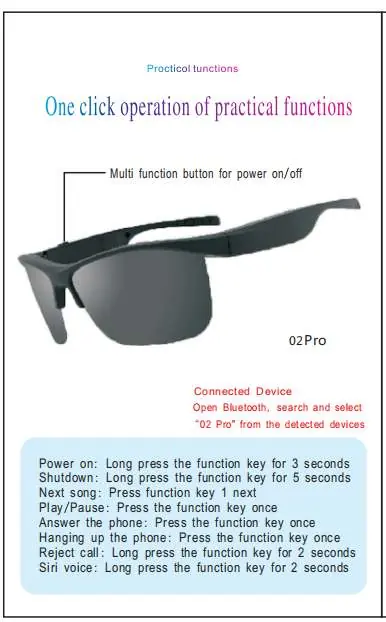
Bluetooth Pairing
To connect your device:
- Ensure the glasses are powered on.
- Open the Bluetooth settings on your smartphone or device.
- Search for and select 02 Pro from the list of detected devices.
Button Controls
The multi-function button handles all operations through different press durations and counts:
- Power on: Long press for 3 seconds.
- Shutdown: Long press for 5 seconds.
- Play/Pause: Press once.
- Answer phone: Press once.
- Hang up phone: Press once.
- Next song: Press once.
- Reject call: Long press for 2 seconds.
- Siri voice assistant: Long press for 2 seconds.
Regulatory Information
This device complies with Part 15 of the FCC Rules. Operation is subject to the condition that the device does not cause harmful interference and must accept any interference received.
Practical help
Common problems
Ensure the device is powered on (long press 3 seconds) and in pairing mode.
Ensure the press duration is correct (e.g., 2 seconds for Siri/Reject vs. a quick press for Play/Pause).
Before use
- Charge the smart glasses fully.
- Enable Bluetooth on your mobile device.
- Locate the multi-function button on the frame.

Manual page author
Michael Turner
Technical manual editor
Reviews PDF manuals for structure, safety notes, and practical product details so readers can find the right information quickly.